
GetNotes Tools
rohitg00/ai-engineering-from-scratch
Tool นี้คืออะไร
AI Engineering from Scratch เป็นหลักสูตรที่ครอบคลุมและลงมือปฏิบัติจริงสำหรับนักพัฒนาที่ต้องการสร้างและทำความเข้าใจ AI ตั้งแต่พื้นฐานทางคณิตศาสตร์ไปจนถึงระบบเอเจนต์และระบบการผลิต โดยมีเป้าหมายเพื่อปิดช่องว่างระหว่างการใช้เครื่องมือ AI กับการเตรียมพร้อมสำหรับการใช้งานในระดับมืออาชีพ
ข้อมูลโปรเจกต์
ดาว
54.4K
Forks
9.5K
License
MIT
อัปเดต GitHub ล่าสุด
7 ก.ย. 2569
เพิ่มใน GetNotes
30 ก.ค. 2569
Repository
rohitg00/ai-engineering-from-scratch
แปลและเรียบเรียงโดย AI
เนื้อหาฉบับภาษาไทย
ใช้อ่านเพื่อทำความเข้าใจเบื้องต้น โปรดตรวจสอบรายละเอียดสำคัญกับเอกสารต้นฉบับด้านล่าง



จากผู้สร้าง Agent Memory - #1 Persistent memory ⭐  ซึ่งทำงานร่วมกับเอเจนต์หรือผู้ช่วยแชทใดๆ ได้อย่างเป็นธรรมชาติ
░░░▒▒▒░░░▒▒▒░░░▒▒▒░░░▒▒▒░░░▒▒▒░░░▒▒▒░░░▒▒▒░░░▒▒▒░░░▒▒▒░░░▒▒▒░░░▒▒▒░░░▒▒▒░░░▒▒▒░░░▒▒▒░░░▒▒▒84% ของนักเรียนใช้เครื่องมือ AI อยู่แล้ว แต่มีเพียง 18% เท่านั้นที่รู้สึกพร้อมที่จะใช้งานอย่างมืออาชีพ หลักสูตรนี้จะช่วยปิดช่องว่างนั้น
503 บทเรียน 20 เฟส ใช้เวลาประมาณ 320 ชั่วโมง Python, TypeScript, Rust, Julia ทุกบทเรียนมาพร้อมกับสิ่งประดิษฐ์ที่นำกลับมาใช้ใหม่ได้: prompt, skill, agent, หรือ MCP server ฟรี, open source, MIT
คุณไม่ได้แค่เรียนรู้ AI แต่คุณสร้างมันขึ้นมา ตั้งแต่ต้นจนจบ ด้วยมือของคุณเอง
วิธีการทำงาน
เนื้อหา AI ส่วนใหญ่สอนเป็นชิ้นส่วนกระจัดกระจาย บทความหนึ่งที่นี่ โพสต์การปรับแต่งที่นั่น การสาธิตเอเจนต์ที่น่าตื่นเต้นที่อื่น ชิ้นส่วนเหล่านี้ไม่ค่อยเชื่อมโยงกัน คุณสร้างแชทบอทแต่ไม่สามารถอธิบาย loss curve ของมันได้ คุณเชื่อมฟังก์ชันเข้ากับเอเจนต์แต่ไม่สามารถบอกได้ว่า attention ทำอะไรภายในโมเดลที่เรียกใช้มัน
หลักสูตรนี้คือแกนหลัก 20 เฟส, 503 บทเรียน, สี่ภาษา: Python, TypeScript, Rust, Julia ตั้งแต่พีชคณิตเชิงเส้นไปจนถึงฝูงระบบอัตโนมัติ ทุกอัลกอริทึมจะถูกสร้างขึ้นจากคณิตศาสตร์ดิบก่อน Backprop. Tokenizer. Attention. Agent loop. เมื่อ PyTorch ปรากฏขึ้น คุณจะรู้แล้วว่ามันกำลังทำอะไรอยู่ภายใต้พื้นฐาน
แต่ละบทเรียนจะดำเนินตามวงจรเดียวกัน: อ่านปัญหา, สร้างคณิตศาสตร์, เขียนโค้ด, รันการทดสอบ, เก็บสิ่งประดิษฐ์ ไม่มีวิดีโอห้านาที, ไม่มีการคัดลอกและวางเพื่อปรับใช้, ไม่มีการจับมือสอน ฟรี, open source และสร้างขึ้นเพื่อรันบนแล็ปท็อปของคุณเอง
░░░▒▒▒░░░▒▒▒░░░▒▒▒░░░▒▒▒░░░▒▒▒░░░▒▒▒░░░▒▒▒░░░▒▒▒░░░▒▒▒░░░▒▒▒░░░▒▒▒░░░▒▒▒░░░▒▒▒░░░▒▒▒░░░▒▒▒โครงสร้างของหลักสูตร
ยี่สิบเฟสซ้อนทับกัน คณิตศาสตร์คือพื้น เอเจนต์และการผลิตคือหลังคา ข้ามไปข้างหน้าได้หากคุณรู้เลเยอร์ล่างๆ อยู่แล้ว แต่อย่าข้ามแล้วมาสงสัยว่าทำไมบางอย่างที่อยู่ด้านบนถึงพัง
%%{init: {'theme':'base','themeVariables':{'primaryColor':'#fafaf5','primaryTextColor':'#1a1a1a','primaryBorderColor':'#3553ff','lineColor':'#3553ff','fontFamily':'JetBrains Mono','fontSize':'12px'}}}%%
flowchart TB
  P0["เฟส 0 — การตั้งค่าและเครื่องมือ"] --> P1["เฟส 1 — พื้นฐานคณิตศาสตร์"]
  P1 --> P2["เฟส 2 — พื้นฐาน ML"]
  P2 --> P3["เฟส 3 — แกนหลัก Deep Learning"]
  P3 --> P4["เฟส 4 — วิทัศน์"]
  P3 --> P5["เฟส 5 — NLP"]
  P3 --> P6["เฟส 6 — เสียงและออดิโอ"]
  P3 --> P9["เฟส 9 — RL"]
  P5 --> P7["เฟส 7 — Transformers"]
  P7 --> P8["เฟส 8 — GenAI"]
  P7 --> P10["เฟส 10 — LLM จากศูนย์"]
  P10 --> P11["เฟส 11 — วิศวกรรม LLM"]
  P10 --> P12["เฟส 12 — มัลติโมดัล"]
  P11 --> P13["เฟส 13 — เครื่องมือและโปรโตคอล"]
  P13 --> P14["เฟส 14 — วิศวกรรมเอเจนต์"]
  P14 --> P15["เฟส 15 — ระบบอัตโนมัติ"]
  P15 --> P16["เฟส 16 — หลายเอเจนต์และฝูง"]
  P14 --> P17["เฟส 17 — โครงสร้างพื้นฐานและการผลิต"]
  P15 --> P18["เฟส 18 — จริยธรรมและการจัดแนว"]
  P16 --> P19["เฟส 19 — โครงการ Capstone"]
  P17 --> P19
P18 --> P19░░░▒▒▒░░░▒▒▒░░░▒▒▒░░░▒▒▒░░░▒▒▒░░░▒▒▒░░░▒▒▒░░░▒▒▒░░░▒▒▒░░░▒▒▒░░░▒▒▒░░░▒▒▒░░░▒▒▒░░░▒▒▒░░░▒▒▒โครงสร้างของบทเรียน
แต่ละบทเรียนจะอยู่ในโฟลเดอร์ของตัวเอง โดยมีโครงสร้างเดียวกันตลอดทั้งหลักสูตร:
phases/<NN>-<phase-name>/<NN>-<lesson-name>/
├── code/      การนำไปใช้งานที่รันได้ (Python, TypeScript, Rust, Julia)
├── docs/
│   └── en.md  เนื้อหาบทเรียน
└── outputs/   prompts, skills, agents, หรือ MCP servers ที่บทเรียนนี้สร้างขึ้น
ทุกบทเรียนจะดำเนินตามหกขั้นตอน การแบ่ง Build It / Use It คือแกนหลัก — คุณจะนำอัลกอริทึมไปใช้ตั้งแต่เริ่มต้นก่อน จากนั้นจึงรันสิ่งเดียวกันผ่านไลบรารีการผลิต คุณจะเข้าใจว่าเฟรมเวิร์กกำลังทำอะไรอยู่ เพราะคุณได้เขียนเวอร์ชันที่เล็กกว่าด้วยตัวเอง
%%{init: {'theme':'base','themeVariables':{'primaryColor':'#fafaf5','primaryTextColor':'#1a1a1a','primaryBorderColor':'#3553ff','lineColor':'#3553ff','fontFamily':'JetBrains Mono','fontSize':'13px'}}}%%
flowchart LR
  M["คติประจำใจ<br/><sub>แนวคิดหลักหนึ่งบรรทัด</sub>"] --> Pr["ปัญหา<br/><sub>ปัญหาที่จับต้องได้</sub>"]
  Pr --> C["แนวคิด<br/><sub>แผนภาพและสัญชาตญาณ</sub>"]
  C --> B["สร้างมัน<br/><sub>คณิตศาสตร์ดิบ ไม่มีเฟรมเวิร์ก</sub>"]
  B --> U["ใช้งานมัน<br/><sub>สิ่งเดียวกันใน PyTorch / sklearn</sub>"]
  U --> S["ส่งมอบมัน<br/><sub>prompt · skill · agent · MCP</sub>"]
เริ่มต้นใช้งาน
มีสามวิธีในการเริ่มต้น เลือกหนึ่งวิธี
ตัวเลือก A — อ่าน เปิดบทเรียนที่เสร็จสมบูรณ์ใดๆ บน aiengineeringfromscratch.com หรือขยายเฟสภายใต้ Contents ไม่ต้องตั้งค่า ไม่ต้องโคลน
ตัวเลือก B — โคลนและรัน
git clone https://github.com/rohitg00/ai-engineering-from-scratch.git
cd ai-engineering-from-scratch
python phases/01-math-foundations/01-linear-algebra-intuition/code/vectors.py*ตัวเลือก C — ค้นหาระดับของคุณ (แนะนำ).* ข้ามไปข้างหน้าอย่างชาญฉลาด ภายใน Claude, Cursor, Codex, OpenClaw, Hermes หรือเอเจนต์ใดๆ ที่ติดตั้งทักษะหลักสูตรแล้ว:
/find-your-levelสิบคำถาม จับคู่ความรู้ของคุณกับเฟสเริ่มต้น สร้างเส้นทางส่วนบุคคลพร้อมประมาณการชั่วโมงเรียน หลังจากแต่ละเฟส:
/check-understanding 3        # ทดสอบตัวเองในเฟส 3
ls phases/03-deep-learning-core/05-loss-functions/outputs/
# ├── prompt-loss-function-selector.md
# └── prompt-loss-debugger.md
ข้อกำหนดเบื้องต้น
- คุณสามารถเขียนโค้ดได้ (ภาษาใดก็ได้; Python จะช่วยได้)
- คุณต้องการทำความเข้าใจว่า AI ทำงานอย่างไรจริงๆ ไม่ใช่แค่เรียกใช้ API
ทักษะเอเจนต์ในตัว (Claude, Cursor, Codex, OpenClaw, Hermes)
| ทักษะ | สิ่งที่ทำ |
|---|---|
/find-your-level | แบบทดสอบวัดระดับสิบคำถาม จับคู่ความรู้ของคุณกับเฟสเริ่มต้นและสร้างเส้นทางส่วนบุคคลพร้อมประมาณการชั่วโมงเรียน |
/check-understanding <phase> | แบบทดสอบรายเฟส แปดคำถาม พร้อมข้อเสนอแนะและบทเรียนเฉพาะที่ต้องทบทวน |
░░░▒▒▒░░░▒▒▒░░░▒▒▒░░░▒▒▒░░░▒▒▒░░░▒▒▒░░░▒▒▒░░░▒▒▒░░░▒▒▒░░░▒▒▒░░░▒▒▒░░░▒▒▒░░░▒▒▒░░░▒▒▒░░░▒▒▒อ่านเป็นหนังสือ
หลักสูตรทั้งหมดรวบรวมเป็นชุดหนังสือหกเล่ม ไฟล์ EPUB และ PDF ถูกสร้างโดย CI จากแหล่งที่มาของบทเรียนเดียวกันและแนบมากับทุก GitHub release ลิงก์ด้านล่างจะนำไปสู่ release ล่าสุดเสมอ หมายเลขเล่มใช้สำหรับจัดทำดัชนีชุดหนังสือ ไม่ใช่เวอร์ชัน: สำเนาแต่ละชุดจะมีตราประทับวันที่ของฉบับ และฉบับเก่าสามารถดาวน์โหลดได้จาก release ของมัน
| เล่ม | ชื่อเรื่อง | เฟส | ดาวน์โหลด |
|---|---|---|---|
| 1 | พื้นฐาน · คณิตศาสตร์, เครื่องมือ, และแมชชีนเลิร์นนิงแบบดั้งเดิม | 00-02 | EPUB · PDF |
| 2 | Deep Learning · เครือข่าย, วิทัศน์, และเสียงพูด | 03, 04, 06 | EPUB · PDF |
| 3 | ภาษา · พื้นฐาน NLP และ Transformer | 05, 07 | EPUB · PDF |
| 4 | โมเดลภาษาขนาดใหญ่ · การสร้าง, การเสริมแรง, การฝึกอบรมล่วงหน้า, และวิศวกรรม | 08-11 | EPUB · PDF |
| 5 | เอเจนต์ · มัลติโมดัล, โปรโตคอล, ระบบอัตโนมัติ, และฝูง | 12-16 | EPUB · PDF |
| 6 | การผลิต · โครงสร้างพื้นฐาน, ความปลอดภัย, และโครงการ Capstone | 17-19 | EPUB · PDF |
หนังสือคือภาพรวม ส่วน repository นี้คือฉบับที่ยังมีชีวิต ทุกบทจะจบลงด้วยลิงก์กลับไปยังภาพเคลื่อนไหวของบทเรียน แบบทดสอบ และโค้ดที่รันได้ สร้างหนังสือในเครื่องด้วย python3 scripts/build_book.py (ต้องมี pandoc); รายละเอียดของ pipeline อยู่ใน book/README.md
░░░▒▒▒░░░▒▒▒░░░▒▒▒░░░▒▒▒░░░▒▒▒░░░▒▒▒░░░▒▒▒░░░▒▒▒░░░▒▒▒░░░▒▒▒░░░▒▒▒░░░▒▒▒░░░▒▒▒░░░▒▒▒░░░▒▒▒ทุกบทเรียนมีผลลัพธ์
หลักสูตรอื่น ๆ มักจะจบลงด้วย "ขอแสดงความยินดี คุณได้เรียนรู้ X แล้ว" แต่ละบทเรียนที่นี่จะจบลงด้วย เครื่องมือที่นำกลับมาใช้ใหม่ได้ ซึ่งคุณสามารถติดตั้งหรือนำไปใช้ในเวิร์กโฟลว์ประจำวันของคุณได้
ติดตั้งทั้งหมดด้วย python3 scripts/install_skills.py นี่คือเครื่องมือจริง ไม่ใช่การบ้าน
เมื่อจบคอร์ส คุณจะมีผลงาน 503 ชิ้นที่คุณเข้าใจอย่างแท้จริง เพราะคุณเป็นคนสร้างมันขึ้นมา
FIG_002 · ตัวอย่างการทำงาน
Phase 14, บทเรียนที่ 1: agent loop โค้ด Python บริสุทธิ์ประมาณ 120 บรรทัด ไม่มี dependency
code/agent_loop.py สร้างมันขึ้นมา
def run(query, tools):
    history = [user(query)]
    for step in range(MAX_STEPS):
        msg = llm(history)
        if msg.tool_calls:
            for call in msg.tool_calls:
                result = tools[call.name](https://github.com/rohitg00/ai-engineering-from-scratch/blob/main/**call.args)
                history.append(tool_result(call.id, result))
            continue
        return msg.content
    raise StepLimitExceeded
outputs/skill-agent-loop.md ส่งมอบมัน
---
name: agent-loop
description: ReAct-style loop for any tool list
phase: 14
lesson: 01
---

Implement a minimal agent loop that...
outputs/prompt-debug-agent.md
You are an agent debugger. Given the trace
of an agent run, identify the step where
the agent went wrong and explain why...░░░▒▒▒░░░▒▒▒░░░▒▒▒░░░▒▒▒░░░▒▒▒░░░▒▒▒░░░▒▒▒░░░▒▒▒░░░▒▒▒░░░▒▒▒░░░▒▒▒░░░▒▒▒░░░▒▒▒░░░▒▒▒░░░▒▒▒สารบัญ
มีทั้งหมด 20 phase คลิกที่ phase ใดก็ได้เพื่อขยายรายการบทเรียน
Phase 0: การตั้งค่าและเครื่องมือ 12 บทเรียน
เตรียมสภาพแวดล้อมของคุณให้พร้อมสำหรับทุกสิ่งที่ตามมา
| # | บทเรียน | ประเภท | ภาษา |
|---|---|---|---|
| 01 | สภาพแวดล้อมการพัฒนา | สร้าง | Python |
| 02 | Git และการทำงานร่วมกัน | เรียนรู้ | — |
| 03 | การตั้งค่า GPU และ Cloud | สร้าง | Python |
| 04 | API และคีย์ | สร้าง | Python |
| 05 | Jupyter Notebooks | สร้าง | Python |
| 06 | สภาพแวดล้อม Python | สร้าง | Shell |
| 07 | Docker สำหรับ AI | สร้าง | Docker |
| 08 | การตั้งค่า Editor | สร้าง | — |
| 09 | การจัดการข้อมูล | สร้าง | Python |
| 10 | Terminal และ Shell | เรียนรู้ | — |
| 11 | Linux สำหรับ AI | เรียนรู้ | — |
| 12 | การดีบักและ Profiling | สร้าง | Python |
| # | บทเรียน | ประเภท | ภาษา |
|---|---|---|---|
| 01 | ความเข้าใจเชิงเส้นพีชคณิต | เรียนรู้ | Python, Julia |
| 02 | เวกเตอร์ เมทริกซ์ และการดำเนินการ | สร้าง | Python, Julia |
| 03 | การแปลงเมทริกซ์และค่า Eigenvalue | สร้าง | Python, Julia |
| 04 | แคลคูลัสสำหรับ ML: อนุพันธ์และ Gradient | เรียนรู้ | Python |
| 05 | Chain Rule และ Automatic Differentiation | สร้าง | Python |
| 06 | ความน่าจะเป็นและการแจกแจง | เรียนรู้ | Python |
| 07 | ทฤษฎีบทของ Bayes และการคิดเชิงสถิติ | สร้าง | Python |
| 08 | การปรับให้เหมาะสม: ตระกูล Gradient Descent | สร้าง | Python |
| 09 | ทฤษฎีสารสนเทศ: Entropy, KL Divergence | เรียนรู้ | Python |
| 10 | การลดมิติ: PCA, t-SNE, UMAP | สร้าง | Python |
| 11 | การแยกค่าเอกฐาน (Singular Value Decomposition) | สร้าง | Python, Julia |
| 12 | การดำเนินการ Tensor | สร้าง | Python |
| 13 | ความเสถียรเชิงตัวเลข | สร้าง | Python |
| 14 | Norms และระยะทาง | สร้าง | Python |
| 15 | สถิติสำหรับ ML | สร้าง | Python |
| 16 | วิธีการสุ่มตัวอย่าง | สร้าง | Python |
| 17 | ระบบเชิงเส้น | สร้าง | Python |
| 18 | การปรับให้เหมาะสมแบบ Convex | สร้าง | Python |
| 19 | จำนวนเชิงซ้อนสำหรับ AI | เรียนรู้ | Python |
| 20 | การแปลงฟูเรียร์ | สร้าง | Python |
| 21 | ทฤษฎีกราฟสำหรับ ML | สร้าง | Python |
| 22 | กระบวนการสุ่ม | เรียนรู้ | Python |
| # | บทเรียน | ประเภท | ภาษา |
|---|---|---|---|
| 01 | What Is Machine Learning | เรียนรู้ | Python |
| 02 | Linear Regression from Scratch | สร้าง | Python |
| 03 | Logistic Regression & Classification | สร้าง | Python |
| 04 | Decision Trees & Random Forests | สร้าง | Python |
| 05 | Support Vector Machines | สร้าง | Python |
| 06 | KNN & Distance Metrics | สร้าง | Python |
| 07 | Unsupervised Learning: K-Means, DBSCAN | สร้าง | Python |
| 08 | Feature Engineering & Selection | สร้าง | Python |
| 09 | Model Evaluation: Metrics, Cross-Validation | สร้าง | Python |
| 10 | Bias, Variance & the Learning Curve | เรียนรู้ | Python |
| 11 | Ensemble Methods: Boosting, Bagging, Stacking | สร้าง | Python |
| 12 | Hyperparameter Tuning | สร้าง | Python |
| 13 | ML Pipelines & Experiment Tracking | สร้าง | Python |
| 14 | Naive Bayes | สร้าง | Python |
| 15 | Time Series Fundamentals | สร้าง | Python |
| 16 | Anomaly Detection | สร้าง | Python |
| 17 | Handling Imbalanced Data | สร้าง | Python |
| 18 | Feature Selection | สร้าง | Python |
| # | บทเรียน | ประเภท | ภาษา |
|---|---|---|---|
| 01 | The Perceptron: Where It All Started | สร้าง | Python |
| 02 | Multi-Layer Networks & Forward Pass | สร้าง | Python |
| 03 | Backpropagation from Scratch | สร้าง | Python |
| 04 | Activation Functions: ReLU, Sigmoid, GELU & Why | สร้าง | Python |
| 05 | Loss Functions: MSE, Cross-Entropy, Contrastive | สร้าง | Python |
| 06 | Optimizers: SGD, Momentum, Adam, AdamW | สร้าง | Python |
| 07 | Regularization: Dropout, Weight Decay, BatchNorm | สร้าง | Python |
| 08 | Weight Initialization & Training Stability | สร้าง | Python |
| 09 | Learning Rate Schedules & Warmup | สร้าง | Python |
| 10 | Build Your Own Mini Framework | สร้าง | Python |
| 11 | Introduction to PyTorch | สร้าง | Python |
| 12 | Introduction to JAX | สร้าง | Python |
| 13 | Debugging Neural Networks | สร้าง | Python |
| # | บทเรียน | ประเภท | ภาษา |
|---|---|---|---|
| 01 | พื้นฐานเสียง: รูปคลื่น, การสุ่มตัวอย่าง, FFT | Learn | Python |
| 02 | สเปกโทรแกรม, Mel Scale และคุณสมบัติเสียง | Build | Python |
| 03 | การจำแนกประเภทเสียง | Build | Python |
| 04 | การรู้จำเสียงพูด (ASR) | Build | Python |
| 05 | Whisper: สถาปัตยกรรมและการปรับแต่ง | Build | Python |
| 06 | การรู้จำและยืนยันผู้พูด | Build | Python |
| 07 | การแปลงข้อความเป็นเสียงพูด (TTS) | Build | Python |
| 08 | การโคลนเสียงและการแปลงเสียง | Build | Python |
| 09 | การสร้างเพลง | Build | Python |
| 10 | โมเดลภาษาเสียง | Build | Python |
| 11 | การประมวลผลเสียงแบบเรียลไทม์ | Build | Python |
| 12 | สร้างไปป์ไลน์ผู้ช่วยเสียง | Build | Python |
| 13 | ตัวแปลงสัญญาณเสียงแบบโครงข่ายประสาท — EnCodec, SNAC, Mimi, DAC | Learn | Python |
| 14 | การตรวจจับกิจกรรมเสียงและการสลับตาพูด | Build | Python |
| 15 | การสตรีมเสียงพูดเป็นเสียงพูด — Moshi, Hibiki | Learn | Python |
| 16 | การป้องกันการปลอมแปลงเสียงและการใส่ลายน้ำเสียง | Build | Python |
| 17 | การประเมินเสียง — WER, MOS, MMAU, Leaderboards | Learn | Python |
| # | บทเรียน | ประเภท | ภาษา |
|---|---|---|---|
| 01 | ทำไมต้อง Transformers: ปัญหาของ RNNs | เรียนรู้ | Python |
| 02 | Self-Attention ตั้งแต่เริ่มต้น | สร้าง | Python |
| 03 | Multi-Head Attention | สร้าง | Python |
| 04 | Positional Encoding: Sinusoidal, RoPE, ALiBi | สร้าง | Python |
| 05 | Transformer ฉบับเต็ม: Encoder + Decoder | สร้าง | Python |
| 06 | BERT — Masked Language Modeling | สร้าง | Python |
| 07 | GPT — Causal Language Modeling | สร้าง | Python |
| 08 | T5, BART — โมเดล Encoder-Decoder | เรียนรู้ | Python |
| 09 | Vision Transformers (ViT) | สร้าง | Python |
| 10 | Audio Transformers — สถาปัตยกรรม Whisper | เรียนรู้ |
เอกสารโปรเจกต์
อ่านเอกสารต้นฉบับ
README วิธีติดตั้ง วิธีใช้งาน และข้อกำหนดจาก repository ต้นฉบับ

From the creator of Agent Memory - #1 Persistent memory ⭐ which naturally works with any agents or chat assistants.
░░░▒▒▒░░░▒▒▒░░░▒▒▒░░░▒▒▒░░░▒▒▒░░░▒▒▒░░░▒▒▒░░░▒▒▒░░░▒▒▒░░░▒▒▒░░░▒▒▒░░░▒▒▒░░░▒▒▒░░░▒▒▒░░░▒▒▒84% of students already use AI tools. Only 18% feel prepared to use them professionally. This curriculum closes that gap.
523 lessons. 20 phases. ~342 hours. Python, TypeScript, Rust, Julia. Every lesson ships a reusable artifact: a prompt, a skill, an agent, an MCP server. Free, open source, MIT.
You don't just learn AI. You build it. End-to-end. By hand.
Start here: choose what you want to build
You do not need to scan 523 lessons before beginning. Pick one goal. Each link opens the same curriculum on GitHub or the website, and both versions use the same lesson code.
| Your goal | Learn on GitHub | Learn on the website |
|---|---|---|
| I am new and want the complete foundation | Phase 0: Setup and Tooling | Dev Environment |
| I know Python and want math plus ML foundations | Phase 1: Math Foundations | Linear Algebra Intuition |
| I want to build production LLM applications | Phase 11: LLM Engineering | Prompt Engineering |
| I want to build agents | Phase 14: Agent Engineering | The Agent Loop |
| I want to use coding agents on real repositories | Agent-Assisted Engineering path | Agent-Assisted Engineering |
| I want to shape the right build before implementation | Product Judgment and Delivery path | Product Judgment and Delivery |
| I want to build with Model Context Protocol (MCP) | Model Context Protocol (MCP) route | Model Context Protocol (MCP) path |
| I want to write and ship Agent Skills | Focused Agent Skills route | Agent Skills path |
| I want to prepare for a Claude certification | Certification onboarding | Certification Academy |
Not sure where you fit? Use the start-learning placement tutor
or the website prerequisites guide.
Compare four core domains and six career routes in the AI Engineering Learning Paths.
Sponsors
Use every lesson the same way
- 1Read
docs/en.mdand explain the core idea in your own words. - 2Type and build the important code instead of treating the code block as decoration.
- 3Run the lesson command from the repository root, the directory containing
README.mdandphases/. - 4Keep evidence: the command, working directory, exit code, meaningful output, and the artifact you changed or produced.
- 5Continue only when you can explain the output and make one small change without guessing.
Commands in lesson pages are paths from the repository root unless the lesson explicitly says to change directories. If a lesson offers several languages, run the implementation for the language you are learning.
Clone it and produce your first evidence
git clone https://github.com/rohitg00/ai-engineering-from-scratch.git
cd ai-engineering-from-scratch
python3 phases/00-setup-and-tooling/01-dev-environment/code/verify.py --route beginner
python3 phases/01-math-foundations/01-linear-algebra-intuition/code/vectors.py
The preflight separates requirements needed now from tools needed later. Every required failure includes the detected reason and a corrective command. The second command is a dependency-free lesson and ends by showing that a matrix times a vector is the operation inside a neural network layer. Save that terminal output as your first evidence.
Add the AI tutor in 30 seconds
If Node.js, npx, and a skill-capable coding agent are already installed,
your coding agent can become your tutor in two commands. A repository clone is
not needed to install or read the tutor. Runnable focused-path labs need
python3. Agent Skills host labs also need a selected host and a writable
user or project skill scope.
Check the local requirements first:
node --version
npx --version
python3 --version
Then install the curriculum skills and choose the host and scope you intend to use when the installer asks:
npx skills add rohitg00/ai-engineering-from-scratchInvocation syntax belongs to the host, not to the portable SKILL.md format:
| Host | Start the course | Start Model Context Protocol (MCP) | Start Agent Skills | Run a phase quiz |
|---|---|---|---|---|
| Codex | start-learning, or choose it from /skills | learn-mcp, or choose it from /skills | learn-agent-skills, or choose it from /skills | check-understanding 13, or choose it from /skills |
| Claude Code | /start-learning | /learn-mcp | /learn-agent-skills | /check-understanding 13 |
| Other compatible hosts | Use start-learning to begin the course. | Use learn-mcp to start the Model Context Protocol (MCP) path. | Use learn-agent-skills to start the Agent Skills Engineering path. | Use check-understanding to quiz me on Phase 13. |
A ten-question placement quiz maps what you already know to a starting phase and
saves a personalized study plan to LEARNING.md. From there, the learn skill
teaches one lesson per session: concept, math, code, quiz. It streams lessons
straight from this repo, and the course-guide skill jumps you to the exact
lesson that covers anything you are stuck on. In Codex, invoke these skills with
learn and course-guide; in Claude Code, use /learn and /course-guide;
in other compatible hosts, ask to use the skill by name.
Only want Model Context Protocol (MCP)? Use the MCP invocation for your host. It creates
MCP-LEARNING.md and follows one 17-lesson route through stateless
requests, transports, bidirectional work, security, reliability, registry
governance, and conformance evidence. The exact order and checkpoints live in
the Model Context Protocol (MCP) manifest.
Only want Agent Skills? Use the Agent Skills invocation for your host. It
creates AGENT-SKILLS-LEARNING.md and follows one coherent five-lesson route:
contract, discovery, invocation, sandbox boundaries, then release evals and
real-host portability. Start on the web with the
Agent Skills path.
The installer lists the hosts it can configure and asks where to install. If
you do not have Node.js, npx, python3, a supported host, or a writable
scope yet, use the website or read docs/en.md manually. That path teaches the
concepts, but real-host discovery, invocation, script, and uninstall evidence
remains pending until the preflight is available. Read the lessons at
aiengineeringfromscratch.com.
How this works
Most AI material teaches in scattered pieces. A paper here, a fine-tuning post there, a flashy agent demo somewhere else. The pieces rarely line up. You ship a chatbot but can't explain its loss curve. You hook a function to an agent but can't say what attention does inside the model that's calling it.
This curriculum is the spine. 20 phases, 523 lessons, four languages: Python, TypeScript, Rust, Julia. Linear algebra at one end, autonomous swarms at the other. Every algorithm gets built from raw math first. Backprop. Tokenizer. Attention. Agent loop. By the time PyTorch shows up, you already know what it's doing under the hood.
Each lesson runs the same loop: read the problem, derive the math, write the code, run the test, keep the artifact. No five-minute videos, no copy-paste deploys, no hand-holding. Free, open source, and built to run on your own laptop.
░░░▒▒▒░░░▒▒▒░░░▒▒▒░░░▒▒▒░░░▒▒▒░░░▒▒▒░░░▒▒▒░░░▒▒▒░░░▒▒▒░░░▒▒▒░░░▒▒▒░░░▒▒▒░░░▒▒▒░░░▒▒▒░░░▒▒▒The shape of the curriculum
Twenty phases stack on top of each other. Math is the floor. Agents and production are the roof. Skip ahead if you already know the lower layers, but don't skip and then wonder why something at the top is breaking.
%%{init: {'theme':'base','themeVariables':{'primaryColor':'#fafaf5','primaryTextColor':'#1a1a1a','primaryBorderColor':'#3553ff','lineColor':'#3553ff','fontFamily':'JetBrains Mono','fontSize':'12px'}}}%%
flowchart TB
  P0["Phase 0 — Setup & Tooling"] --> P1["Phase 1 — Math Foundations"]
  P1 --> P2["Phase 2 — ML Fundamentals"]
  P2 --> P3["Phase 3 — Deep Learning Core"]
  P3 --> P4["Phase 4 — Vision"]
  P3 --> P5["Phase 5 — NLP"]
  P3 --> P6["Phase 6 — Speech & Audio"]
  P3 --> P9["Phase 9 — RL"]
  P5 --> P7["Phase 7 — Transformers"]
  P7 --> P8["Phase 8 — GenAI"]
  P7 --> P10["Phase 10 — LLMs from Scratch"]
  P10 --> P11["Phase 11 — LLM Engineering"]
  P10 --> P12["Phase 12 — Multimodal"]
  P11 --> P13["Phase 13 — Tools & Protocols"]
  P13 --> P14["Phase 14 — Agent Engineering"]
  P14 --> P15["Phase 15 — Autonomous Systems"]
  P15 --> P16["Phase 16 — Multi-Agent & Swarms"]
  P14 --> P17["Phase 17 — Infrastructure & Production"]
  P15 --> P18["Phase 18 — Ethics & Alignment"]
  P16 --> P19["Phase 19 — Capstone Projects"]
  P17 --> P19
P18 --> P19░░░▒▒▒░░░▒▒▒░░░▒▒▒░░░▒▒▒░░░▒▒▒░░░▒▒▒░░░▒▒▒░░░▒▒▒░░░▒▒▒░░░▒▒▒░░░▒▒▒░░░▒▒▒░░░▒▒▒░░░▒▒▒░░░▒▒▒The shape of a lesson
Each lesson lives in its own folder, with the same structure across the entire curriculum:
phases/<NN>-<phase-name>/<NN>-<lesson-name>/
├── code/      runnable implementations (Python, TypeScript, Rust, Julia)
├── docs/
│   └── en.md  lesson narrative
└── outputs/   prompts, skills, agents, or MCP servers this lesson produces
Every lesson follows six beats. The Build It / Use It split is the spine — you implement the algorithm from scratch first, then run the same thing through the production library. You understand what the framework is doing because you wrote the smaller version yourself.
%%{init: {'theme':'base','themeVariables':{'primaryColor':'#fafaf5','primaryTextColor':'#1a1a1a','primaryBorderColor':'#3553ff','lineColor':'#3553ff','fontFamily':'JetBrains Mono','fontSize':'13px'}}}%%
flowchart LR
M["MOTTO<br/><sub>one-line core idea</sub>"] --> Pr["PROBLEM<br/><sub>concrete pain</sub>"]
Pr --> C["CONCEPT<br/><sub>diagrams & intuition</sub>"]
C --> B["BUILD IT<br/><sub>raw math, no frameworks</sub>"]
B --> U["USE IT<br/><sub>same thing in PyTorch / sklearn</sub>"]
U --> S["SHIP IT<br/><sub>prompt · skill · agent · MCP</sub>"]Getting started
Three ways in. Pick one.
*Option A — learn in your terminal (recommended).* After the Node.js,
npx, host, and scope preflight above, install the learning skills into a
compatible agent and let the course drive itself:
npx skills add rohitg00/ai-engineering-from-scratchUse the host-specific invocation table above. The installed skills provide
start-learning, learn, course-guide, and the focused
learn-mcp and learn-agent-skills routes. Lesson prose can
stream from this repository without a clone. A local clone is required for
copied repository code commands and executable MCP or Agent Skills labs.
Progress lives in LEARNING.md, MCP-LEARNING.md, or
AGENT-SKILLS-LEARNING.md in your project, so every session can resume.
Option B — read. Open any completed lesson on aiengineeringfromscratch.com or expand a phase under Contents. No setup, no cloning.
Option C — clone and run.
git clone https://github.com/rohitg00/ai-engineering-from-scratch.git
cd ai-engineering-from-scratch
python3 phases/01-math-foundations/01-linear-algebra-intuition/code/vectors.py
Cloning also auto-loads the learning skills in Claude Code, and gives every
lesson's code to the learn tutor for real execution instead of read-along.
Prerequisites
- You can write code (any language; Python helps).
- You want to understand how AI actually works, not just call APIs.
Prepare for Claude certifications
The Claude Certification Academy is a free, open-source preparation program for all four official Claude certification tracks: Associate Foundations, Developer Foundations, Architect Foundations, and Architect Professional. Each route combines blueprint-mapped lessons, runnable labs, a diagnostic, capstone work, and a full-length original practice exam.
Use the AI-native GitHub onboarding guide
with Claude Code, Codex, ChatGPT, Cursor, or another agent. Run
claude-certification in Codex, /claude-certification in Claude Code, or ask
another host to use claude-certification. It chooses a track, creates a
persistent route in CLAUDE-CERTIFICATION.md, teaches one step at a time, runs
the real labs, and gives artifact-based feedback. The same curriculum remains
available on the certification website.
The academy is independent study material based on public exam objectives. It is not affiliated with Anthropic, does not reproduce live exam questions, and cannot guarantee a passing score.
The learning skills
| Skill | What it does |
|---|---|
start-learning | One-time onboarding: why you're learning, placement quiz, personalized plan saved to LEARNING.md. |
learn | The tutor loop. Warm-up recall, then the next lesson taught interactively, then its quiz; records progress and a review queue. |
course-guide | Topic router. "Where do I learn attention?" or "my loss is NaN" → the exact lessons, with links. |
learn-mcp | Focused Model Context Protocol (MCP) tutor. Creates MCP-LEARNING.md, follows the 17-lesson manifest, and records wire, security, reliability, and conformance evidence. |
learn-agent-skills | Focused Agent Skills tutor. Creates AGENT-SKILLS-LEARNING.md, teaches lessons 22, 24, 25, 26, and 27, and records real-host evidence. |
claude-certification | Certification tutor. Chooses CCAO-F, CCDV-F, CCAR-F, or CCAR-P; teaches each lesson; runs labs; reviews artifacts; administers diagnostics and mocks; saves progress. |
find-your-level | Ten-question placement quiz. Maps your knowledge to a starting phase and produces a personalized path with hour estimates. |
check-understanding <phase> | Per-phase quiz, eight questions, with feedback and specific lessons to review. Use the Codex, Claude Code, or natural-language form in the invocation table above. |
░░░▒▒▒░░░▒▒▒░░░▒▒▒░░░▒▒▒░░░▒▒▒░░░▒▒▒░░░▒▒▒░░░▒▒▒░░░▒▒▒░░░▒▒▒░░░▒▒▒░░░▒▒▒░░░▒▒▒░░░▒▒▒░░░▒▒▒Read the core curriculum as a book
The 20-phase core curriculum under phases/ compiles into a six-volume book series. EPUB and PDF are built by CI from the same core lesson sources and attached to every GitHub release; the links below always resolve to the newest release. Volume numbers index the series, not versions: each copy carries a dated edition stamp, and older editions stay downloadable from their release.
Certification curricula are intentionally not converted into the books. Their AI tutor state, runnable labs, interactive figures, diagnostics, and timed mocks remain first-class on GitHub and the website.
| Vol | Title | Phases | Download |
|---|---|---|---|
| 1 | Foundations · Math, Tooling, and Classical Machine Learning | 00-02 | EPUB · PDF |
| 2 | Deep Learning · Networks, Vision, and Speech | 03, 04, 06 | EPUB · PDF |
| 3 | Language · NLP Foundations and the Transformer | 05, 07 | EPUB · PDF |
| 4 | Large Language Models · Generation, Reinforcement, Pretraining, and Engineering | 08-11 | EPUB · PDF |
| 5 | Agents · Multimodality, Protocols, Autonomy, and Swarms | 12-16 | EPUB · PDF |
| 6 | Production · Infrastructure, Safety, and Capstones | 17-19 | EPUB · PDF |
The book is the snapshot; this repository is the living edition. Every chapter ends with links back to the lesson's animated figures, quiz, and runnable code. Build locally with python3 scripts/build_book.py (pandoc required); pipeline details in book/README.md.
░░░▒▒▒░░░▒▒▒░░░▒▒▒░░░▒▒▒░░░▒▒▒░░░▒▒▒░░░▒▒▒░░░▒▒▒░░░▒▒▒░░░▒▒▒░░░▒▒▒░░░▒▒▒░░░▒▒▒░░░▒▒▒░░░▒▒▒Every lesson ships something
Other curricula end with "congratulations, you learned X." Each lesson here ends with a reusable tool you can install or paste into your daily workflow.
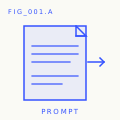
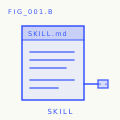
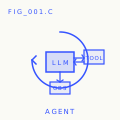
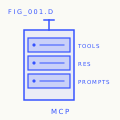
Install the lot with python3 scripts/install_skills.py <target>. Real tools, not homework.
By the end of the curriculum, you have a portfolio of 523 artifacts you actually
understand because you built them.
FIG_002 · A worked sample
Phase 14, lesson 1: the agent loop. ~120 lines of pure Python, no dependencies.
code/agent_loop.py build it
def run(query, tools):
    history = [user(query)]
    for step in range(MAX_STEPS):
        msg = llm(history)
        if msg.tool_calls:
            for call in msg.tool_calls:
                result = tools[call.name](https://github.com/rohitg00/ai-engineering-from-scratch/blob/main/**call.args)
                history.append(tool_result(call.id, result))
            continue
        return msg.content
    raise StepLimitExceeded
outputs/skill-agent-loop.md ship it
---
name: agent-loop
description: ReAct-style loop for any tool list
phase: 14
lesson: 01
---

Implement a minimal agent loop that...
outputs/prompt-debug-agent.md
You are an agent debugger. Given the trace
of an agent run, identify the step where
the agent went wrong and explain why...░░░▒▒▒░░░▒▒▒░░░▒▒▒░░░▒▒▒░░░▒▒▒░░░▒▒▒░░░▒▒▒░░░▒▒▒░░░▒▒▒░░░▒▒▒░░░▒▒▒░░░▒▒▒░░░▒▒▒░░░▒▒▒░░░▒▒▒Contents
Twenty phases. Click any phase to expand its lesson list.
Phase 0: Setup & Tooling 12 lessons
Get your environment ready for everything that follows.
| # | Lesson | Type | Lang |
|---|---|---|---|
| 01 | Dev Environment | Build | Python |
| 02 | Git & Collaboration | Learn | — |
| 03 | GPU Setup & Cloud | Build | Python |
| 04 | APIs & Keys | Build | Python |
| 05 | Jupyter Notebooks | Build | Python |
| 06 | Python Environments | Build | Shell |
| 07 | Docker for AI | Build | Docker |
| 08 | Editor Setup | Build | — |
| 09 | Data Management | Build | Python |
| 10 | Terminal & Shell | Learn | — |
| 11 | Linux for AI | Learn | — |
| 12 | Debugging & Profiling | Build | Python |
| # | Lesson | Type | Lang |
|---|---|---|---|
| 01 | Linear Algebra Intuition | Learn | Python, Julia |
| 02 | Vectors, Matrices & Operations | Build | Python, Julia |
| 03 | Matrix Transformations & Eigenvalues | Build | Python, Julia |
| 04 | Calculus for ML: Derivatives & Gradients | Learn | Python |
| 05 | Chain Rule & Automatic Differentiation | Build | Python |
| 06 | Probability & Distributions | Learn | Python |
| 07 | Bayes' Theorem & Statistical Thinking | Build | Python |
| 08 | Optimization: Gradient Descent Family | Build | Python |
| 09 | Information Theory: Entropy, KL Divergence | Learn | Python |
| 10 | Dimensionality Reduction: PCA, t-SNE, UMAP | Build | Python |
| 11 | Singular Value Decomposition | Build | Python, Julia |
| 12 | Tensor Operations | Build | Python |
| 13 | Numerical Stability | Build | Python |
| 14 | Norms & Distances | Build | Python |
| 15 | Statistics for ML | Build | Python |
| 16 | Sampling Methods | Build | Python |
| 17 | Linear Systems | Build | Python |
| 18 | Convex Optimization | Build | Python |
| 19 | Complex Numbers for AI | Learn | Python |
| 20 | The Fourier Transform | Build | Python |
| 21 | Graph Theory for ML | Build | Python |
| 22 | Stochastic Processes | Learn | Python |
| # | Lesson | Type | Lang |
|---|---|---|---|
| 01 | What Is Machine Learning | Learn | Python |
| 02 | Linear Regression from Scratch | Build | Python |
| 03 | Logistic Regression & Classification | Build | Python |
| 04 | Decision Trees & Random Forests | Build | Python |
| 05 | Support Vector Machines | Build | Python |
| 06 | KNN & Distance Metrics | Build | Python |
| 07 | Unsupervised Learning: K-Means, DBSCAN | Build | Python |
| 08 | Feature Engineering & Selection | Build | Python |
| 09 | Model Evaluation: Metrics, Cross-Validation | Build | Python |
| 10 | Bias, Variance & the Learning Curve | Learn | Python |
| 11 | Ensemble Methods: Boosting, Bagging, Stacking | Build | Python |
| 12 | Hyperparameter Tuning | Build | Python |
| 13 | ML Pipelines & Experiment Tracking | Build | Python |
| 14 | Naive Bayes | Build | Python |
| 15 | Time Series Fundamentals | Build | Python |
| 16 | Anomaly Detection | Build | Python |
| 17 | Handling Imbalanced Data | Build | Python |
| 18 | Feature Selection | Build | Python |
| # | Lesson | Type | Lang |
|---|---|---|---|
| 01 | The Perceptron: Where It All Started | Build | Python |
| 02 | Multi-Layer Networks & Forward Pass | Build | Python |
| 03 | Backpropagation from Scratch | Build | Python |
| 04 | Activation Functions: ReLU, Sigmoid, GELU & Why | Build | Python |
| 05 | Loss Functions: MSE, Cross-Entropy, Contrastive | Build | Python |
| 06 | Optimizers: SGD, Momentum, Adam, AdamW | Build | Python |
| 07 | Regularization: Dropout, Weight Decay, BatchNorm | Build | Python |
| 08 | Weight Initialization & Training Stability | Build | Python |
| 09 | Learning Rate Schedules & Warmup | Build | Python |
| 10 | Build Your Own Mini Framework | Build | Python |
| 11 | Introduction to PyTorch | Build | Python |
| 12 | Introduction to JAX | Build | Python |
| 13 | Debugging Neural Networks | Build | Python |
| # | Lesson | Type | Lang |
|---|---|---|---|
| 01 | Audio Fundamentals: Waveforms, Sampling, FFT | Learn | Python |
| 02 | Spectrograms, Mel Scale & Audio Features | Build | Python |
| 03 | Audio Classification | Build | Python |
| 04 | Speech Recognition (ASR) | Build | Python |
| 05 | Whisper: Architecture & Fine-Tuning | Build | Python |
| 06 | Speaker Recognition & Verification | Build | Python |
| 07 | Text-to-Speech (TTS) | Build | Python |
| 08 | Voice Cloning & Voice Conversion | Build | Python |
| 09 | Music Generation | Build | Python |
| 10 | Audio-Language Models | Build | Python |
| 11 | Real-Time Audio Processing | Build | Python |
| 12 | Build a Voice Assistant Pipeline | Build | Python |
| 13 | Neural Audio Codecs — EnCodec, SNAC, Mimi, DAC | Learn | Python |
| 14 | Voice Activity Detection & Turn-Taking | Build | Python |
| 15 | Streaming Speech-to-Speech — Moshi, Hibiki | Learn | Python |
| 16 | Voice Anti-Spoofing & Audio Watermarking | Build | Python |
| 17 | Audio Evaluation — WER, MOS, MMAU, Leaderboards | Learn | Python |
| # | Lesson | Type | Lang |
|---|---|---|---|
| 01 | Why Transformers: The Problems with RNNs | Learn | Python |
| 02 | Self-Attention from Scratch | Build | Python |
| 03 | Multi-Head Attention | Build | Python |
| 04 | Positional Encoding: Sinusoidal, RoPE, ALiBi | Build | Python |
| 05 | The Full Transformer: Encoder + Decoder | Build | Python |
| 06 | BERT — Masked Language Modeling | Build | Python |
| 07 | GPT — Causal Language Modeling | Build | Python |
| 08 | T5, BART — Encoder-Decoder Models | Learn | Python |
| 09 | Vision Transformers (ViT) | Build | Python |
| 10 | Audio Transformers — Whisper Architecture | Learn | Python |
| 11 | Mixture of Experts (MoE) | Build | Python |
| 12 | KV Cache, Flash Attention & Inference Optimization | Build | Python |
| 13 | Scaling Laws | Learn | Python |
| 14 | Build a Transformer from Scratch | Build | Python |
| 15 | Attention Variants — Sliding Window, Sparse, Differential | Build | Python |
| 16 | Speculative Decoding — Draft, Verify, Repeat | Build | Python |
| # | Lesson | Type | Lang |
|---|---|---|---|
| 01 | Generative Models: Taxonomy & History | Learn | Python |
| 02 | Autoencoders & VAE | Build | Python |
| 03 | GANs: Generator vs Discriminator | Build | Python |
| 04 | Conditional GANs & Pix2Pix | Build | Python |
| 05 | StyleGAN | Build | Python |
| 06 | Diffusion Models — DDPM from Scratch | Build | Python |
| 07 | Latent Diffusion & Stable Diffusion | Build | Python |
| 08 | ControlNet, LoRA & Conditioning | Build | Python |
| 09 | Inpainting, Outpainting & Editing | Build | Python |
| 10 | Video Generation | Build | Python |
| 11 | Audio Generation | Build | Python |
| 12 | 3D Generation | Build | Python |
| 13 | Flow Matching & Rectified Flows | Build | Python |
| 14 | Evaluation: FID, CLIP Score | Build | Python |
| 19 | Visual Autoregressive Modeling (VAR): Next-Scale Prediction | Build | Python |
| # | Lesson | Type | Lang |
|---|---|---|---|
| 01 | MDPs, States, Actions & Rewards | Learn | Python |
| 02 | Dynamic Programming | Build | Python |
| 03 | Monte Carlo Methods | Build | Python |
| 04 | Q-Learning, SARSA | Build | Python |
| 05 | Deep Q-Networks (DQN) | Build | Python |
| 06 | Policy Gradients — REINFORCE | Build | Python |
| 07 | Actor-Critic — A2C, A3C | Build | Python |
| 08 | PPO | Build | Python |
| 09 | Reward Modeling & RLHF | Build | Python |
| 10 | Multi-Agent RL | Build | Python |
| 11 | Sim-to-Real Transfer | Build | Python |
| 12 | RL for Games | Build | Python |
| # | Lesson | Type | Lang |
|---|---|---|---|
| 01 | Prompt Engineering: Techniques & Patterns | Build | Python |
| 02 | Few-Shot, CoT, Tree-of-Thought | Build | Python |
| 03 | Structured Outputs | Build | Python |
| 04 | Embeddings & Vector Representations | Build | Python |
| 05 | Context Engineering | Build | Python |
| 06 | RAG: Retrieval-Augmented Generation | Build | Python |
| 07 | Advanced RAG: Chunking, Reranking | Build | Python |
| 08 | Fine-Tuning with LoRA & QLoRA | Build | Python |
| 09 | Function Calling & Tool Use | Build | Python |
| 10 | Evaluation & Testing | Build | Python |
| 11 | Caching, Rate Limiting & Cost | Build | Python |
| 12 | Guardrails & Safety | Build | Python |
| 13 | Building a Production LLM App | Build | Python |
| 14 | Model Context Protocol (MCP) | Build | Python |
| 15 | Prompt Caching & Context Caching | Build | Python |
| 16 | Agent State Machines — Graphs, Nodes, Checkpoints | Build | Python |
| 17 | Agent Framework Tradeoffs | Learn | Python |
Lessons 06-18 and 28-31 form the focused
Model Context Protocol (MCP) path. Its manifest order
is 06, 07, 08, 09, 10, 11, 12, 13, 14, 15, 16, 18, 17, 28, 29, 30, 31. Start
it with the host-specific learn-mcp invocation above. Lesson 23
is its only optional capstone and also requires Lessons 19 and 20.
Lessons 22 and 24-27 form the focused
Agent Skills learning path, from package
contract through real-host release gates. Start it with the host-specific
learn-agent-skills invocation shown above; do not follow numeric next
navigation from 22 to 23.
Each Phase 14 workbench lesson (31-42) ships a mission.md briefing the agent before it opens the full lesson docs.
Lessons 31-46 form the Agent-Assisted Engineering path. Its manifest order combines the workbench foundation with task framing, planning, delegation, and durable feedback. Lessons 47-54 form the Product Judgment and Delivery path, from outcome framing through evidence, risk, scope, measurement, staged release, and feedback ownership.
Deep-build tracks — multi-lesson series that build a complete subsystem from scratch.
░░░▒▒▒░░░▒▒▒░░░▒▒▒░░░▒▒▒░░░▒▒▒░░░▒▒▒░░░▒▒▒░░░▒▒▒░░░▒▒▒░░░▒▒▒░░░▒▒▒░░░▒▒▒░░░▒▒▒░░░▒▒▒░░░▒▒▒The toolkit
Every lesson produces a reusable artifact. By the end you have:
outputs/
├── prompts/      prompt templates for every AI task
└── skills/       SKILL.md files for AI coding agents
Plug them into Claude, Cursor, Codex, OpenClaw, Hermes, or any agent that reads a SKILL.md / AGENTS.md directory. Real tools, not homework.
Install course skills into your agent
Two skill sets, two installers:
The learning skills (start-learning, learn, course-guide,
learn-mcp, learn-agent-skills, claude-certification, find-your-level, and
check-understanding) live under skills/ and install into a
supported skill-capable host with one command. Installation needs Node.js and
npx, but not a repository clone or Python:
npx skills add rohitg00/ai-engineering-from-scratchskills writes to the host and scope selected during installation, such as
.claude/skills/, .cursor/skills/, .codex/skills/, or another supported
skills folder. Verify that the selected host discovers that exact destination.
The lesson artifacts. The repo ships 396 skills and 99 prompts under
phases/**/outputs/; install them via scripts/install_skills.py. Requires
cloning the repo. Supports tag filters, dry-runs, and per-agent layouts:
python3 scripts/install_skills.py <target>                                 # every skill, default --layout skills (nested)
python3 scripts/install_skills.py <target> --layout skills                 # same as above, explicit
python3 scripts/install_skills.py <target> --type all                      # skills + prompts + agents
python3 scripts/install_skills.py <target> --phase 14                      # one phase only
python3 scripts/install_skills.py <target> --tag rag                       # filter by tag
python3 scripts/install_skills.py <target> --layout flat                   # flat files
python3 scripts/install_skills.py <target> --dry-run                       # preview without writing
python3 scripts/install_skills.py <target> --force                         # overwrite existing files
<target> is the skills directory for your agent (examples:
~/.claude/skills/, ~/.cursor/skills/, ~/.config/openclaw/skills/,
.skills/, or any path your agent reads).
By default the script refuses to overwrite an existing destination and exits
with code 1 after listing every colliding path. Use --dry-run to preview
collisions or --force to overwrite. Every non-dry-run run writes a
manifest.json in the target with the full inventory grouped by type and
phase. Pick the layout your agent reads:
--layout | Path written |
|---|---|
skills | <target>/<name>/SKILL.md (nested convention, supported by Claude / Cursor / Codex / OpenClaw / Hermes) |
by-phase | <target>/phase-NN/<name>.md |
flat | <target>/<name>.md |
Drop the agent workbench into your own repo
The Phase 14 capstone ships a reusable Agent Workbench pack (AGENTS.md, schemas, init / verify / handoff scripts). Scaffold it into any repo with:
python3 scripts/scaffold_workbench.py path/to/your-repo            # full pack + seeds
python3 scripts/scaffold_workbench.py path/to/your-repo --minimal  # skip docs/
python3 scripts/scaffold_workbench.py path/to/your-repo --dry-run  # preview only
python3 scripts/scaffold_workbench.py path/to/your-repo --force    # overwrite
You get the seven workbench surfaces wired up, a starter task_board.json,
and a fresh agent_state.json at schema_version: 1. From there: edit the
task, edit AGENTS.md, run scripts/init_agent.py, hand the contract to
your agent. The pack source lives at
phases/14-agent-engineering/42-agent-workbench-capstone/outputs/agent-workbench-pack/.
Browse the entire course as JSON
scripts/build_catalog.py walks every phase, every lesson, every artifact on
disk and writes catalog.json at the repo root. One file, every course truth.
python3 scripts/build_catalog.py               # writes <repo>/catalog.json
python3 scripts/build_catalog.py --stdout      # to stdout, do not touch repo
python3 scripts/build_catalog.py --out path/to/file.json
The catalog is filesystem-derived, not README-derived, so counts always match what is actually on disk. Use it for site builds, downstream tooling, or to verify the README counts have not drifted. Schema is documented at the top of the script.
A GitHub Action (.github/workflows/curriculum.yml) rebuilds catalog.json
on every PR and fails the build if the committed file is stale. After editing
any lesson, run python3 scripts/build_catalog.py and commit the result, or
CI will reject the PR. The same workflow runs audit_lessons.py in
warn-only mode (so existing drift does not block contributors).
Smoke-check every lesson's Python code
scripts/lesson_run.py byte-compiles every .py file under each lesson's
code/ directory. Default mode is syntax-check only — no execution, no API
keys, no heavy ML deps required. Catches the regressions contributors
introduce most often (bad indentation, broken f-strings, stray edits).
python3 scripts/lesson_run.py                  # syntax-check the whole curriculum
python3 scripts/lesson_run.py --phase 14       # one phase only
python3 scripts/lesson_run.py --json           # JSON report on stdout
python3 scripts/lesson_run.py --strict         # exit 1 if any lesson fails
python3 scripts/lesson_run.py --execute        # actually run, 10s timeout per lesson
--execute runs each lesson's code/main.py (or the first .py file) with a
10-second timeout. Lessons whose entry file starts with a # requires: pkg1, pkg2 comment listing non-stdlib deps are skipped with reason needs <deps>.
The script is opt-in and not wired into CI.
Stdlib only, Python 3.10+. Set LINK_CHECK_SKIP=domain1,domain2 to override
the default skip-list (twitter.com, x.com, linkedin.com,
instagram.com, medium.com — domains that aggressively block automated
HEAD/GET).
Where to start
| Background | Start at | Estimated time |
|---|---|---|
| New to programming and AI | Phase 0 — Setup | ~306 hours |
| Know Python, new to ML | Phase 1 — Math Foundations | ~270 hours |
| Know ML, new to deep learning | Phase 3 — Deep Learning Core | ~200 hours |
| Know deep learning, want LLMs and agents | Phase 10 — LLMs from Scratch | ~100 hours |
| Senior engineer, only want agent engineering | Phase 14 — Agent Engineering | ~60 hours |
| Only want to build production MCP systems | Model Context Protocol (MCP) path | ~23 hours 15 min |
| Only want to build production Agent Skills | Agent Skills Engineering path | ~9.5 hours |
░░░▒▒▒░░░▒▒▒░░░▒▒▒░░░▒▒▒░░░▒▒▒░░░▒▒▒░░░▒▒▒░░░▒▒▒░░░▒▒▒░░░▒▒▒░░░▒▒▒░░░▒▒▒░░░▒▒▒░░░▒▒▒░░░▒▒▒Why this matters now
"The hottest new programming language is English." — Andrej Karpathy (tweet)
"Software engineering is being remade in front of our eyes." — Boris Cherny, creator of Claude Code
"Models will keep getting better. The skill that compounds is knowing what to build." — Industry consensus, 2026
- Attention Is All You Need — Vaswani et al., 2017 → Phase 7
- Language Models are Few-Shot Learners (GPT-3) → Phase 10
- Denoising Diffusion Probabilistic Models → Phase 8
- InstructGPT / RLHF → Phase 10
- Direct Preference Optimization → Phase 10
- Chain-of-Thought Prompting → Phase 11
- ReAct: Reasoning + Acting in LLMs → Phase 14
- Model Context Protocol — Anthropic → Phase 13
░░░▒▒▒░░░▒▒▒░░░▒▒▒░░░▒▒▒░░░▒▒▒░░░▒▒▒░░░▒▒▒░░░▒▒▒░░░▒▒▒░░░▒▒▒░░░▒▒▒░░░▒▒▒░░░▒▒▒░░░▒▒▒░░░▒▒▒Contributing
| Goal | Read |
|---|---|
| Contribute a lesson or fix | CONTRIBUTING.md |
| Fork for your team or school | FORKING.md |
| Lesson template | LESSON_TEMPLATE.md |
| Track progress | ROADMAP.md |
| Glossary | glossary/terms.md |
| Code of conduct | CODE_OF_CONDUCT.md |
Before submitting a lesson, run the invariant check:
python3 scripts/audit_lessons.py           # full curriculum
python3 scripts/audit_lessons.py --phase 14  # single phase
python3 scripts/audit_lessons.py --json    # CI-friendly output
Exit code is non-zero when any rule fails. Rules (L001–L010) validate directory
shape, docs/en.md presence + H1, code/ non-emptiness, quiz.json schema
(rejects the legacy q/choices/answer keys that caused issue #102), and
relative links inside lesson docs.
░░░▒▒▒░░░▒▒▒░░░▒▒▒░░░▒▒▒░░░▒▒▒░░░▒▒▒░░░▒▒▒░░░▒▒▒░░░▒▒▒░░░▒▒▒░░░▒▒▒░░░▒▒▒░░░▒▒▒░░░▒▒▒░░░▒▒▒Sponsor the work
Free, MIT-licensed, 523 lessons. Thank you to the sponsors and backers who make the work possible. See all sponsors and backers.
Want to support the work? See sponsorship options, including hardware sponsorships, or sponsor on GitHub.
░░░▒▒▒░░░▒▒▒░░░▒▒▒░░░▒▒▒░░░▒▒▒░░░▒▒▒░░░▒▒▒░░░▒▒▒░░░▒▒▒░░░▒▒▒░░░▒▒▒░░░▒▒▒░░░▒▒▒░░░▒▒▒░░░▒▒▒If this manual helped you, star the repo. It keeps the project alive.
License
MIT. Use it however you want — fork it, teach it, sell it, ship it. Attribution appreciated, not required.
Maintained by Rohit Ghumare and the community.