
GetNotes Tools
Open Design
Tool นี้คืออะไร
Open Design เป็นแอปพลิเคชันเดสก์ท็อปโอเพนซอร์สสำหรับ macOS และ Windows ที่เป็นทางเลือกของ Claude Design ช่วยให้นักพัฒนาและนักออกแบบสร้างต้นแบบ, กราฟิกเคลื่อนไหว, สไลด์นำเสนอ และรูปภาพ โดยใช้ระบบออกแบบและเอเจนต์ AI ที่หลากหลาย
ข้อมูลโปรเจกต์
ดาว
85.6K
Forks
10K
License
Apache-2.0
อัปเดต GitHub ล่าสุด
14 ส.ค. 2569
เพิ่มใน GetNotes
13 ก.ค. 2569
Repository
nexu-io/open-design
รูปแบบ
เหมาะกับงาน
เหมาะกับอาชีพ
Ecosystem
TypeScript
แปลและเรียบเรียงโดย AI
เนื้อหาฉบับภาษาไทย
ใช้อ่านเพื่อทำความเข้าใจเบื้องต้น โปรดตรวจสอบรายละเอียดสำคัญกับเอกสารต้นฉบับด้านล่าง
Open Design: ทางเลือกโอเพนซอร์สสำหรับ Claude Design
🔥 Open Design 0.13.0 — Stay in Flow พร้อมใช้งานแล้ว เซสชันการออกแบบที่ยาวนานมักจะหยุดชะงักเมื่อมีสิ่งรบกวน — การรันที่ค้างไว้หายไป, ตัวเลือกโมเดลที่ทำให้คุณต้องเดา, การส่งออกที่ต้องใช้ขั้นตอนเพิ่มเติมอีกหนึ่งขั้น เวอร์ชัน 0.13.0 ช่วยให้เซสชันยังคงอยู่: สามารถกลับมาทำงานต่อใน Codex / OpenCode / Pi / Open Design Cloud ได้ในทุกขั้นตอน, เลือกโมเดลที่เหมาะสมได้เร็วขึ้น และส่งมอบไฟล์ PPTX / PDF ที่มีภาพหน้าจอประกอบได้โดยไม่ต้องออกจากแอป ดาวน์โหลด 0.13.0 · บันทึกการเปลี่ยนแปลง
⚡ Open Design Cloud — บริการโมเดลอย่างเป็นทางการ เติมเงินครั้งเดียวเพื่อใช้ GPT, Claude, Gemini และ DeepSeek ภายใน Open Design: โมเดลเรือธงกว่า 20+ รายการ, ไม่ต้องตั้งค่า, คิดค่าบริการตามการใช้งานโทเค็นจริง ลองใช้ Open Design Cloud
🏅 โครงการ Open Design Fellow เปิดรับสมัครแล้ว หากคุณเชื่อว่าการออกแบบควรเป็นแบบเปิด — มาร่วมเป็น Open Design Fellow, ร่วมกำหนดทิศทางผลิตภัณฑ์ไปพร้อมกับทีมหลัก และช่วยให้ผู้คนจำนวนมากขึ้นมีส่วนร่วมในการกำหนดอนาคตของการออกแบบ รายละเอียด → MAINTAINERS.md และ Discord





Open Design คืออะไร
🎨 ทางเลือกโอเพนซอร์สสำหรับ Claude Design 🖥️ แอปพลิเคชันเดสก์ท็อปแบบเนทีฟที่เน้นการทำงานแบบ Local-first สำหรับ macOS และ Windows ⚡ ทักษะที่ประกอบกันได้, ระบบออกแบบ DESIGN.md ระดับแบรนด์ และปลั๊กอินพร้อมใช้งาน 🖼️ สร้าง ต้นแบบสำหรับเว็บ · เดสก์ท็อป · มือถือ, แดชบอร์ด / อาร์ติแฟกต์แบบเรียลไทม์, สไลด์นำเสนอ, รูปภาพ, วิดีโอ, รวมถึงกราฟิกเคลื่อนไหวแบบ HyperFrames 🔒 แสดงตัวอย่างใน iframe แบบ Sandboxed · ส่งออกเป็น HTML / PDF / PPTX / MP4 🤖 ทำงานบน Claude Code · OpenClaw · Codex · Cursor · OpenCode · Qwen · Copilot · Amp · Hermes · Kimi · Antigravity และ 22 CLI แบบ Local, หรือปลายทางที่เข้ากันได้กับ OpenAI ผ่าน BYOK
Open Design คือสิ่งที่คุณได้รับเมื่อลูป agent-native ที่ Anthropic จัดส่งมาพร้อมกับ Claude Design — ค้นหาข้อมูลสรุป, กำหนดทิศทาง, สตรีมอาร์ติแฟกต์, วิจารณ์, ส่งมอบ — หยุดเป็นแบบปิด และกลายเป็น ระบบไฟล์ของทักษะ, ระบบออกแบบ และปลั๊กอิน ที่เอเจนต์การเขียนโค้ดที่มีอยู่แล้วในแล็ปท็อปของคุณสามารถอ่าน, เขียน และปรับแต่งได้ CLI ของคุณจะกลายเป็นเอนจินการออกแบบ, แล็ปท็อปของคุณจะกลายเป็นสตูดิโอ และ DESIGN.md ของทีมคุณจะกลายเป็นสัญญาแบรนด์
นอกจากนี้ยังเป็น ทางเลือกของ Figma สำหรับยุคเอเจนต์ — แทนที่จะผลักดันพิกเซลบนผืนผ้าใบ, มันส่งมอบอาร์ติแฟกต์หน้าเดียวในรูปแบบ CSS จริง, ฟอนต์จริง, คอมโพเนนต์จริง, ส่งออกโดยตรงเป็น HTML / PDF / PPTX / MP4 — ซึ่งถูกกำหนดรูปแบบโดยระบบออกแบบของคุณแล้ว และสามารถรันได้ภายในเอเจนต์ที่คุณใช้ทุกวัน
แนะนำผลิตภัณฑ์
ภาพรวมโดยย่อของ Open Design และสิ่งที่ทำ เริ่มต้นจาก หน้าหลัก, จัดการเวิร์กโฟลว์ซ้ำๆ ด้วย Automation, สรุปสัญญาแบรนด์ใน Design System, และขยายขีดความสามารถด้วย Plugins และ integrations; ภายใน Studio ของโปรเจกต์ใดๆ, ระบบออกแบบเดียวกันจะสตรีมต้นแบบ, อาร์ติแฟกต์แบบเรียลไทม์, HyperFrames, สไลด์นำเสนอ และรูปภาพออกมา
หน้าหลัก
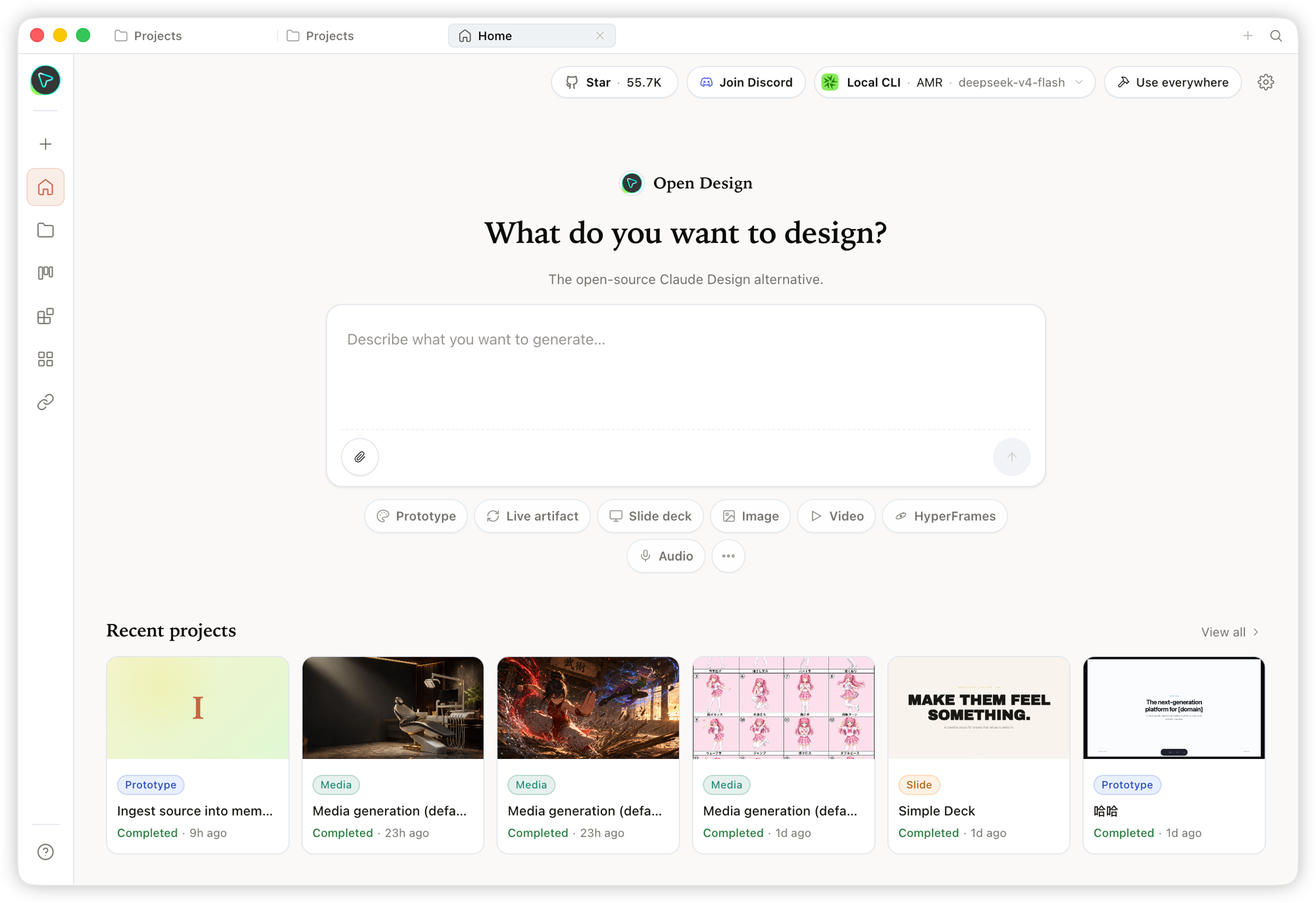
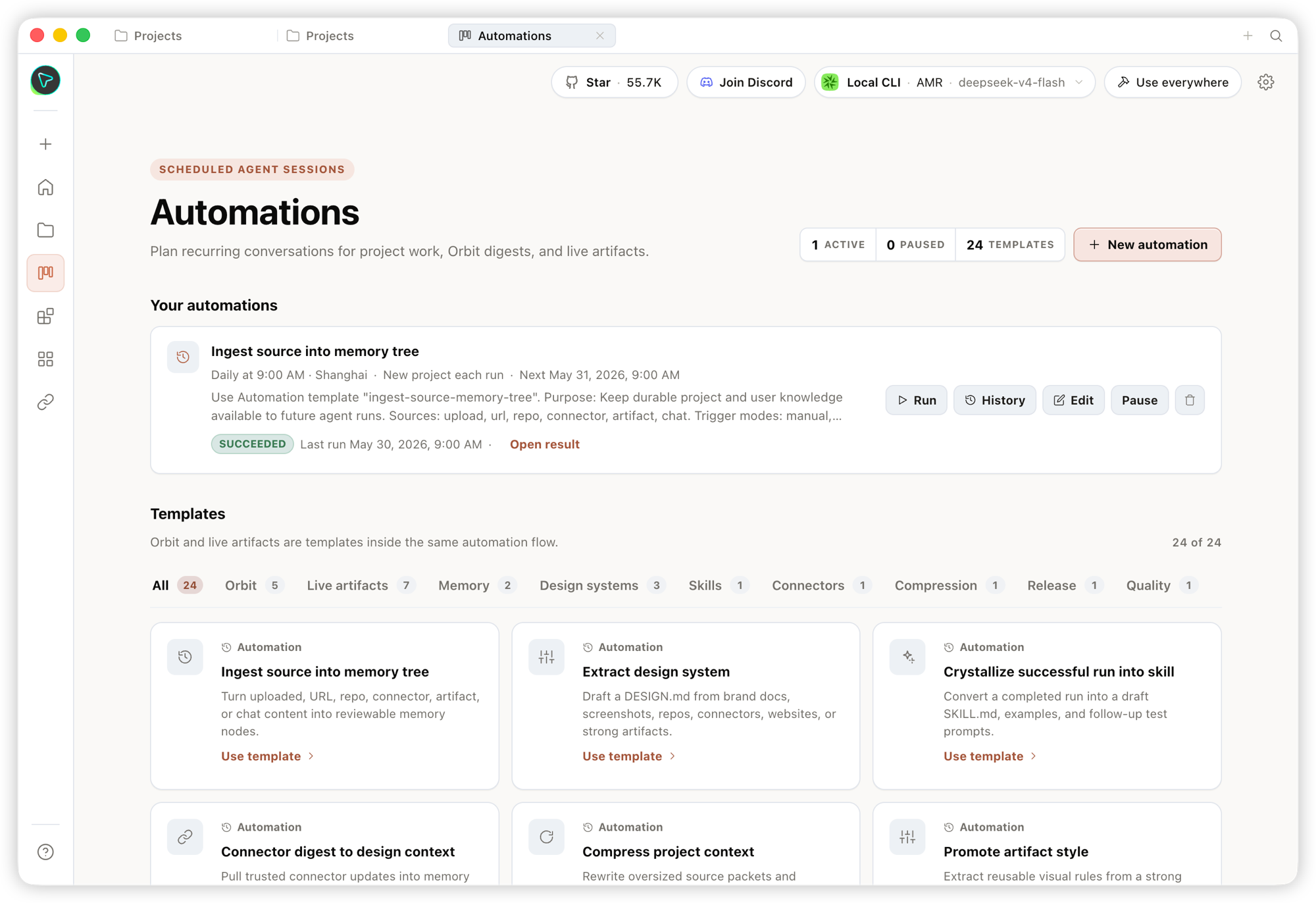
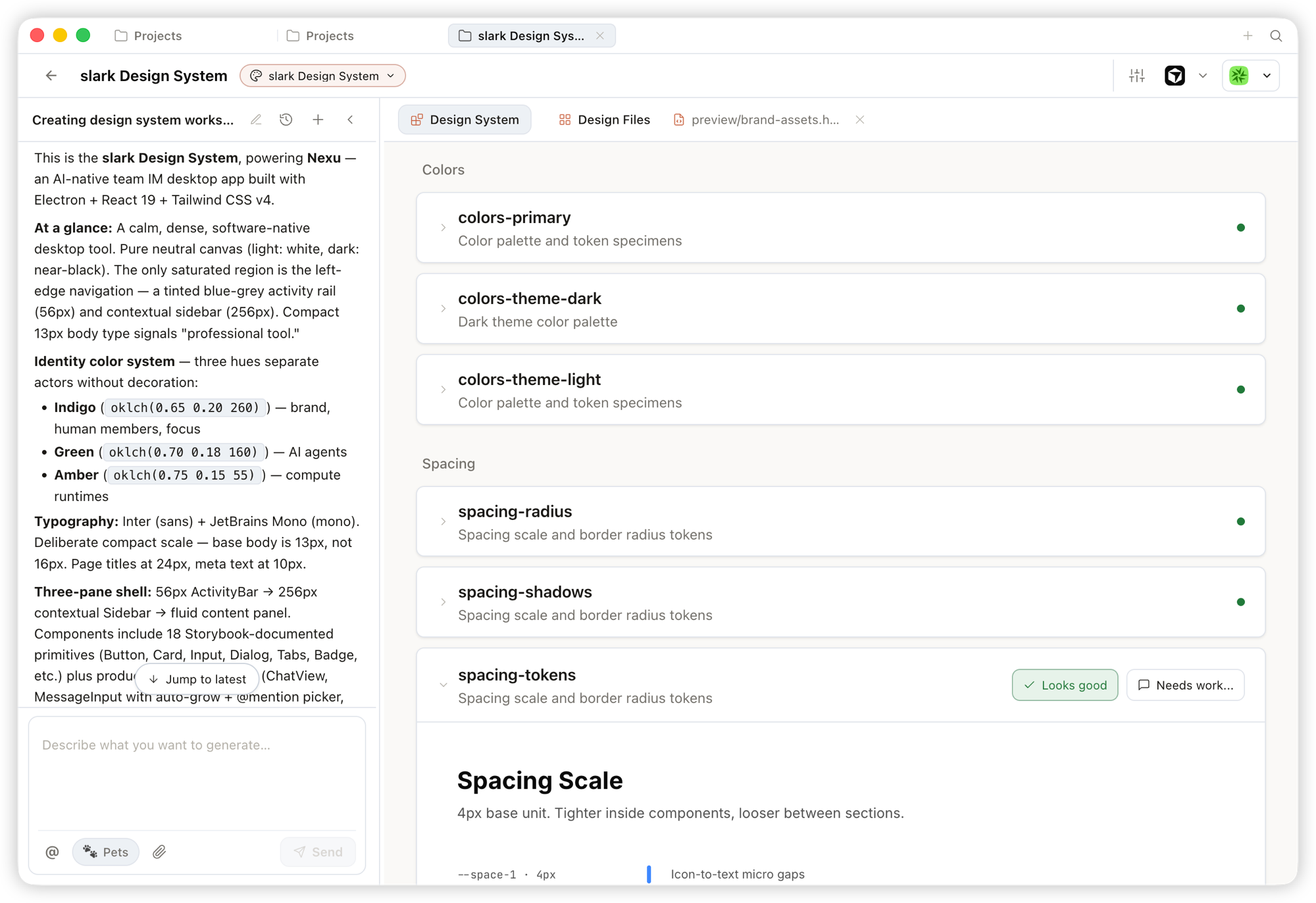
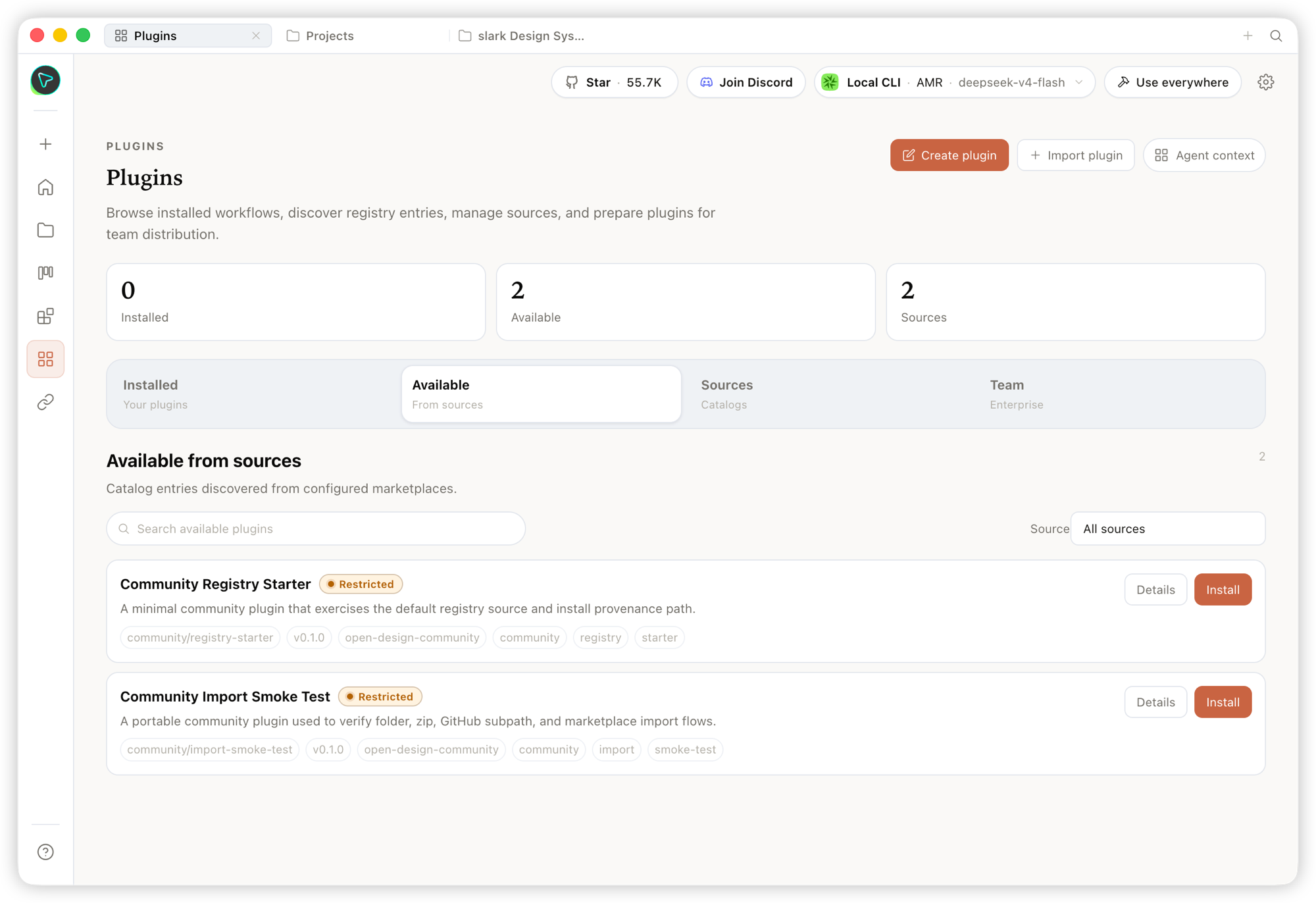
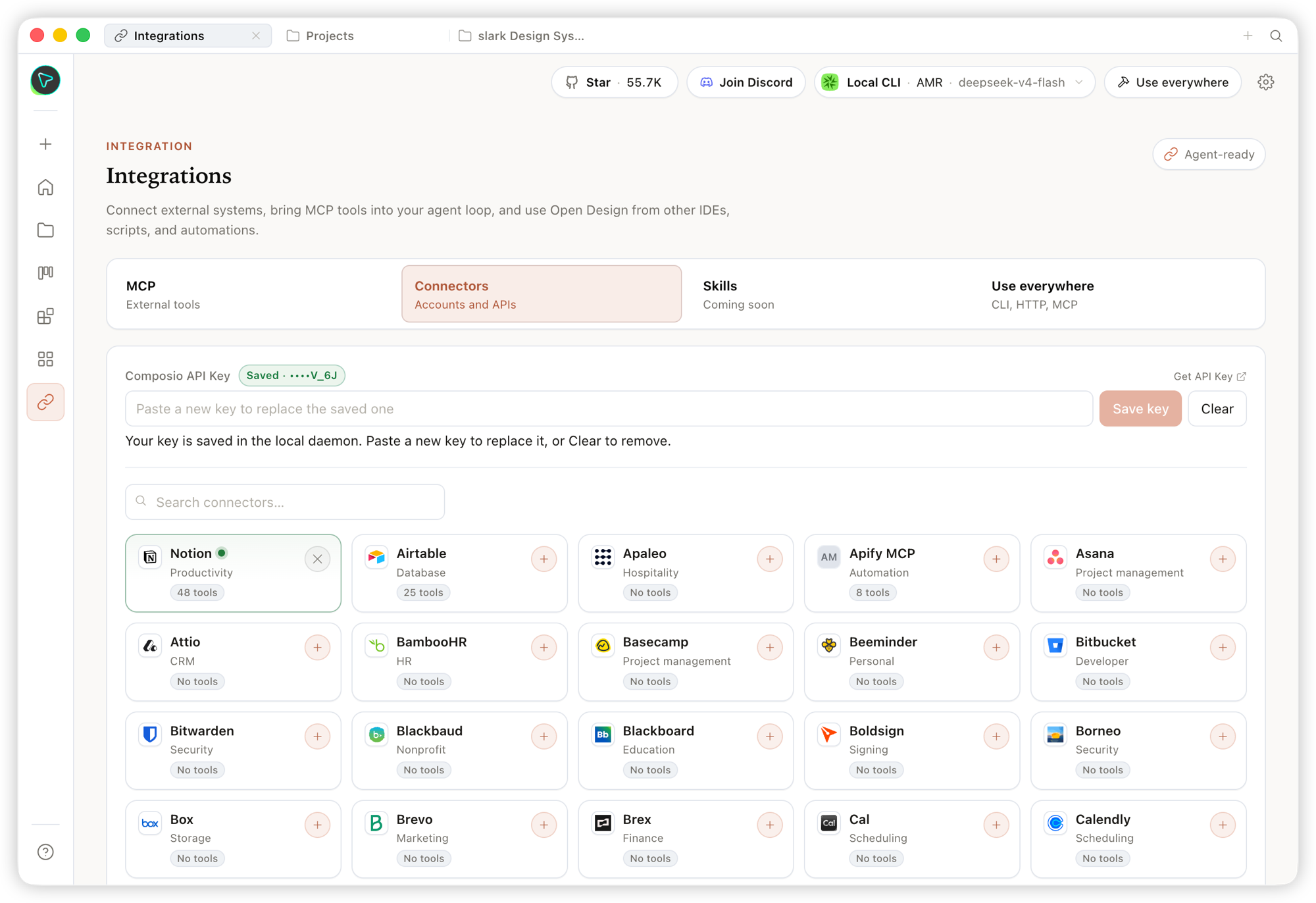
Studio — ประเภทอาร์ติแฟกต์หลากหลายในโปรเจกต์เดียว
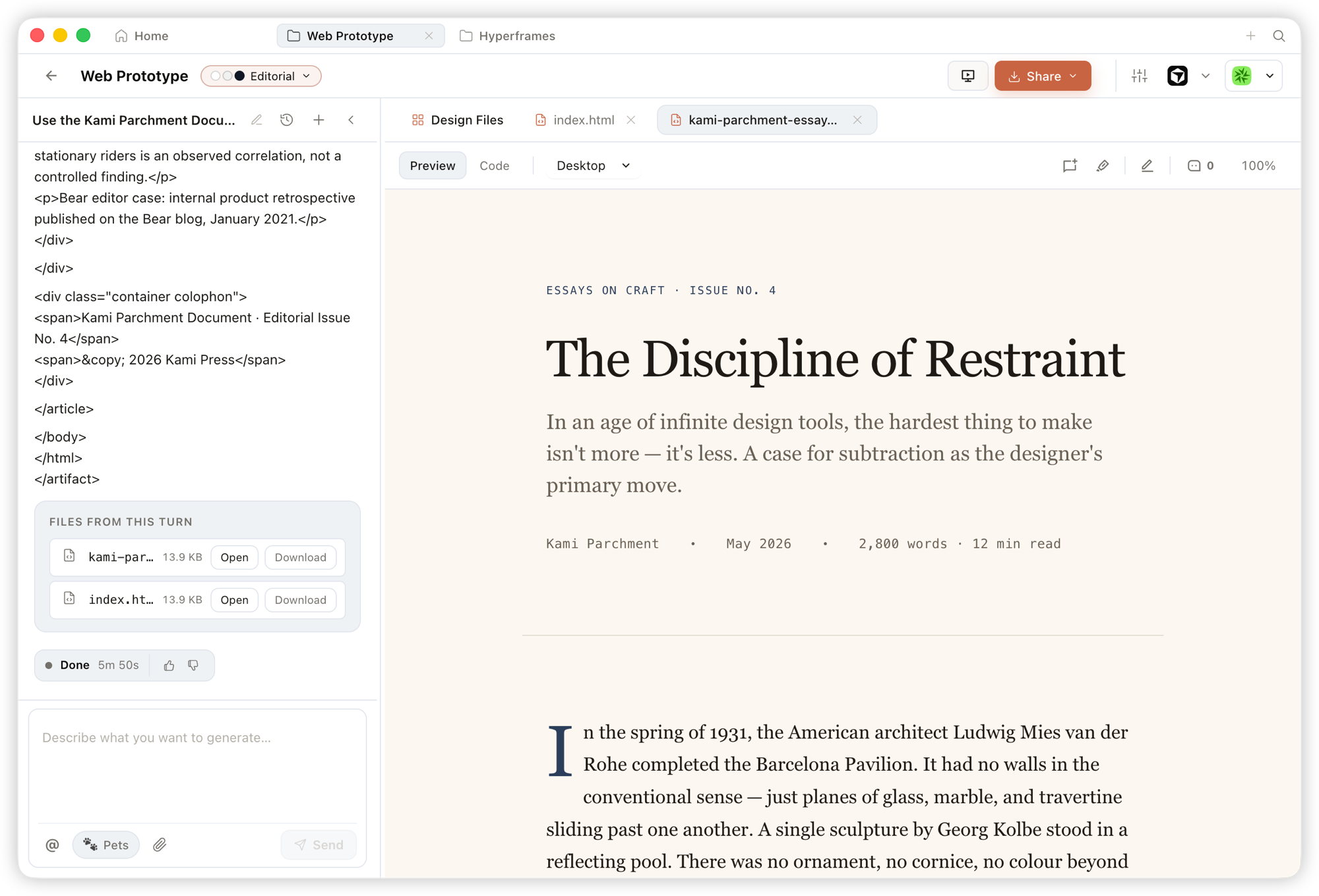
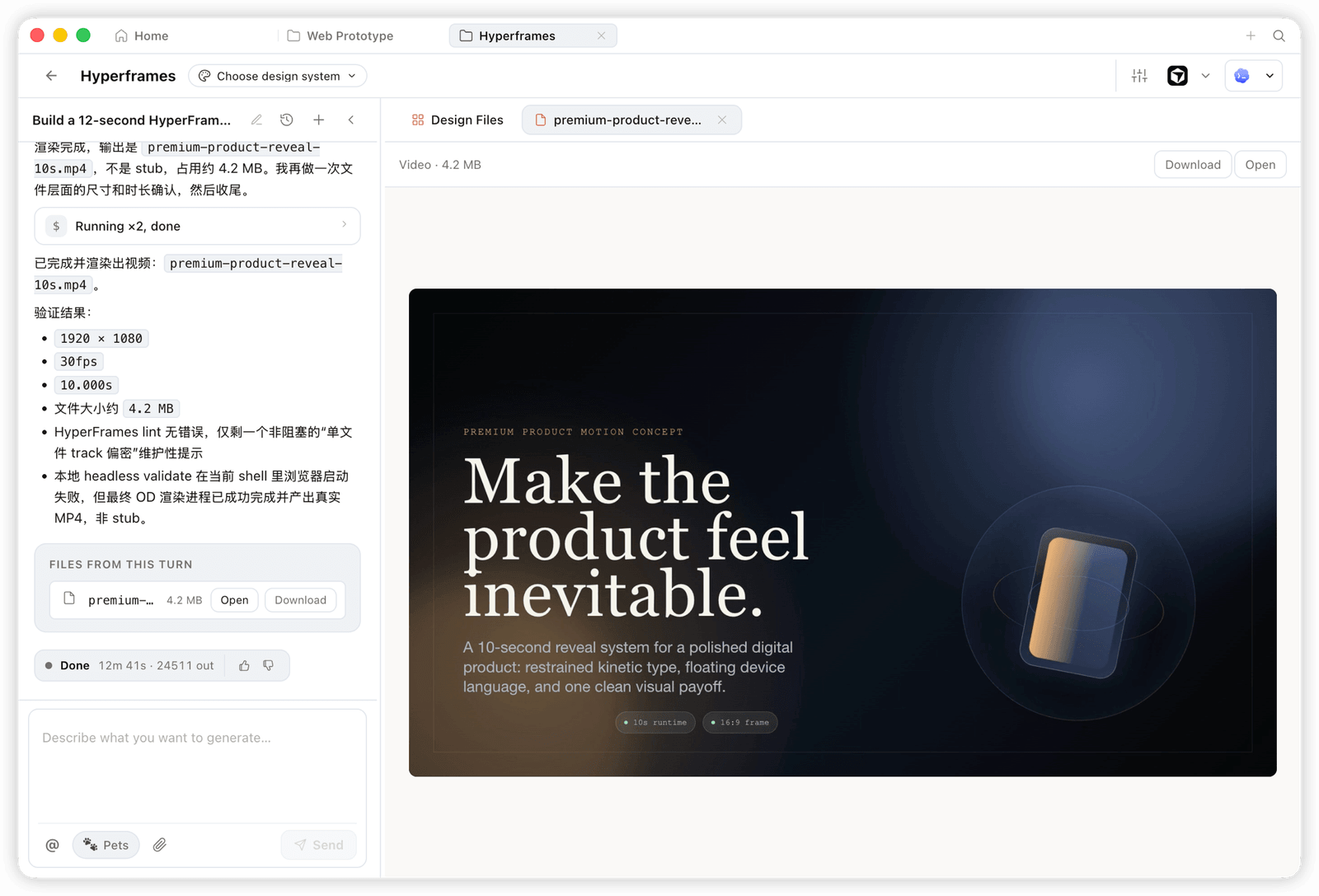
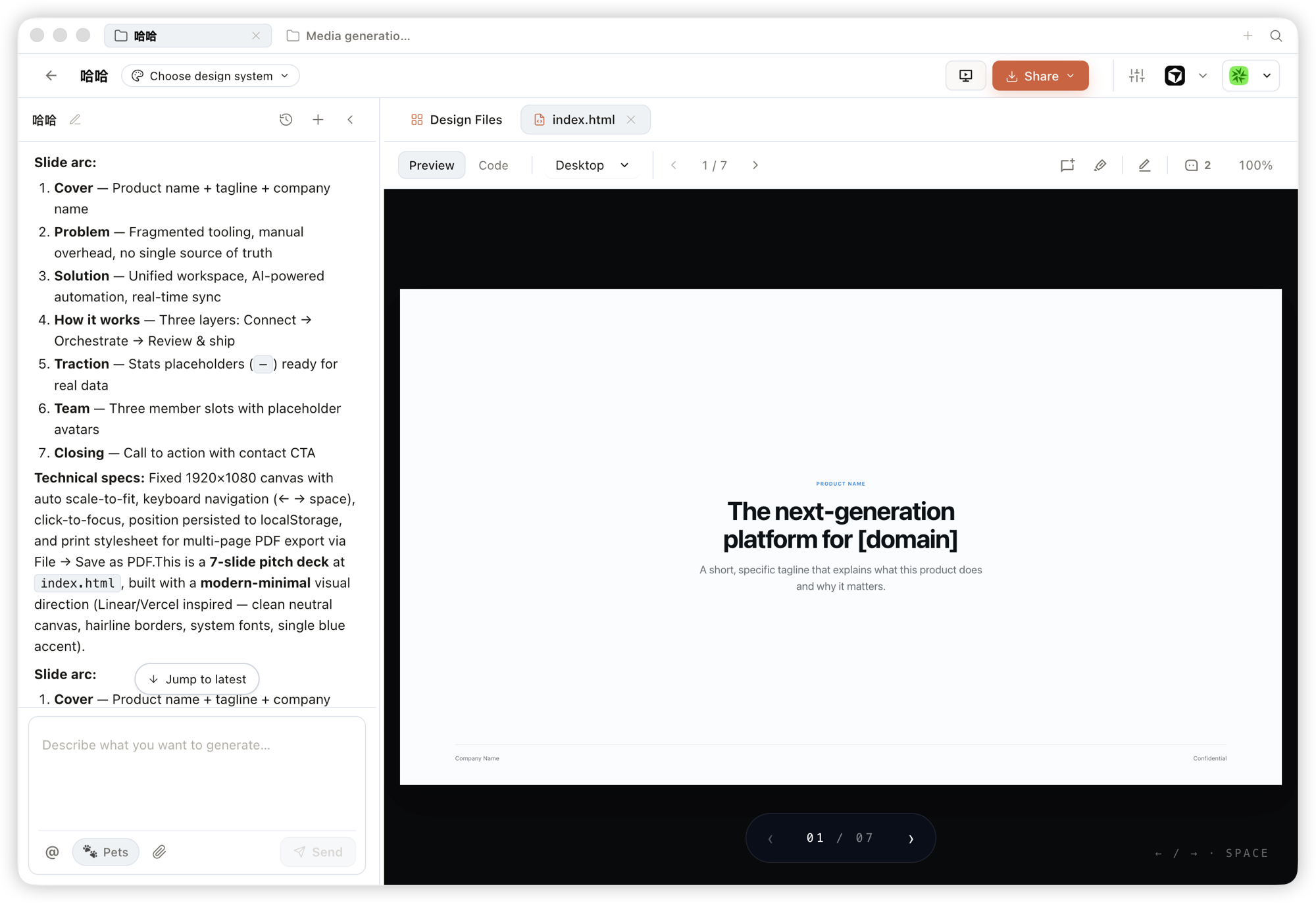
ภายใน Studio ของโปรเจกต์, ระบบออกแบบเดียวกันจะสตรีมประเภทอาร์ติแฟกต์หลายประเภทออกมา:
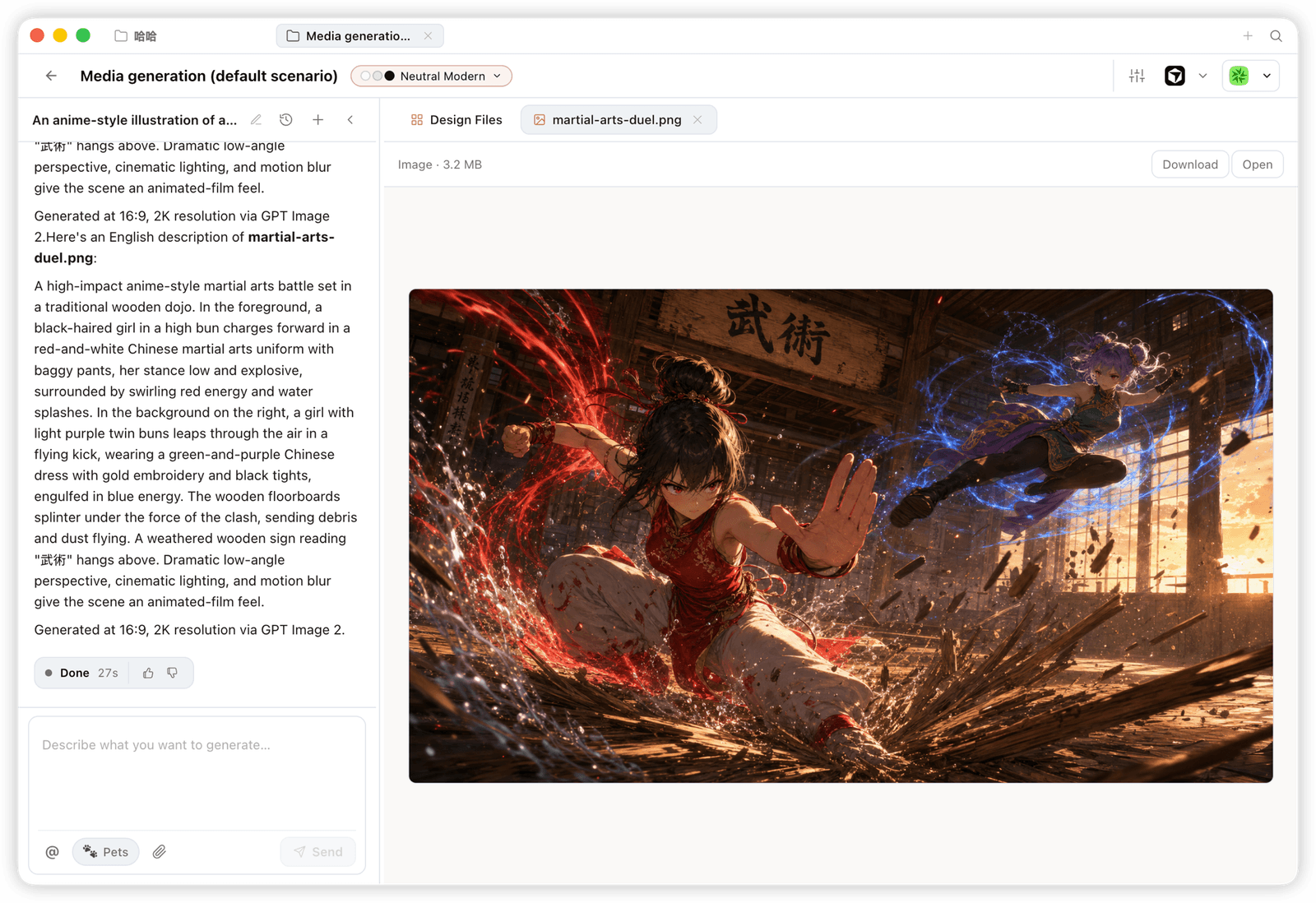
ความเข้ากันได้ของแพลตฟอร์ม
Open Design มาพร้อมกับ ทักษะ, CLI และเซิร์ฟเวอร์ MCP ที่เอเจนต์การเขียนโค้ดกระแสหลักสามารถใช้งานได้โดยตรง เมื่อติดตั้ง OD แล้ว, คำสั่ง od mcp install <agent> เพียงคำสั่งเดียวจะเชื่อมต่อเซิร์ฟเวอร์ MCP เข้ากับการตั้งค่าของเอเจนต์นั้น และคุณสามารถเรียกใช้เครื่องมือเดียวกันได้จากภายในเอเจนต์ใดก็ได้
| เอเจนต์การเขียนโค้ด / แพลตฟอร์ม | สถานะ | การติดตั้งเซิร์ฟเวอร์ MCP แบบบรรทัดเดียว |
|---|---|---|
| Claude Code | ✅ รองรับ | od mcp install claude |
| Codex CLI | ✅ รองรับ | od mcp install codex |
| DeepSeek Reasonix | ✅ รองรับ | od mcp install reasonix |
| Cursor | ✅ รองรับ | od mcp install cursor |
| VS Code + GitHub Copilot | ✅ รองรับ | od mcp install copilot |
| GitHub Copilot CLI | ✅ รองรับ | od mcp install copilot |
| Gemini CLI | ✅ รองรับ | od mcp install gemini |
| OpenCode | ✅ รองรับ | od mcp install opencode |
| OpenClaw | ✅ รองรับ | od mcp install openclaw |
| Antigravity | ✅ รองรับ | od mcp install antigravity |
| Cline | ✅ รองรับ | od mcp install cline |
| Trae | ✅ รองรับ | od mcp install trae |
| Kimi CLI | ✅ รองรับ | od mcp install kimi |
| Kiro | ✅ รองรับ | od mcp install kiro |
| Pi Agent | ✅ รองรับ | od mcp install pi |
| Mistral Vibe CLI | ✅ รองรับ | od mcp install vibe |
| Hermes Agent | ✅ รองรับ | od mcp install hermes |
od mcp install <agent> --print สำหรับดูตัวอย่างแบบ dry-run · --uninstall เพื่อลบ · ดูรายการทั้งหมดได้ด้วย od mcp install --help
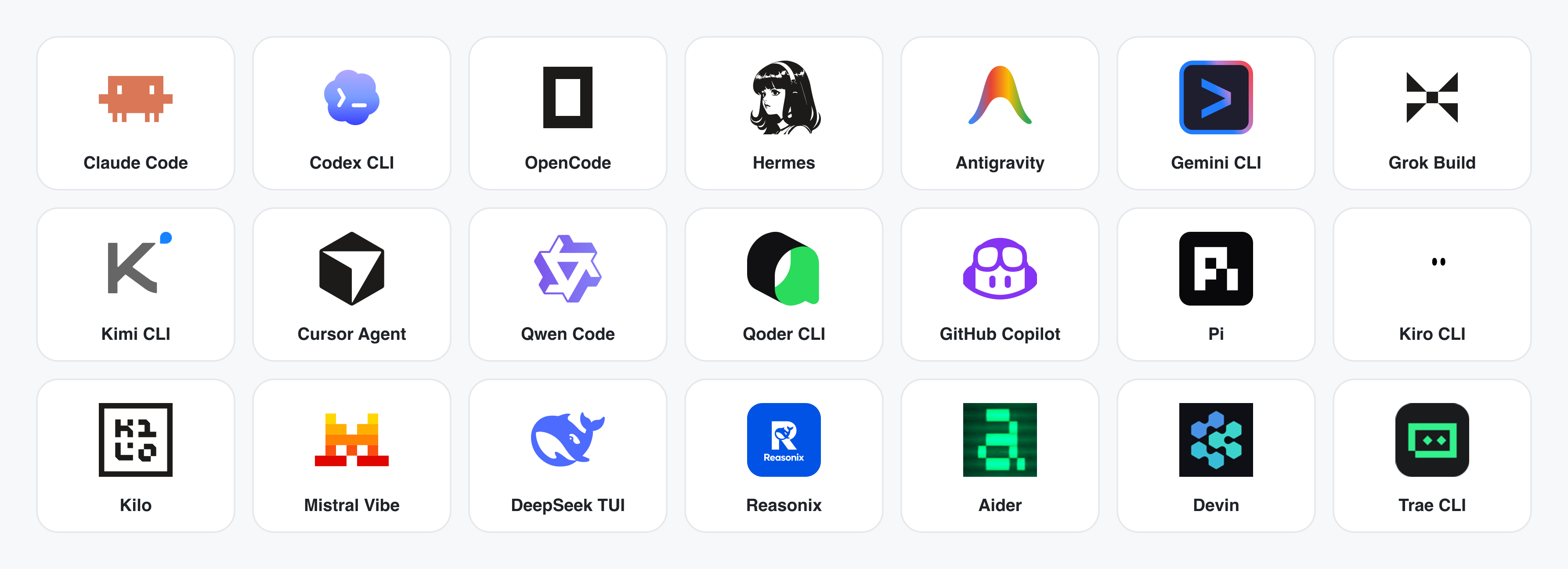
ยังไม่ได้ติดตั้ง CLI ใช่ไหม? BYOK proxy ที่ POST /api/proxy/{anthropic,openai,azure,google,ollama,senseaudio}/stream ให้คุณได้ลูปเดียวกัน (ไม่มีการสร้าง process) — เพียงวาง baseUrl + apiKey + model โดยรองรับ OpenAI, Anthropic, Azure OpenAI, Google Gemini, Ollama, LM Studio, vLLM หรือ endpoint ที่เข้ากันได้กับ OpenAI การป้องกัน SSRF แบบต่อเป้าหมายจะบล็อก IP ภายใน / link-local / CGNAT ที่ขอบ daemon
สัญญาอะแดปเตอร์และตัวแยกวิเคราะห์สตรีมอยู่ใน apps/daemon/src/agents.ts การเพิ่ม CLI ใหม่ทำได้เพียงเพิ่มหนึ่งรายการ — ดูที่ docs/agent-adapters.md
ตัวอย่าง
สี่หมวดหมู่ผลิตภัณฑ์หลัก ทั้งหมดถูกเรนเดอร์โดย coding agent ที่ทำงานบนแล็ปท็อปของคุณ คลิกที่รูปย่อเพื่อดูตัวอย่างจริง
1 · ต้นแบบ — เว็บ · เดสก์ท็อป · มือถือ
พื้นผิวเอาต์พุตเริ่มต้น อาร์ติแฟกต์ HTML หน้าเดียวที่อ่านไฟล์ DESIGN.md ของคุณและเรนเดอร์ใน iframe แบบแซนด์บ็อกซ์
2 · อาร์ติแฟกต์และแดชบอร์ดแบบสด
แดชบอร์ดแบบสด, ห้องตัดสินใจ, ผนัง KPI — อาร์ติแฟกต์หน้าเดียวที่ดึงข้อมูลผ่านแผงปรับแต่งและสามารถแก้ไขได้ทันที
3 · สไลด์ — สไลด์แมกกาซีน, อัปเดตรายสัปดาห์, การนำเสนอ
สไลด์ทุกชุดสามารถส่งออกเป็น HTML (ไฟล์เดียว, ทรัพยากรแบบอินไลน์), PDF (พิมพ์จากเบราว์เซอร์, รองรับสไลด์), PPTX (ทักษะที่ขับเคลื่อนด้วย agent), ZIP (ไฟล์เก็บถาวร) หรือ Markdown
4 · รูปภาพ — gpt-image-2, ImageRouter, API แบบกำหนดเอง
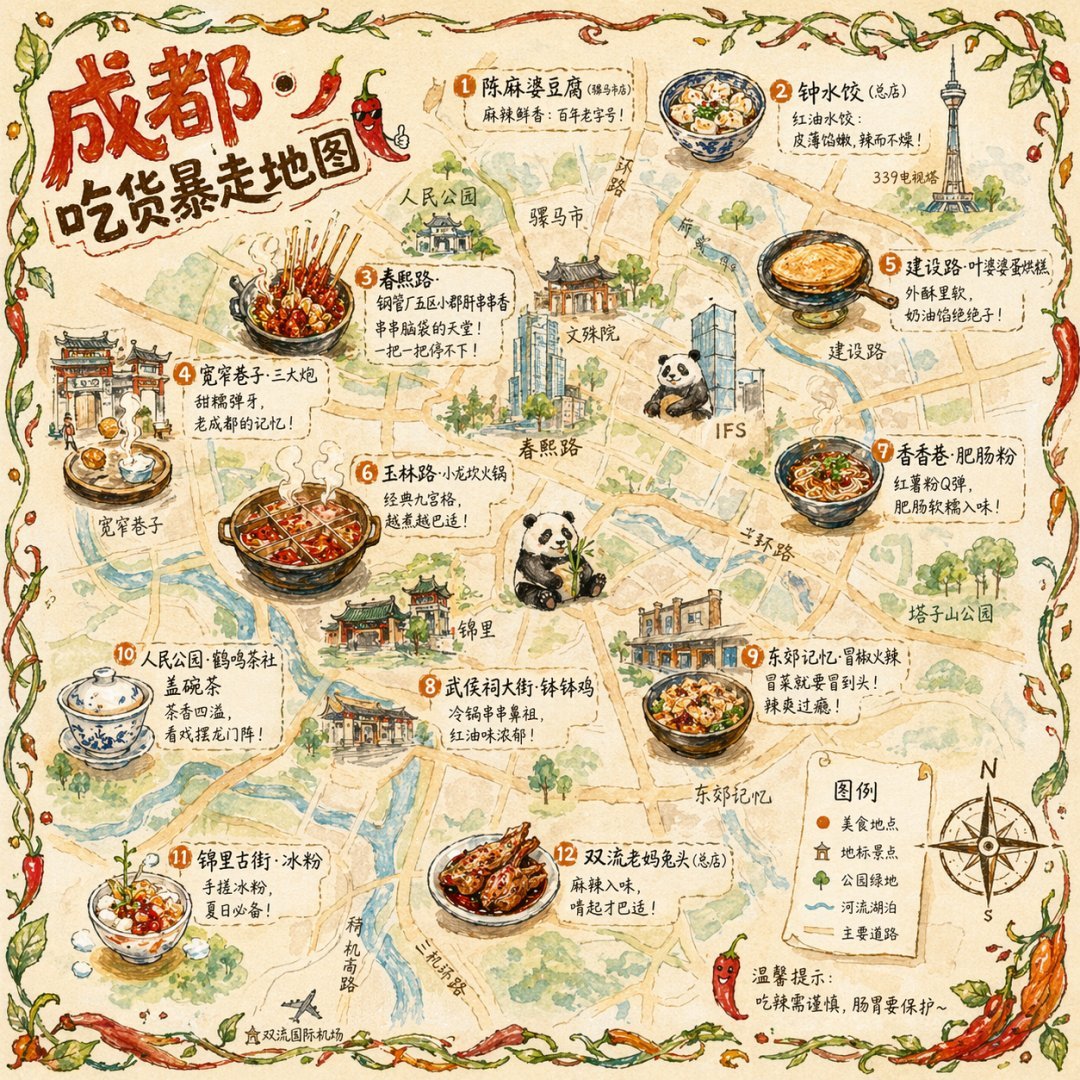

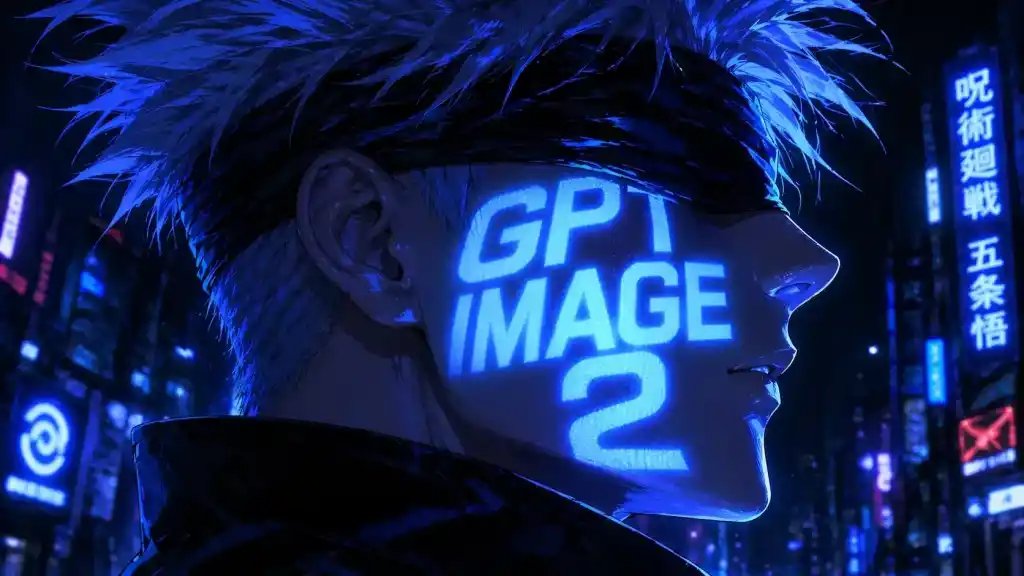

93 พร้อมท์ที่พร้อมใช้งาน อยู่ใน prompt-templates/ — มีรูปย่อตัวอย่าง, เนื้อหาพร้อมท์ฉบับเต็ม, โมเดลเป้าหมาย, อัตราส่วนภาพ และการระบุแหล่งที่มา คลิกเดียวก็สามารถใส่คำสั่งลงในคอมโพเซอร์ได้
5 · วิดีโอ & HyperFrames — กราฟิกเคลื่อนไหวแบบ agent-native
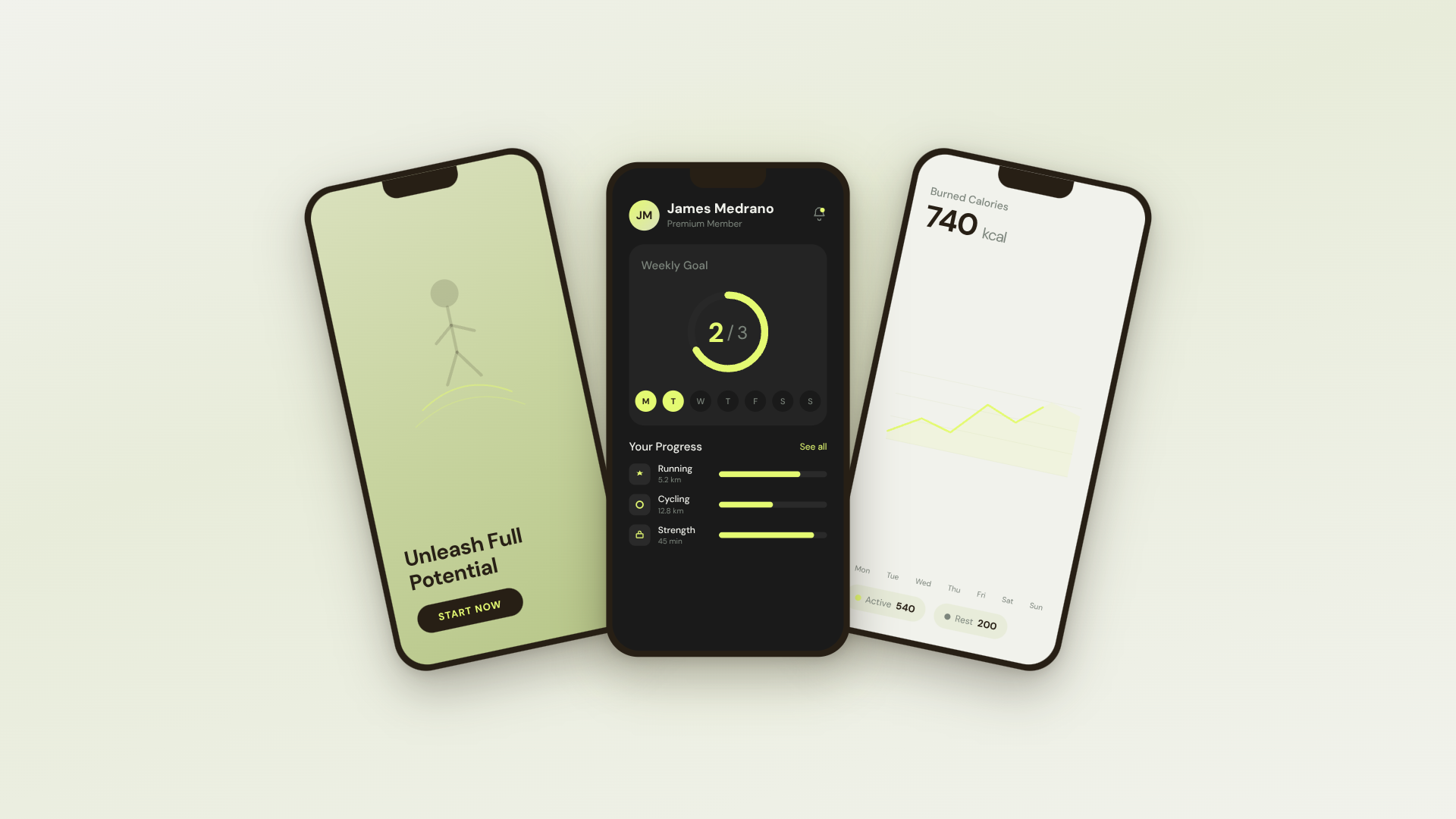
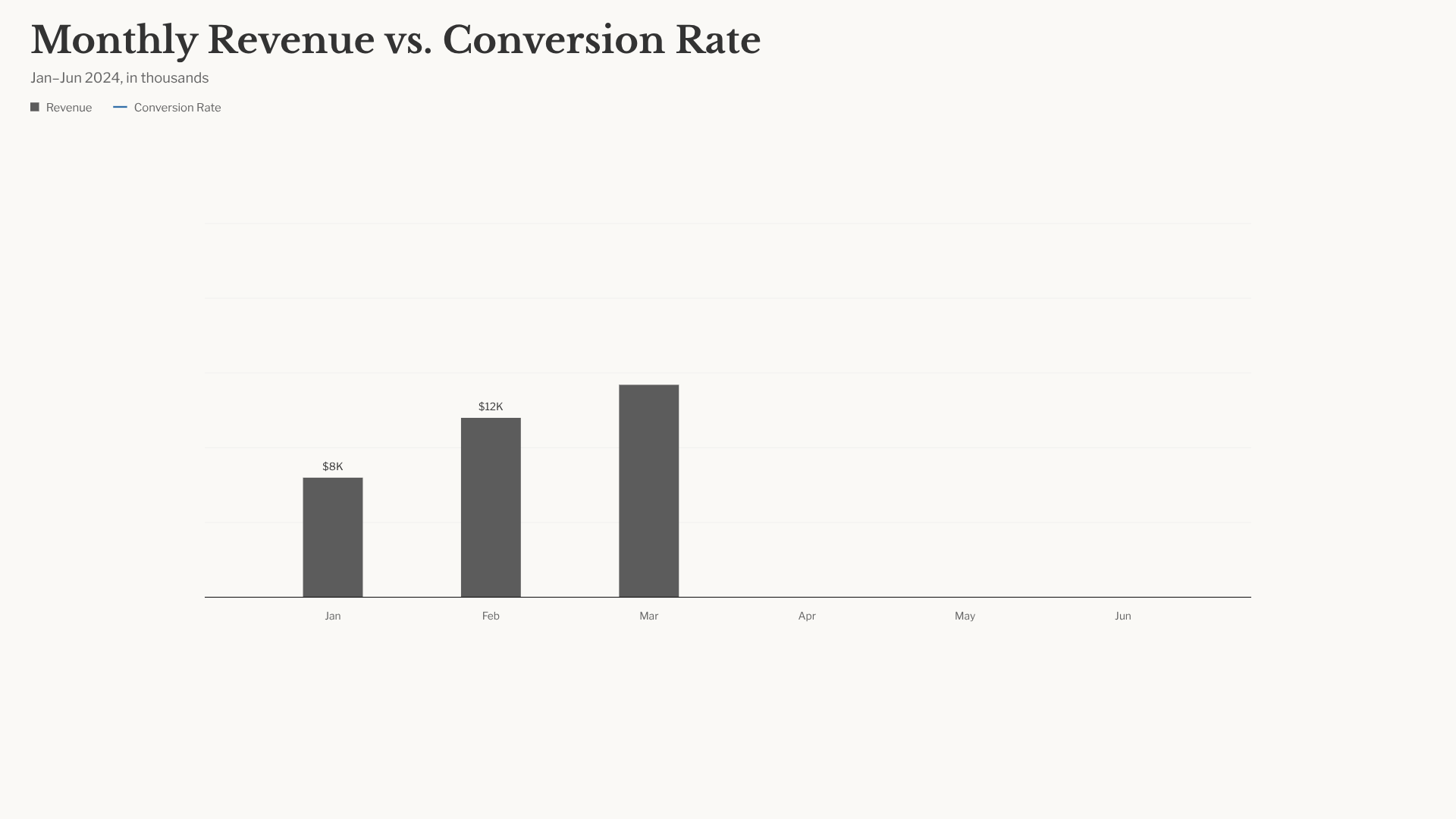
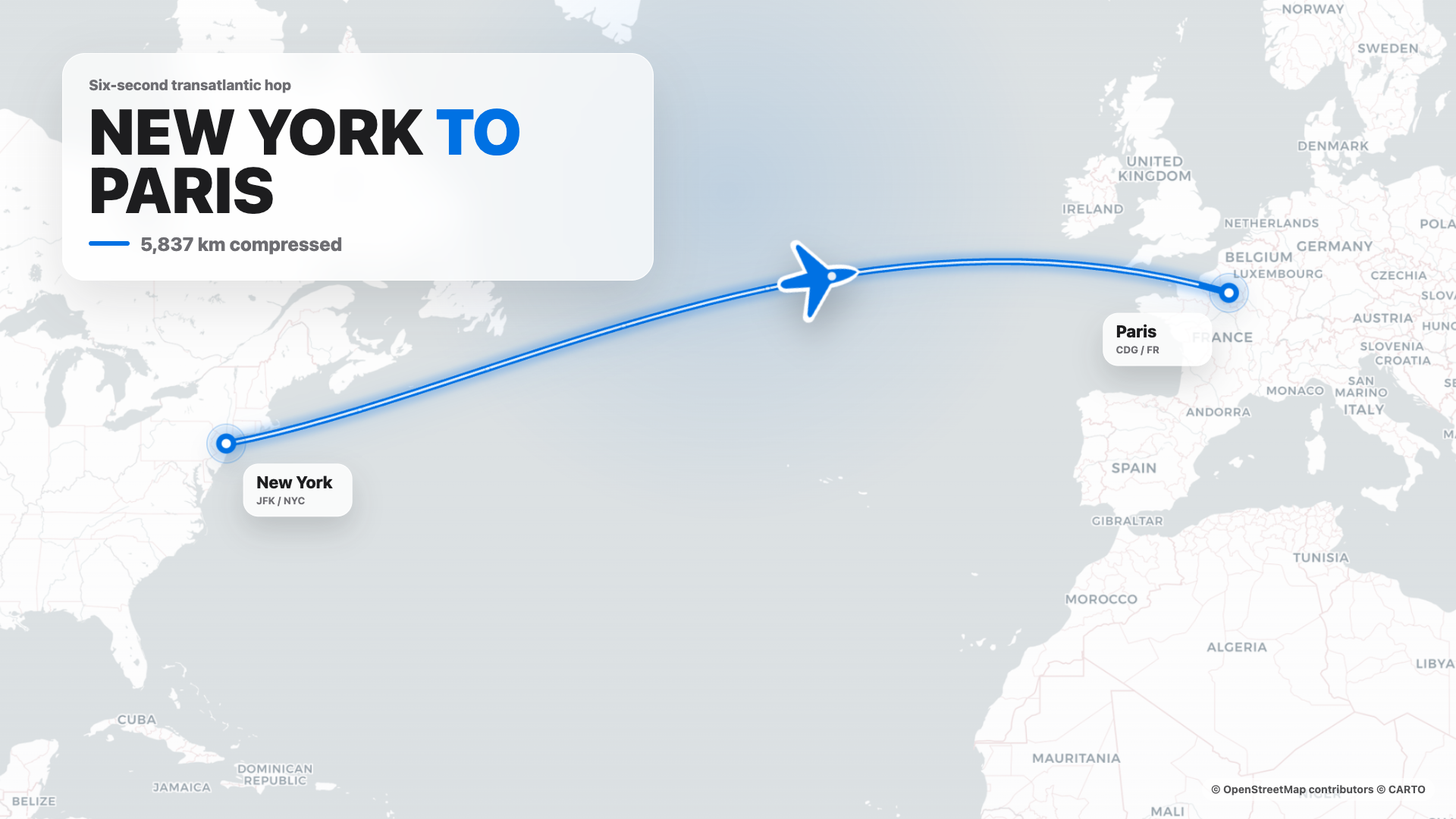
HyperFrames คือเฟรมเวิร์กวิดีโอแบบโอเพนซอร์สที่สร้างโดย agent ของ HeyGen ซึ่งถูกรวมเข้าเป็นส่วนหนึ่งของ Open Design อย่างสมบูรณ์ Agent จะเขียน HTML + CSS + GSAP และ HyperFrames จะเรนเดอร์เป็น MP4 ที่กำหนดได้ผ่าน headless Chrome + FFmpeg จับคู่กับ Seedance 2.0 สำหรับ t2v / i2v แบบภาพยนตร์, Veo 3 / Sora 2 / Kling 2 สำหรับโมเดลที่หลากหลาย และ Suno v5 / Lyria 2 สำหรับเลเยอร์เสียง
Repository: nexu-io/open-design ส่วนที่ 3/4
เทมเพลต HyperFrames 11 แบบ + พร้อมต์ Seedance 39 แบบมาพร้อมกับ repo รูปภาพขนาดย่อของแค็ตตาล็อก © HeyGen; เฟรมเวิร์กเป็น Apache-2.0 เวิร์กโฟลว์การเรนเดอร์เฉพาะ OD (แคชการคอมโพสิต, การแก้ปัญหา sandbox-exec, MP4-as-chip) มีรายละเอียดอยู่ใน design-templates/hyperframes/
ทำไมต้อง Open Design
ในเดือนเมษายน 2026 Anthropic ได้เปิดตัว Claude Design ซึ่งเป็นครั้งแรกที่ LLM หยุดเขียนข้อความและเริ่มส่งมอบชิ้นงานออกแบบโดยตรง มันแพร่หลายอย่างรวดเร็ว แต่มันยังคงเป็นแบบปิดซอร์ส, จ่ายเงินเท่านั้น, คลาวด์เท่านั้น, ล็อกกับโมเดลของ Anthropic, ทักษะของ Anthropic, พื้นผิวของ Anthropic ไม่มีการเช็คเอาต์, ไม่มีการโฮสต์ด้วยตัวเอง, ไม่มีการปรับใช้ Vercel, ไม่มีการสลับใช้เอเจนต์ของคุณเอง
Open Design (OD) คือทางเลือกโอเพนซอร์ส วงจรเดียวกัน, โมเดลความคิดที่เน้นชิ้นงานเป็นอันดับแรกเหมือนกัน, แต่ไม่มีการล็อกอิน:
- 🤖 Agent-native, model-agnostic. เราไม่ได้จัดส่งเอเจนต์
claude/codex/cursor-agent/copilot/hermes/kimiที่มีอยู่แล้วในPATHของคุณคือเอนจินการออกแบบ สลับได้ด้วยคลิกเดียว - 🧠 Brand-grade โดยค่าเริ่มต้น. การเรนเดอร์ทุกครั้งจะอ่าน
DESIGN.mdที่ใช้งานอยู่ ซึ่งเป็น Schema 9 ส่วนที่ครอบคลุมพาเลท, ประเภท, ระยะห่าง, การเคลื่อนไหว, โทนเสียง, รูปแบบที่ควรหลีกเลี่ยง มีระบบ 150 ระบบมาพร้อมกับ repo (Linear, Stripe, Vercel, Airbnb, Apple, Tesla, Notion, Anthropic, Cursor, Supabase, Figma…) เพียงแค่ใส่โฟลเดอร์ลงไป ตัวเลือกก็จะพบมัน - 🖥️ Local-first, BYOK ในทุกเลเยอร์. แอปเดสก์ท็อปแบบเนทีฟสำหรับ macOS (Apple Silicon + Intel) และ Windows (x64) Linux AppImage ในช่องทางการเผยแพร่เสริม ไม่มีการส่งข้อมูลทางไกล, ไม่มีการเดินทางไปกลับคลาวด์ ก่อนที่จะอธิบายเส้นทางข้อมูลของ daemon ผู้ร่วมให้ข้อมูลและผู้ปฏิบัติงาน ต้อง อ่าน
AGENTS.md→ สัญญาไดเรกทอรีข้อมูล Daemon README นี้ ต้องไม่ กล่าวซ้ำ - 🌍 ประกอบได้ในสามระนาบ. ปลั๊กอิน มีเวิร์กโฟลว์ที่รันได้ · ทักษะ มีรสนิยมการออกแบบของเอเจนต์ · ระบบการออกแบบ มีแบรนด์ ทั้งสามเป็นไฟล์ธรรมดาที่ทุกคนสามารถสร้าง, จัดเวอร์ชัน และเผยแพร่ได้
- 🔁 รีเฟรชโค้ดเบสที่มีอยู่. มอบ repo
git+DESIGN.mdให้กับเอเจนต์ แล้วมันจะปรับโครงสร้างคอมโพเนนต์จริงของคุณให้เป็นไปตามข้อกำหนดของแบรนด์ ปลั๊กอินเฉพาะจะย้ายเวิร์กโฟลว์ Figma / Pencil ไปยังโค้ด React / Next.js / Vue - 🔒 ความเป็นส่วนตัวด้วยความเชื่อมั่น. ทุกอย่างทำงานในที่ที่ข้อมูลของคุณอยู่ — แล็ปท็อปของคุณ, เซิร์ฟเวอร์ของทีมคุณ, โปรเจกต์ Vercel ของคุณ เมื่อจำเป็นต้องใช้เครือข่าย พร็อกซี BYOK จะได้รับการป้องกัน SSRF
การเปรียบเทียบ
| Claude Design | Figma | Lovable / v0 / Bolt | Open Design | |
|---|---|---|---|---|
| โอเพนซอร์ส | ❌ | ❌ | ❌ | ✅ Apache-2.0 |
| โฮสต์ด้วยตัวเอง / เดสก์ท็อป | ❌ | ❌ | ❌ | ✅ macOS + Windows + Vercel |
| Agent-native (รันใน CLI ของคุณ) | Anthropic เท่านั้น | ❌ | Cloud agent เท่านั้น | ✅ 22 CLIs + BYOK |
DESIGN.md ระดับแบรนด์ | เป็นกรรมสิทธิ์ | Theme JSON | โทเค็นจำกัด | ✅ มี 150 ระบบมาพร้อม |
| ทักษะ / ปลั๊กอิน / เทมเพลต | ปิด | ร้านค้าปลั๊กอิน | ปิด | ✅ 100+ ทักษะ · 261 ปลั๊กอิน |
| HyperFrames (HTML→MP4) | ❌ | ❌ | ❌ | ✅ ระดับเฟิร์สคลาส |
| รีเฟรช repo ที่มีอยู่ให้เป็นแบรนด์ | ❌ | ❌ | ❌ | ✅ ผ่านเอเจนต์ + DESIGN.md |
| การเรียกเก็บเงินขั้นต่ำ | Pro / Max / Team | Pro / Org | Pro / Team | BYOK · ปลายทางที่เข้ากันได้ |
เริ่มต้นใช้งานอย่างรวดเร็ว
🖥️ ดาวน์โหลดแอปเดสก์ท็อป (แนะนำ — ไม่ต้องตั้งค่า)
วิธีที่เร็วที่สุดในการใช้ Open Design ไม่ต้องมี Node, pnpm, หรือ clone
- macOS (Apple Silicon · Intel x64) → open-design.ai หรือ GitHub Releases
- Windows (x64) → open-design.ai หรือ GitHub Releases
- Linux (AppImage, ช่องทางเสริม) → GitHub Releases
หลังการติดตั้ง: แอปจะตรวจจับ CLI ของ coding-agent ทุกตัวบน PATH ของคุณโดยอัตโนมัติ โหลดทักษะกว่า 100 รายการและระบบการออกแบบ 150 ระบบ และให้คุณพิมพ์คำสั่งในมุมมองเริ่มต้น
🤖 ติดตั้งลงใน coding agent ของคุณ (ไม่มี UI)
คุณสามารถใช้ Open Design โดยไม่ต้องเปิด GUI เลย — เรียกใช้เป็นทักษะ, ปลั๊กอิน, หรือเซิร์ฟเวอร์ MCP ภายใน Claude Code, Codex, Cursor, Copilot, OpenClaw, Antigravity, Hermes, Kimi และอื่นๆ
# ติดตั้งในบรรทัดเดียวลงในเอเจนต์ที่คุณกำลังใช้:
od mcp install <agent>
# <agent> = claude | codex | reasonix | cursor | copilot | openclaw
#         | antigravity | gemini | pi | vibe | hermes | cline | kimi
#         | trae | opencode

# เทียบเท่าแบบโฮสต์สำหรับการตั้งค่าแบบ curl:
curl -fsSL https://open-design.ai/install.sh | sh -s <agent>
install.sh เป็น shell wrapper บางๆ รอบ od mcp install; มีอยู่เพื่อให้ URL ที่โฮสต์ส่งคืน shell แทนที่จะเป็น HTML fallback ของหน้า Landing Page และล้มเหลวอย่างรวดเร็วหาก shell ของคุณแก้ไขไบนารี od ที่ไม่ใช่ Open Design
ผู้ใช้ WSL2: หาก CLI ของ coding-agent ของคุณทำงานภายใน WSL2 โปรดทำตาม
คู่มือการตั้งค่า WSL2 ก่อน /usr/bin/od ของ Linux สามารถ
บังคำสั่ง od ของ Open Design ได้
จากนั้น ภายในเอเจนต์:
> Use open-design to generate a landing page with the Linear design systemเอเจนต์จะอ่าน skills/, เลือก SKILL.md ที่ถูกต้อง, ผูก DESIGN.md ที่คุณตั้งชื่อ, และปล่อย <artifact> ที่สามารถดูตัวอย่างได้ที่ http://localhost:7456
🐳 รันด้วย Docker
git clone https://github.com/nexu-io/open-design.git
cd open-design/deploy
cp .env.example .env
echo "OD_API_TOKEN=$(openssl rand -hex 32)" >> .env
docker compose up -d
# open http://localhost:7456
ผู้ใช้ macOS: หาก UI บนเว็บแสดง Authorization: Bearer <OD_API_TOKEN> required แสดงว่าเครือข่ายบริดจ์ของ Docker Desktop เป็นสาเหตุ โปรดดู Docker Desktop บน macOS สำหรับวิธีแก้ไข
🚀 ปรับใช้บน Sealos

เทมเพลต Sealos App Store รันอิมเมจ Docker ของ Open Design ที่เผยแพร่พร้อมพื้นที่เก็บข้อมูลเวิร์กสเปซแบบถาวรและ Basic Auth บนพร็อกซีสาธารณะ สำหรับการปรับใช้ Docker แบบสาธารณะหรือแบบแชร์ที่กำหนดเอง โปรดปฏิบัติตามคำแนะนำเกี่ยวกับ reverse-proxy และ OPEN_DESIGN_ALLOWED_ORIGINS ใน deploy/README.md
🧑💻 รันจากซอร์ส
git clone https://github.com/nexu-io/open-design.git
cd open-design
corepack enable && pnpm install
pnpm tools-dev run web
Node ~24, pnpm 10.33.x ผู้ใช้ WSL2 โปรดดู docs/wsl-setup.md; ผู้ใช้ Windows แบบเนทีฟ โปรดดู docs/windows-troubleshooting.md การเริ่มต้นใช้งานอย่างรวดเร็วแบบเต็ม, ตัวแปรสภาพแวดล้อม, Nix flake, และขั้นตอนการสร้างแพ็กเกจ → QUICKSTART.md
เวิร์กโฟลว์เต็มรูปแบบ — จากคำสั่งไปสู่ชิ้นงาน
brief → plugin → direction → design system → artifact → handoff → memory
- 1PM ส่งคำสั่ง. ตัวเลือกปลั๊กอินมีให้เลือก เช่น หน้า Landing Page · สไลด์นำเสนอ · แดชบอร์ด · โพสต์โซเชียล · ข้อกำหนด PM · ตารางคะแนน OKR…
- 2นักออกแบบ (หรือเอเจนต์) ล็อกทิศทาง. ไม่มีแบรนด์? เลือกจาก 5 ทิศทางที่คัดสรรมาแล้ว มีแบรนด์? วางภาพหน้าจอ / URL → เอเจนต์จะเชื่อมต่อ GitHub, นำเข้า Figma, และจัดทำ
DESIGN.mdที่นำกลับมาใช้ใหม่ได้ - 3เอเจนต์ปล่อย
<artifact>แรก. ปลั๊กอิน + ทักษะ +DESIGN.mdถูกผูกเข้าด้วยกัน มันจะสตรีมเข้าสู่ iframe ที่ถูกแซนด์บ็อกซ์ ซึ่งสามารถแก้ไขได้ทันที — ไม่ใช่ "สร้างใหม่ตั้งแต่ต้น" - 4ส่งมอบให้วิศวกร. ชิ้นงานเป็น HTML/CSS จริง — วางลงใน Cursor, Codex, หรือ Claude Code เพื่อสร้างต่อเป็นโค้ด หรือส่งออก PPTX / PDF / MP4 ตรงไปยังฝ่ายการตลาด
- 5Open Design ฉลาดขึ้นเมื่อคุณใช้งาน. ภาพหน้าจอ, ฟอนต์, พาเลท, และชิ้นงานที่ได้รับการยืนยันของคุณจะสะสมเป็นค่าเริ่มต้นสำหรับการใช้งานครั้งถัดไป ลดการทำงานซ้ำ, ลดความคลาดเคลื่อน
ใช้ Open Design จาก coding agent ของคุณ
Open Design มาพร้อมกับ stdio MCP server และ สคริปต์การติดตั้ง สำหรับแต่ละเอเจนต์ เอเจนต์ที่เข้ากันได้กับ MCP ใน repo อื่นสามารถอ่านไฟล์จากโปรเจกต์ Open Design ในเครื่องของคุณได้โดยตรง — โทเค็น CSS, คอมโพเนนต์ JSX, HTML เริ่มต้น — เป็น API ที่มีโครงสร้างซึ่งสามารถสอบถามได้ด้วยชื่อ เอเจนต์จะเห็นไฟล์สดเสมอ ไม่ใช่ไฟล์ที่ส่งออกที่ล้าสมัย
# ติดตั้งในบรรทัดเดียว (รองรับ 16+ CLIs):
od mcp install <agent>

# จากนั้นเอเจนต์สามารถ:
od search-files "primary button"      # ค้นหาไฟล์ในโปรเจกต์ต่างๆ
od get-file design-systems/linear-app/DESIGN.md
od get-artifact <slug>                # ชิ้นงานที่เรนเดอร์ล่าสุด
od plugin run web-prototype --brief "..."
od skill list --scenario marketing
ทำไมต้อง MCP? การส่งออกและแนบไฟล์ zip ซ้ำๆ ทุกครั้งจะขัดจังหวะการทำงาน MCP เปิดเผยแหล่งที่มาของการออกแบบโดยตรง — เอเจนต์จะเห็นไฟล์สดเสมอ
สำหรับเอเจนต์ที่เริ่มต้นจากศูนย์ ตัวติดตั้งจะวาง ~/.config/<agent>/open-design.json (หรือเทียบเท่าบนแพลตฟอร์ม) พร้อมกับ MCP snippet ที่สามารถคัดลอกและวางได้ Cursor จะได้รับ deeplink แบบคลิกเดียว; Claude Code จะได้รับ claude mcp add-json แบบบรรทัดเดียว; เอเจนต์อื่นๆ ทั้งหมดจะได้รับ JSON ใน Schema ที่การกำหนดค่าคาดหวัง เวิร์กโฟลว์แบบเต็มสำหรับแต่ละเอเจนต์ → Settings → MCP server ในแอปเดสก์ท็อป หรือ docs/agent-adapters.md
โมเดลความปลอดภัย โดยค่าเริ่มต้นจะเป็นแบบอ่านอย่างเดียว เดมอนจะผูกกับ 127.0.0.1 และ SSRF จะถูกบล็อกที่ขอบพร็อกซี การเปิดเผย LAN ต้องระบุ OD_BIND_HOST และ OD_ALLOWED_ORIGINS อย่างชัดเจน ข้อมูลรับรองของคอนเนกเตอร์และเส้นทางพรีวิวอาร์ติแฟกต์แบบสดจะยังคงเป็นแบบ loopback เท่านั้นเสมอ
ปลายทางโมเดลที่โฮสต์ภายใน เพื่อป้องกัน SSRF เดมอนจะบล็อก URL พื้นฐานของผู้ให้บริการที่แก้ไขเป็นช่วงที่อยู่ส่วนตัว/ภายใน (RFC1918, link-local, CGNAT และ IP เมตาดาต้าของคลาวด์) โดยค่าเริ่มต้น โดยจะแสดงข้อความ Internal IPs blocked หากคุณรันเกตเวย์ที่โฮสต์ภายใน (เช่น LiteLLM หรือ Ollama บนที่อยู่ 10.x/192.168.x ที่เป็น VPN เท่านั้น) ให้ยกเว้นโฮสต์นั้นด้วย OD_ALLOWED_INTERNAL_HOSTS=<host1>,<host2>,... — รายการที่คั่นด้วยเครื่องหมายจุลภาคหรือช่องว่างของชื่อโฮสต์หรือ IP เปล่า (10.0.0.5, litellm.internal.corp; host:port หรือ URL เต็มจะถูกยอมรับและลดเหลือเพียงชื่อโฮสต์; IPv6 ต้องอยู่ในวงเล็บ เช่น [fd00::1]) รายการที่อนุญาตเป็นแบบเลือกเข้าร่วมอย่างเข้มงวด (ว่างเปล่าโดยค่าเริ่มต้น) ตรงตามชื่อโฮสต์ (ไม่มีการจับคู่โดเมนย่อย/สตริงย่อย) และใช้ได้เฉพาะกับปลายทางของผู้ให้บริการที่คุณกำหนดค่าเท่านั้น (การทดสอบการเชื่อมต่อ, การค้นพบโมเดล, แชท BYOK) โดยเจตนาแล้ว จะไม่ผ่อนปรนการป้องกัน URL สำหรับดาวน์โหลดที่ส่งคืนภายในคำตอบจากต้นทาง ซึ่งจะยังคงถูกบล็อกอยู่ รายการที่ผิดรูปแบบ — หรือสัญกรณ์ CIDR ซึ่งไม่รองรับ — จะถูกละทิ้งพร้อมคำเตือน แทนที่จะถูกเชื่อถือโดยเงียบๆ ดังนั้นการพิมพ์ผิดจะไม่ขยาย (หรือล้มเหลวในการขยาย) การป้องกันโดยไม่รู้ตัว การอนุญาตชื่อโฮสต์จะเชื่อถือสิ่งที่ชื่อนั้นแก้ไขได้ (เช่น OD_ALLOWED_ORIGINS); ให้ระบุ IP ที่แก้ไขได้แทน หากคุณต้องการให้ที่อยู่ที่แก้ไขโดย DNS ถูกตรวจสอบซ้ำ
ทักษะ
ทักษะกว่า 100 รายการมาพร้อมใช้งาน — แต่ละทักษะเป็นโฟลเดอร์ภายใต้ skills/ ตามข้อตกลง [SKILL.md][skill] ของ Claude Code ซึ่งขยายด้วย od: frontmatter (mode, platform, scenario, preview.type, design_system.requires, default_for, fidelity, example_prompt) เพียงวางโฟลเดอร์ลงไป รีสตาร์ทเดมอน ทักษะก็จะปรากฏในตัวเลือก
สองโหมดหลักในแคตตาล็อกคือ: prototype (อาร์ติแฟกต์หน้าเดียวสำหรับเว็บ/มือถือ/เดสก์ท็อป) และ deck (งานนำเสนอแบบปัดแนวนอน) นอกจากนี้ยังมีโหมด image, video, audio, template, design-system และ utility ฟิลด์ scenario จัดกลุ่มตามกลุ่มเป้าหมาย: design · marketing · operation · engineering · product · finance · hr · sale · personal
| ทักษะ | โหมด | สถานการณ์ | สิ่งที่สร้าง |
|---|---|---|---|
web-prototype | prototype | design | หน้า Landing Page / Hero เริ่มต้น |
saas-landing | prototype | marketing | Hero / คุณสมบัติ / ราคา / CTA |
dashboard | prototype | operation | แอดมิน / การวิเคราะห์ (พร้อมแถบด้านข้าง) |
mobile-app | prototype | design | แอปที่จัดเฟรมสำหรับ iPhone 15 Pro / Pixel |
mobile-onboarding | prototype | design | หน้า Splash · คุณค่าที่นำเสนอ · ขั้นตอนการลงชื่อเข้าใช้ |
social-carousel | prototype | marketing | ภาพหมุน 3 การ์ด ขนาด 1080×1080 |
email-marketing | prototype | marketing | อีเมลแบรนด์ที่ปลอดภัยเมื่อใช้ Table-fallback |
magazine-poster | prototype | marketing | เลย์เอาต์นิตยสารหน้าเดียว |
motion-frames | prototype | marketing | Hero เคลื่อนไหวแบบวนซ้ำด้วย CSS |
sprite-animation | prototype | marketing | วิดีโออธิบายแบบแอนิเมชันพิกเซล 8 บิต |
pm-spec | prototype | product | เอกสาร PM spec (พร้อมสารบัญ + บันทึกการตัดสินใจ) |
team-okrs | prototype | pr | OKRs ของทีม |
เอกสารโปรเจกต์
อ่านเอกสารต้นฉบับ
README วิธีติดตั้ง วิธีใช้งาน และข้อกำหนดจาก repository ต้นฉบับ
⚡ OpenDesign Cloud — the official model service. One recharge to use both agent and image models inside OpenDesign: GPT, Claude, and DeepSeek for agents; GPT Image 2.0, Seedream 5.0 Pro, and Nano Banana 2.0 for images.
🚀 DeepSeek V4 Flash and V4 Pro are now available. Put top-tier intelligence to work across prototypes, decks, design systems, and everyday agent tasks. OpenDesign members can use both models without limits for two weeks, directly inside the app.
🧩 DeepSeek Harness is now supported. Connect DeepSeek's official dsh agent harness to OpenDesign as a native runtime, with structured thinking, tool calls, model discovery, cancellation, and session resume. Generated files stay in the OpenDesign workflow for live preview and delivery.
What is OpenDesign
🎨 The open-source Claude Design alternative. 🖥️ Local-first native desktop app for macOS and Windows. ⚡ Composable skills, brand-grade DESIGN.md design systems, and ready-to-use plugins. 🖼️ Generates web · desktop · mobile prototypes, live dashboards / artifacts, decks, images, video, plus HyperFrames motion graphics. 🔒 Sandboxed iframe preview · HTML / PDF / PPTX / MP4 export. 🤖 Runs on DeepSeek Harness (dsh) · Claude Code · OpenClaw · Codex · Cursor · OpenCode · Qwen · Copilot · Amp · Hermes · Kimi · Antigravity and 26 distinct local CLI executables, or any OpenAI-compatible endpoint via BYOK.
OpenDesign is what you get when the agent-native loop Anthropic shipped with Claude Design — discover the brief, lock the direction, stream the artifact, critique, deliver — stops being closed and becomes a filesystem of functional skills, rendering design templates, design systems, and plugins that the coding agents already on your laptop can read, write, and remix. Your CLI becomes the design engine, your laptop becomes the studio, and your team's DESIGN.md becomes the brand contract.
It's also the Figma alternative for the agent era — instead of pushing pixels on a canvas, it delivers single-page artifacts in real CSS, real fonts, real components, exported straight to HTML / PDF / PPTX / MP4 — already shaped by your design system, already runnable inside the agent you use every day.
Product tour
A quick look at the core OpenDesign workflow. Start from Home with a brief, explore reusable skills in Plugins, and turn brand references into a Design System. Then enter a project's Studio to create and refine prototypes, decks, mobile apps, images, documents, and HyperFrames in one place.
Core pages
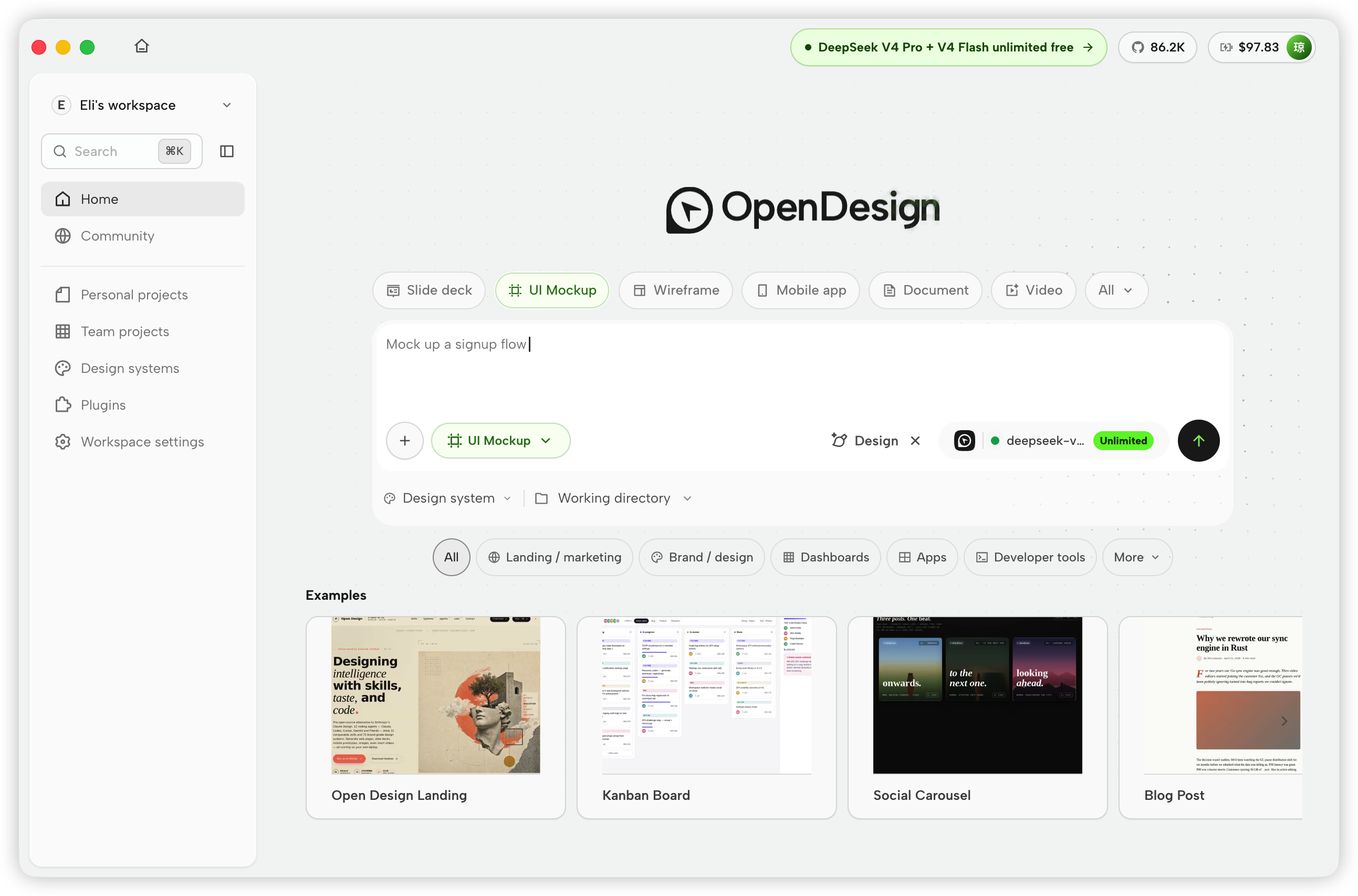
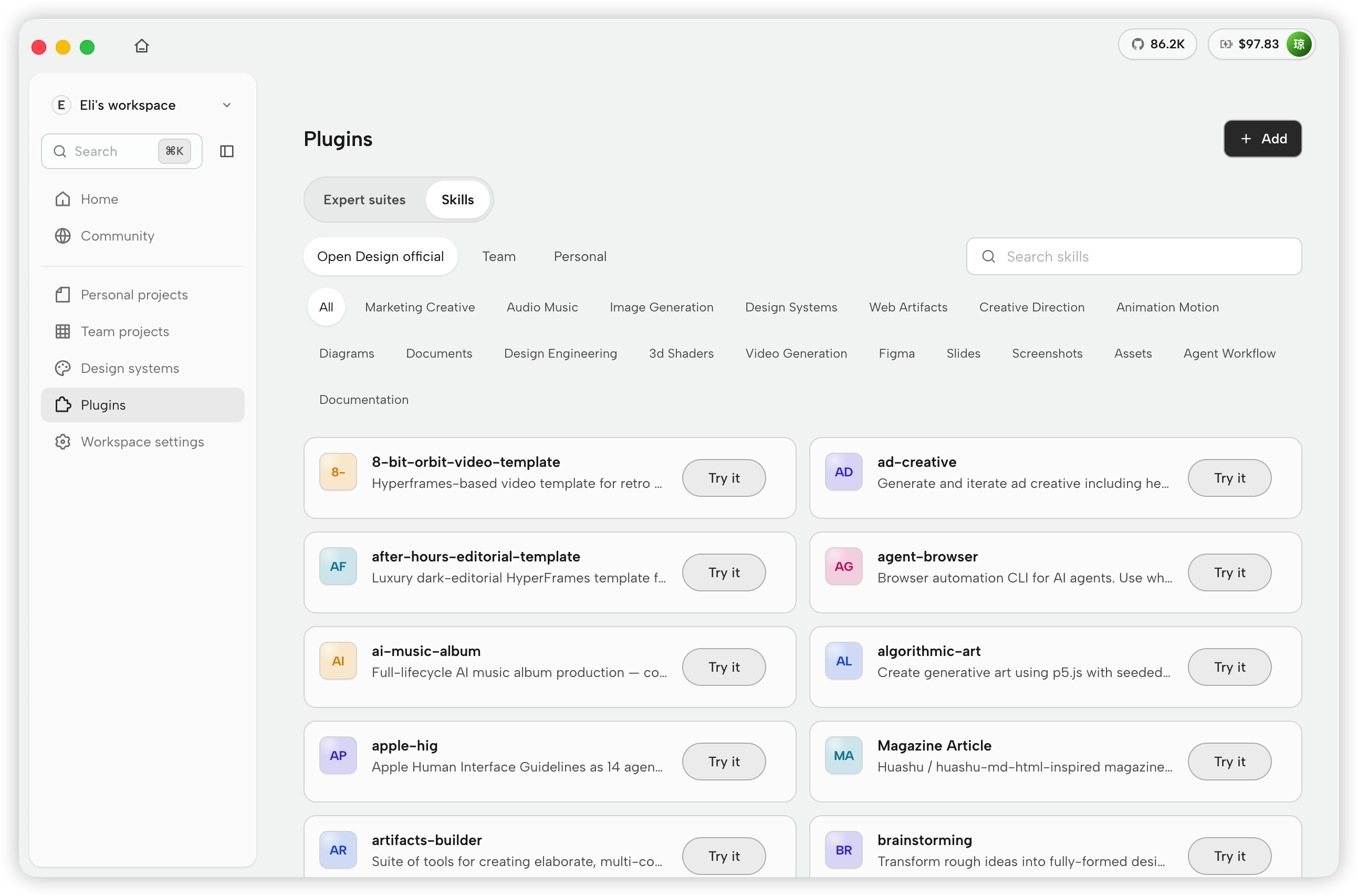
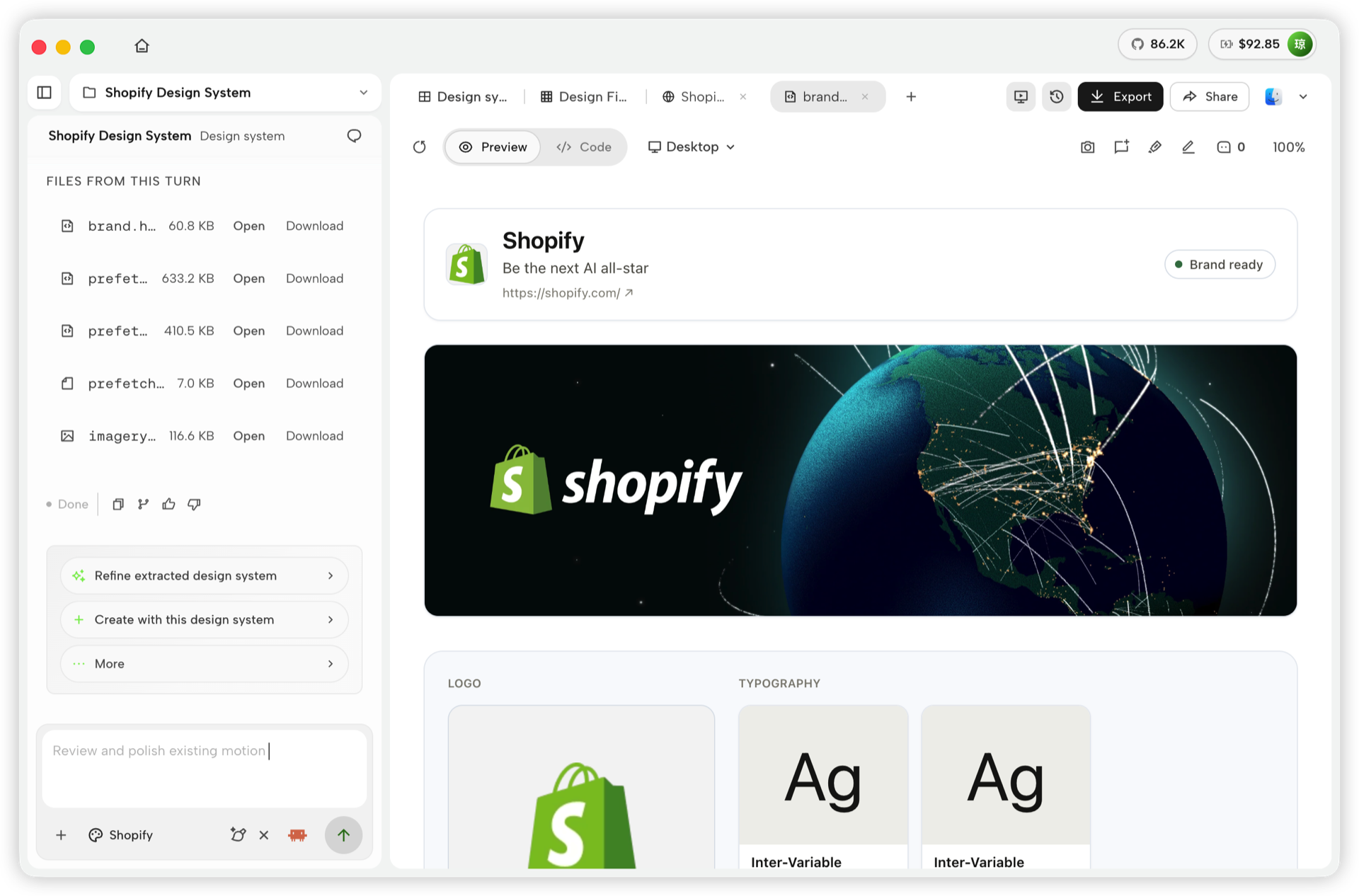
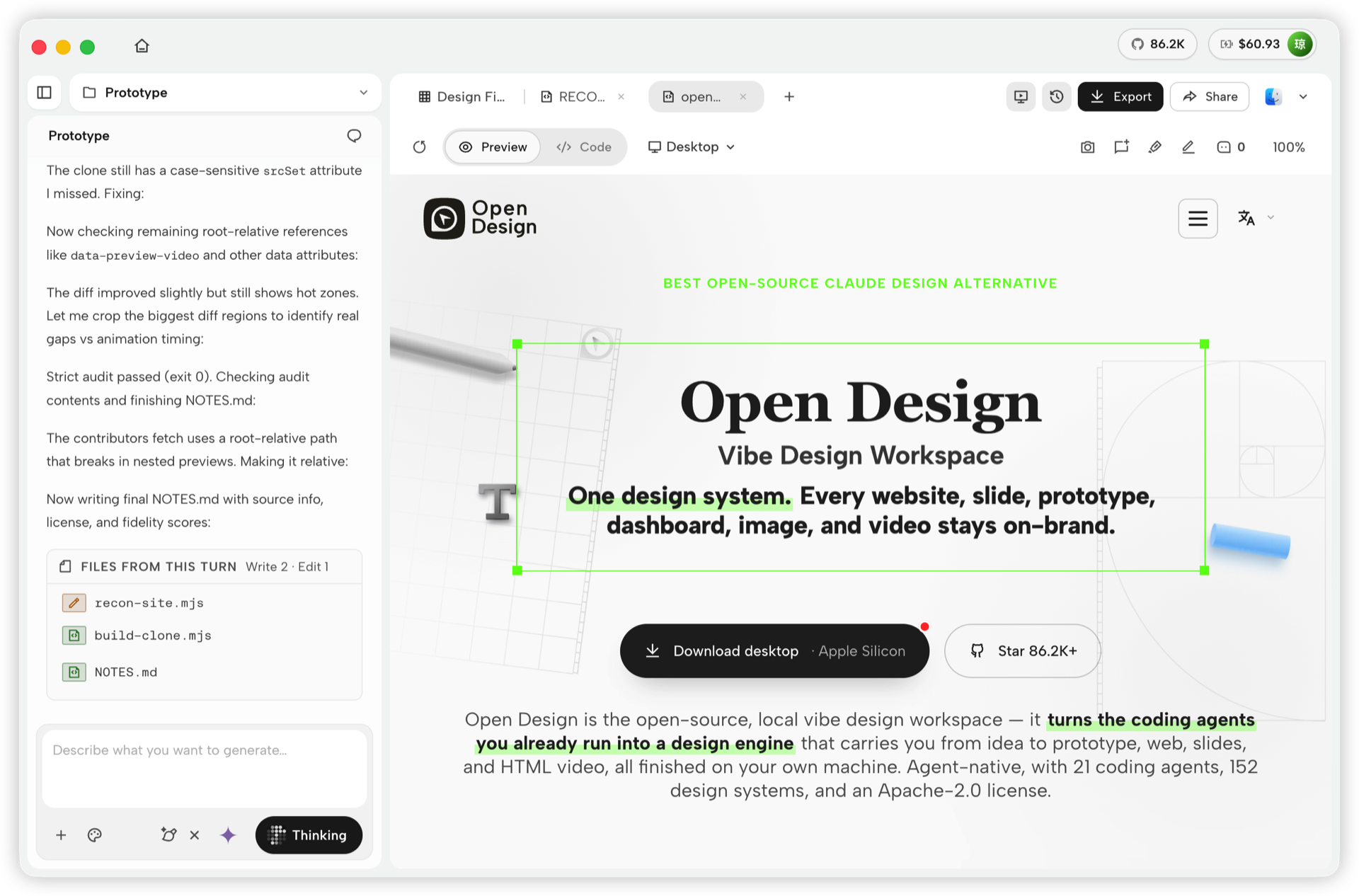
Studio — many artifact types in one project
Inside a project's Studio, the conversation, generated files, and live preview stay together across six artifact types:
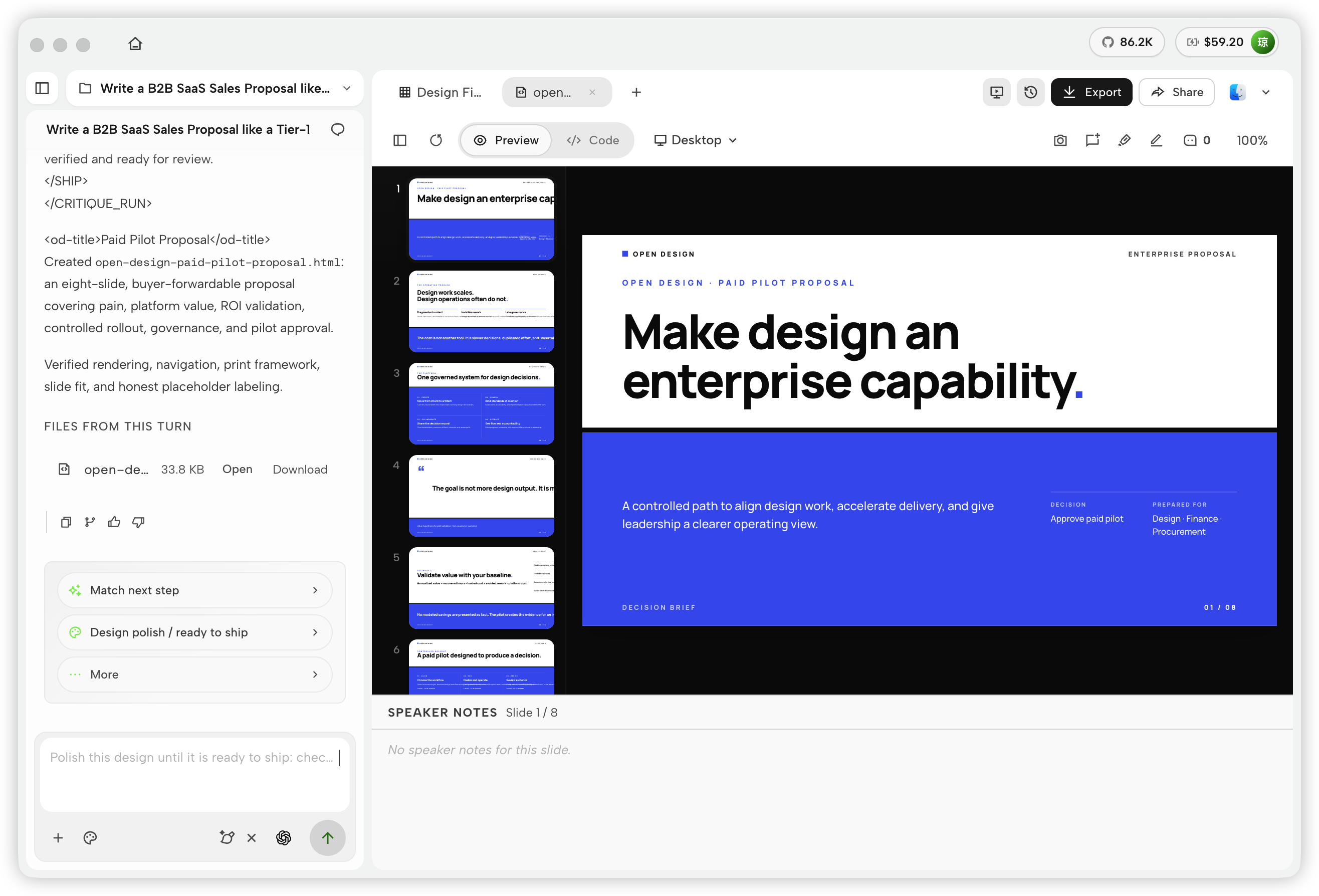
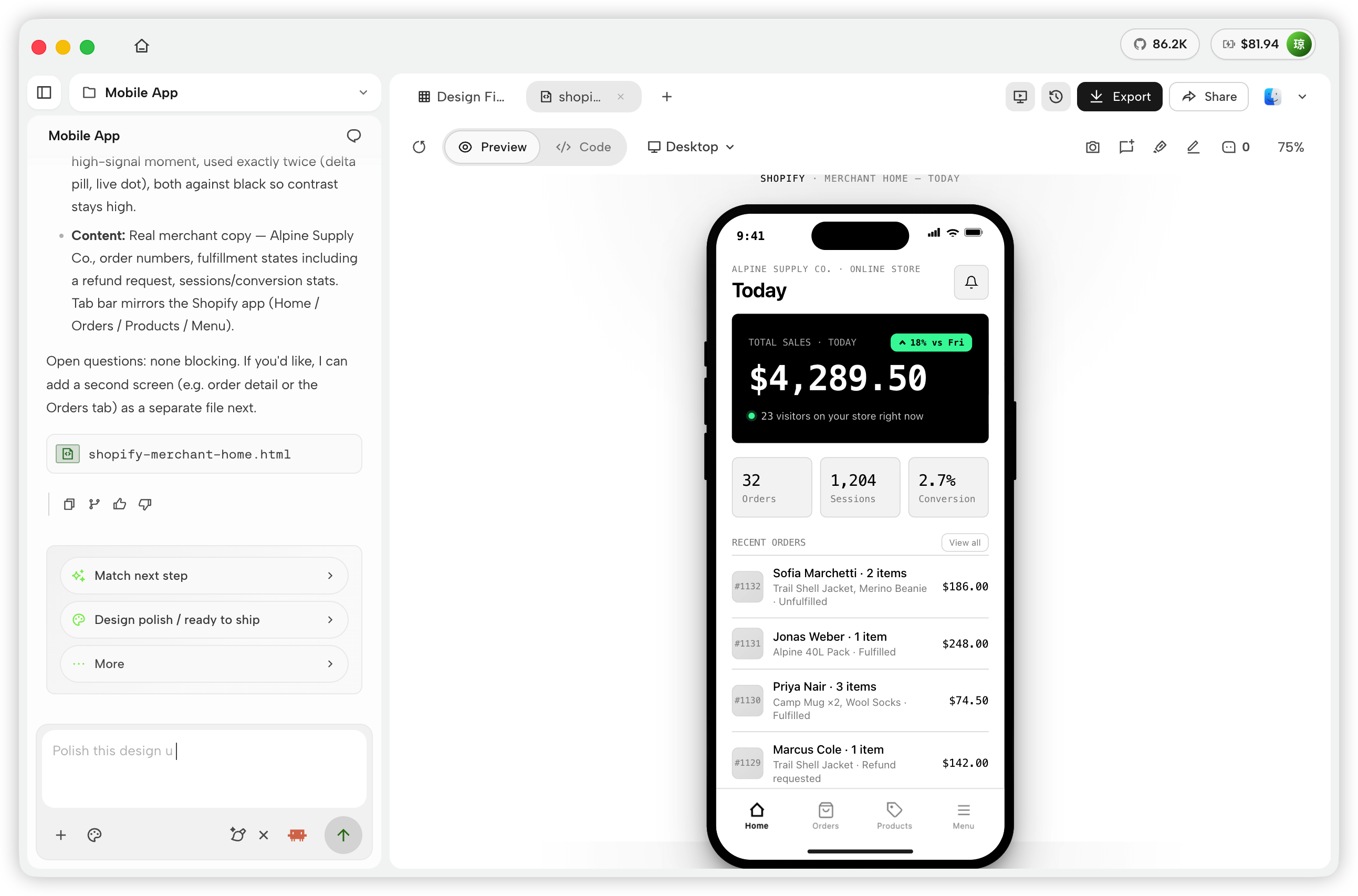
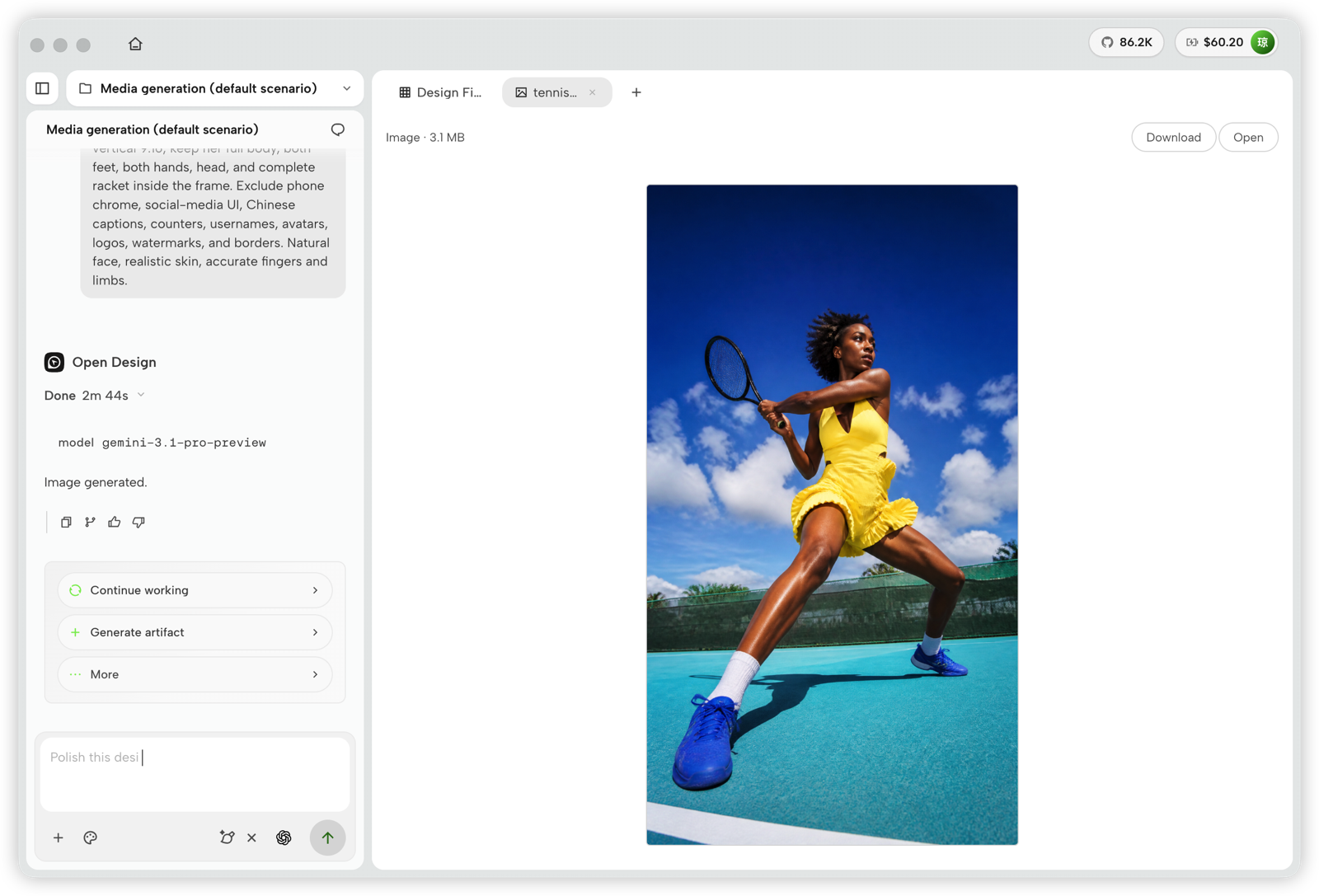
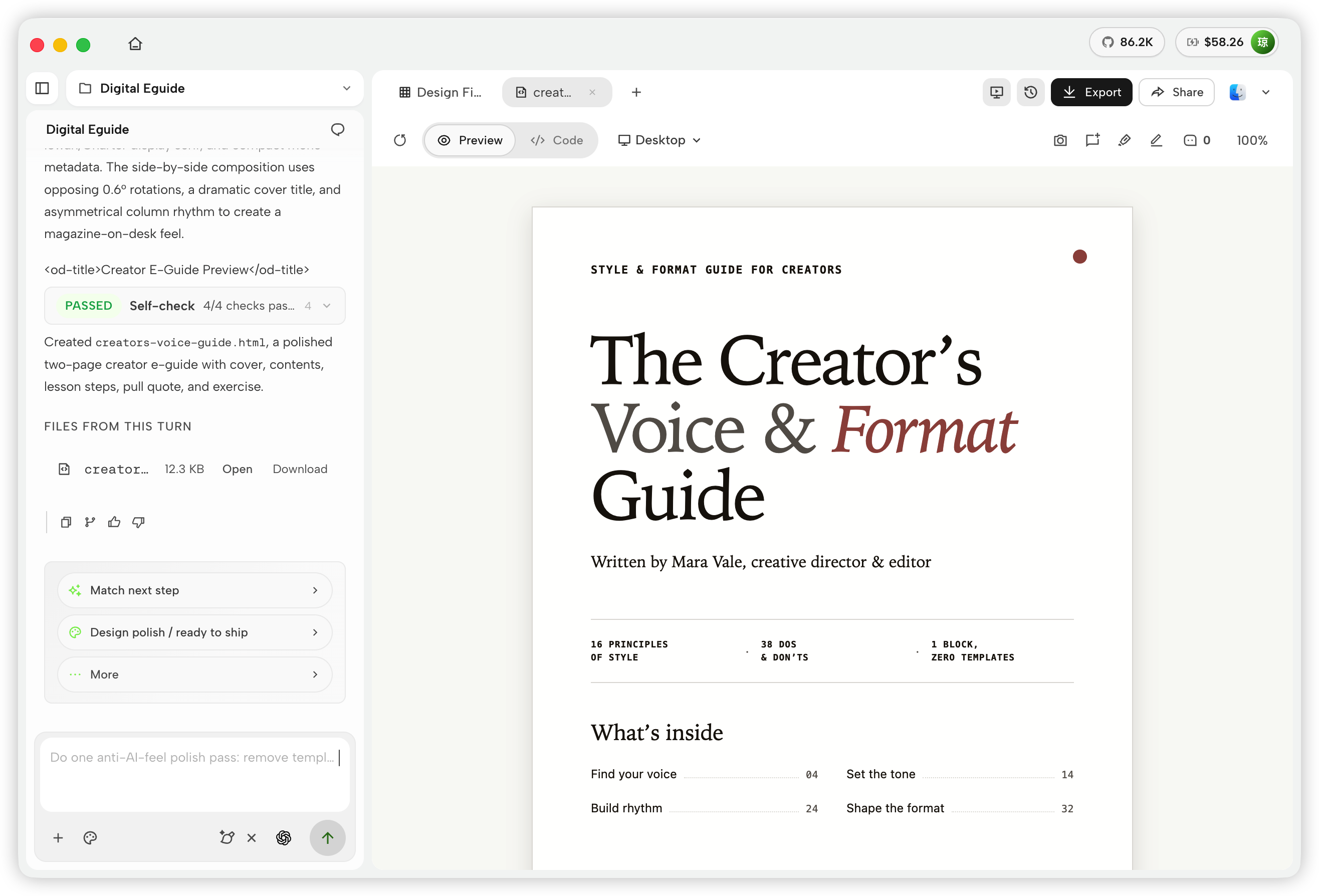
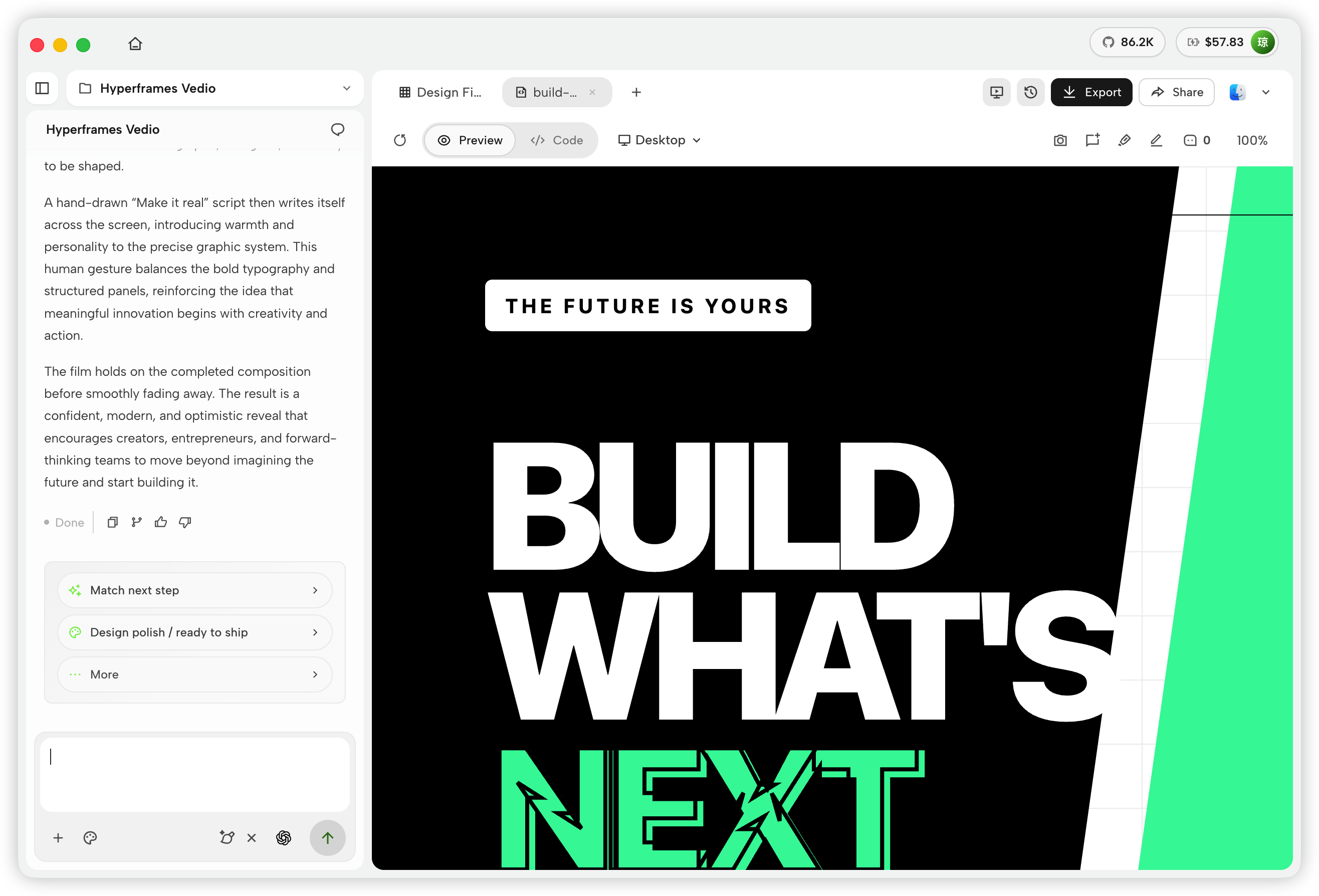
Platform Compatibility
OpenDesign connects to mainstream coding agents in two ways: skills, CLI, and MCP for agents that consume OD, plus native runtime adapters for agents that OD launches directly. DeepSeek Harness is a first-class native runtime through the official dsh CLI, with structured streaming, model discovery, cancellation, and session resume.
| Coding agent / platform | Status | Quick setup |
|---|---|---|
| Claude Code | ✅ Supported | od mcp install claude |
| Claude Desktop | ✅ Supported¹ | od mcp install claude-desktop |
| Codex CLI | ✅ Supported | od mcp install codex |
| DeepSeek Reasonix | ✅ Supported | od mcp install reasonix |
| DeepSeek Harness | ✅ Native runtime | od agent setup deepseek-harness |
| Raven | ✅ Supported | od mcp install raven |
| Cursor | ✅ Supported | od mcp install cursor |
| VS Code + GitHub Copilot | ✅ Supported | od mcp install copilot |
| GitHub Copilot CLI | ✅ Supported | od mcp install copilot |
| OpenCode | ✅ Supported | od mcp install opencode |
| OpenClaw | ✅ Supported | od mcp install openclaw |
| Antigravity | ✅ Supported | od mcp install antigravity |
| Cline | ✅ Supported | od mcp install cline |
| Trae | ✅ Supported | od mcp install trae |
| Kimi CLI | ✅ Supported | od mcp install kimi |
| Kiro | ✅ Supported | od mcp install kiro |
| Pi Agent | ✅ Supported | od mcp install pi |
| Mistral Vibe CLI | ✅ Supported | od mcp install vibe |
| Hermes Agent | ✅ Supported | od mcp install hermes |
For DeepSeek Harness, install the official dsh CLI first, then select it in OpenDesign or run od agent setup deepseek-harness to install/repair OD's connection component. For MCP integrations: od mcp install <agent> --print for a dry-run preview · --uninstall to remove · full list with od mcp install --help.
¹ Automatic MCP configuration for Claude Desktop is currently supported on macOS and Windows only.
No CLI installed? The BYOK proxy at POST /api/proxy/{anthropic,openai,azure,google,ollama,senseaudio}/stream gives you the same loop (no process spawn) — paste baseUrl + apiKey + model, with presets for OpenAI, Atlas Cloud, Anthropic, Azure OpenAI, Google Gemini, Ollama, LM Studio, vLLM, or any OpenAI-compatible endpoint. Atlas Cloud uses https://api.atlascloud.ai/v1 with your own key and OpenAI-compatible model ids such as qwen/qwen3.5-flash. Per-target SSRF protection blocks internal IPs / link-local / CGNAT at the daemon edge.
Runtime definitions live in apps/daemon/src/runtimes/defs/, with registration and shared stream handling under apps/daemon/src/runtimes/. See docs/agent-adapters.md for the adapter contract.
Demo
Four core product categories, all rendered by a coding agent running on your laptop. Click a thumbnail to see the real example.
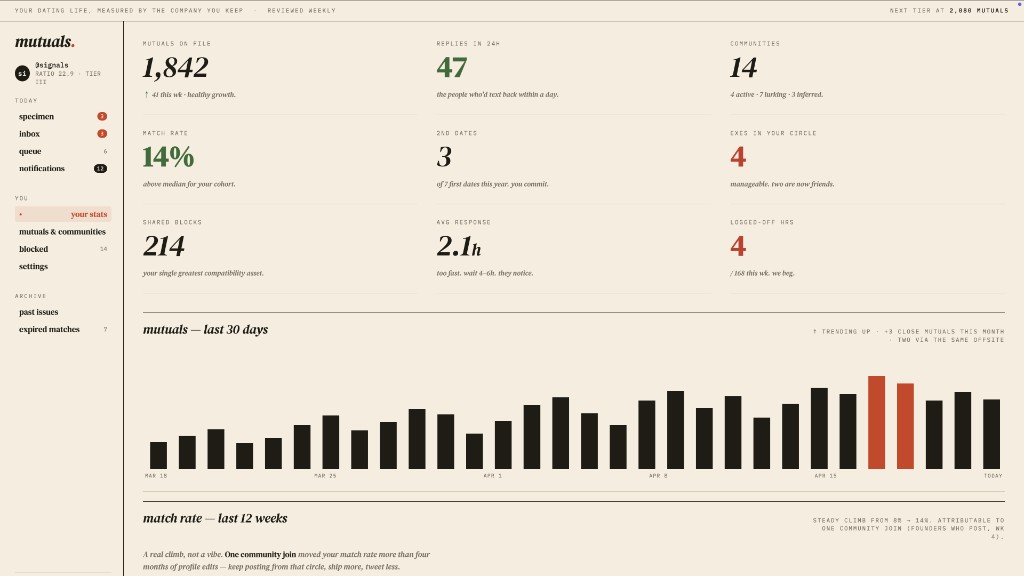
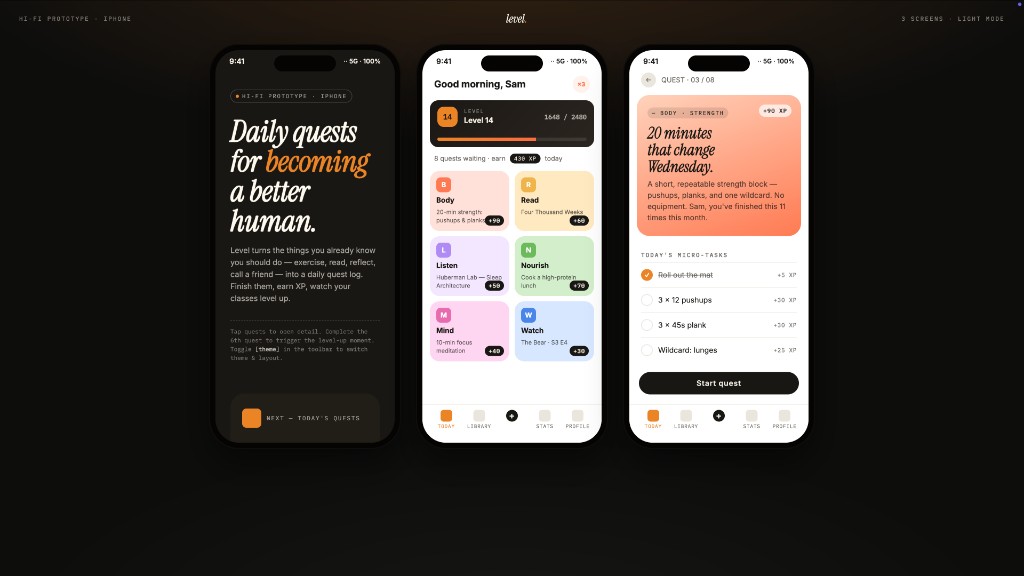
1 · Prototypes — web · desktop · mobile
The default output surface. Single-page HTML artifacts that read your DESIGN.md and render in a sandboxed iframe.
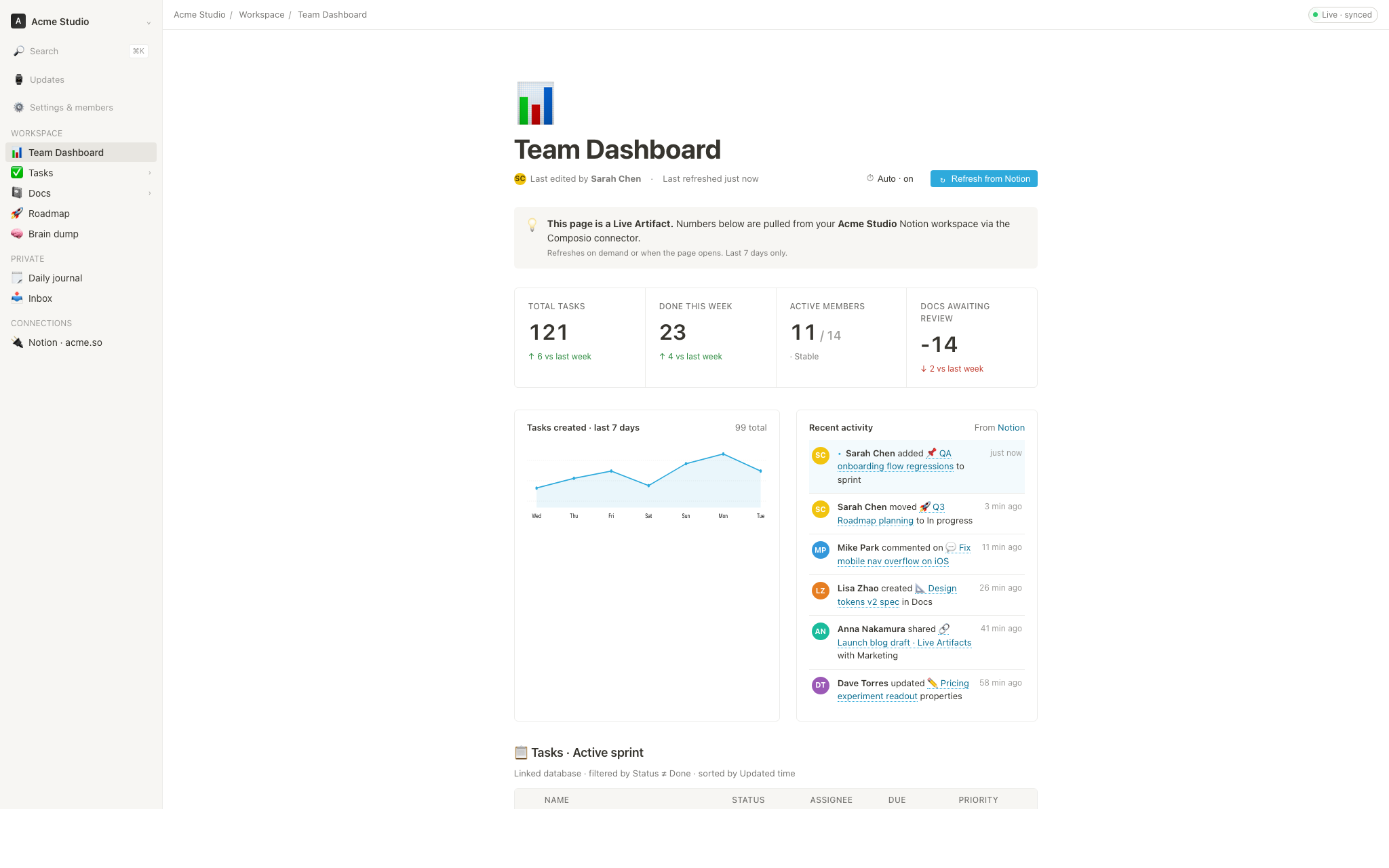
2 · Live artifacts & dashboards
Live dashboards, decision rooms, KPI walls — single-page artifacts that pull data through a tweaks panel and stay editable in place.
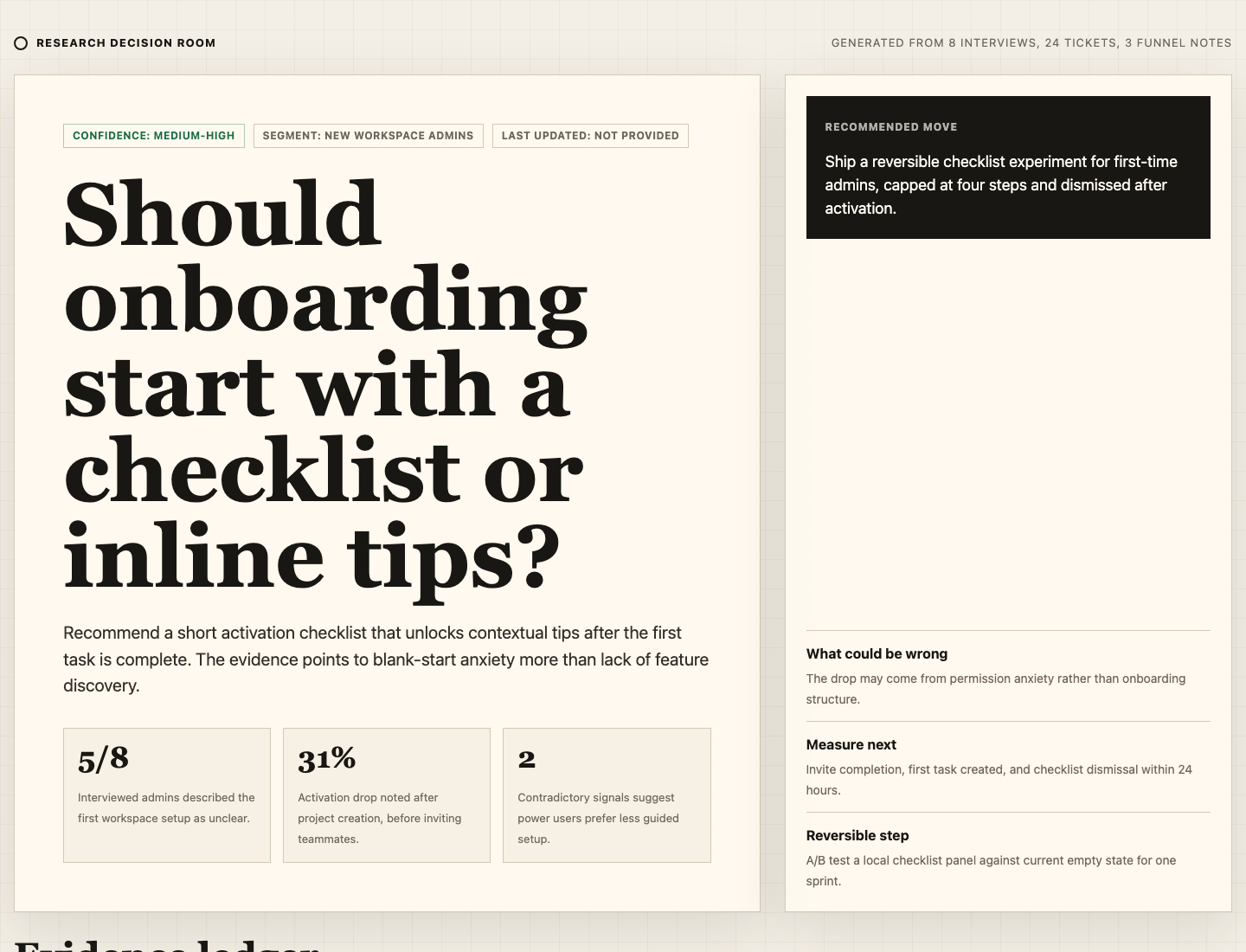
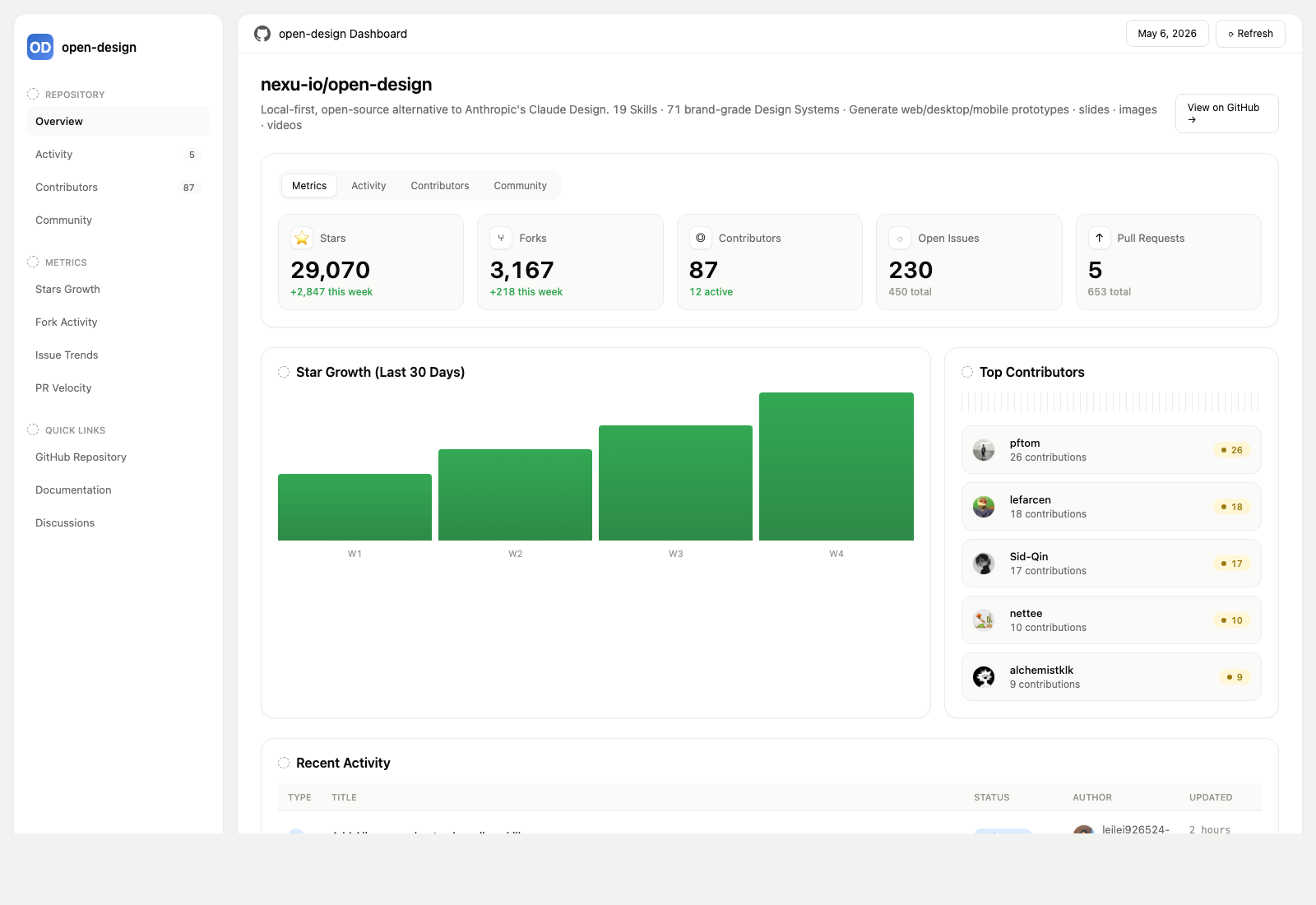
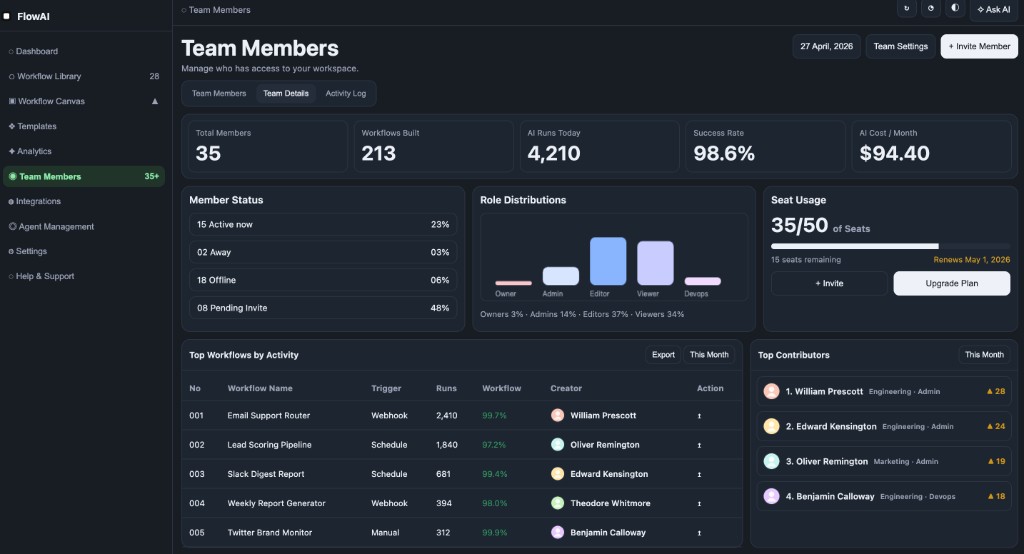
3 · Decks — magazine decks, weekly updates, pitches
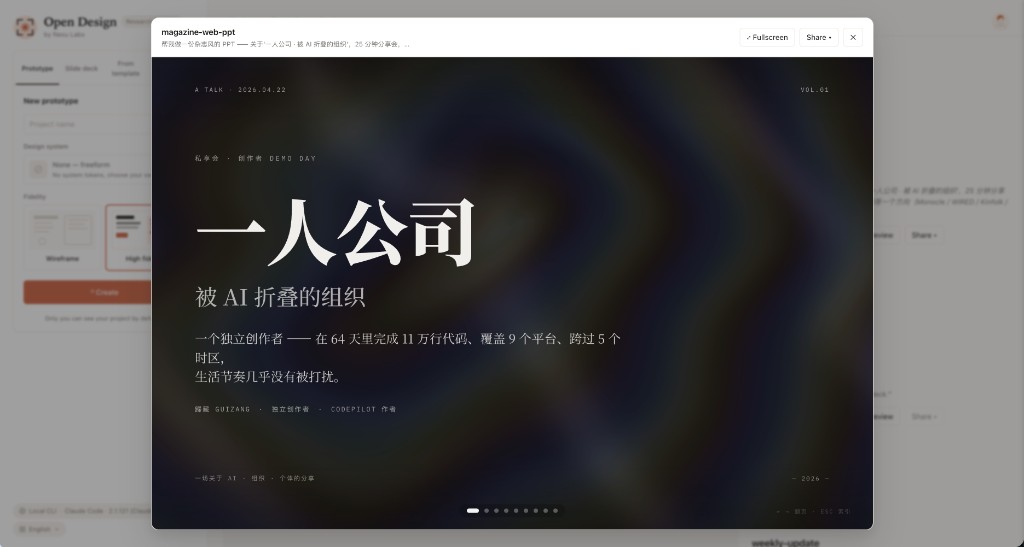
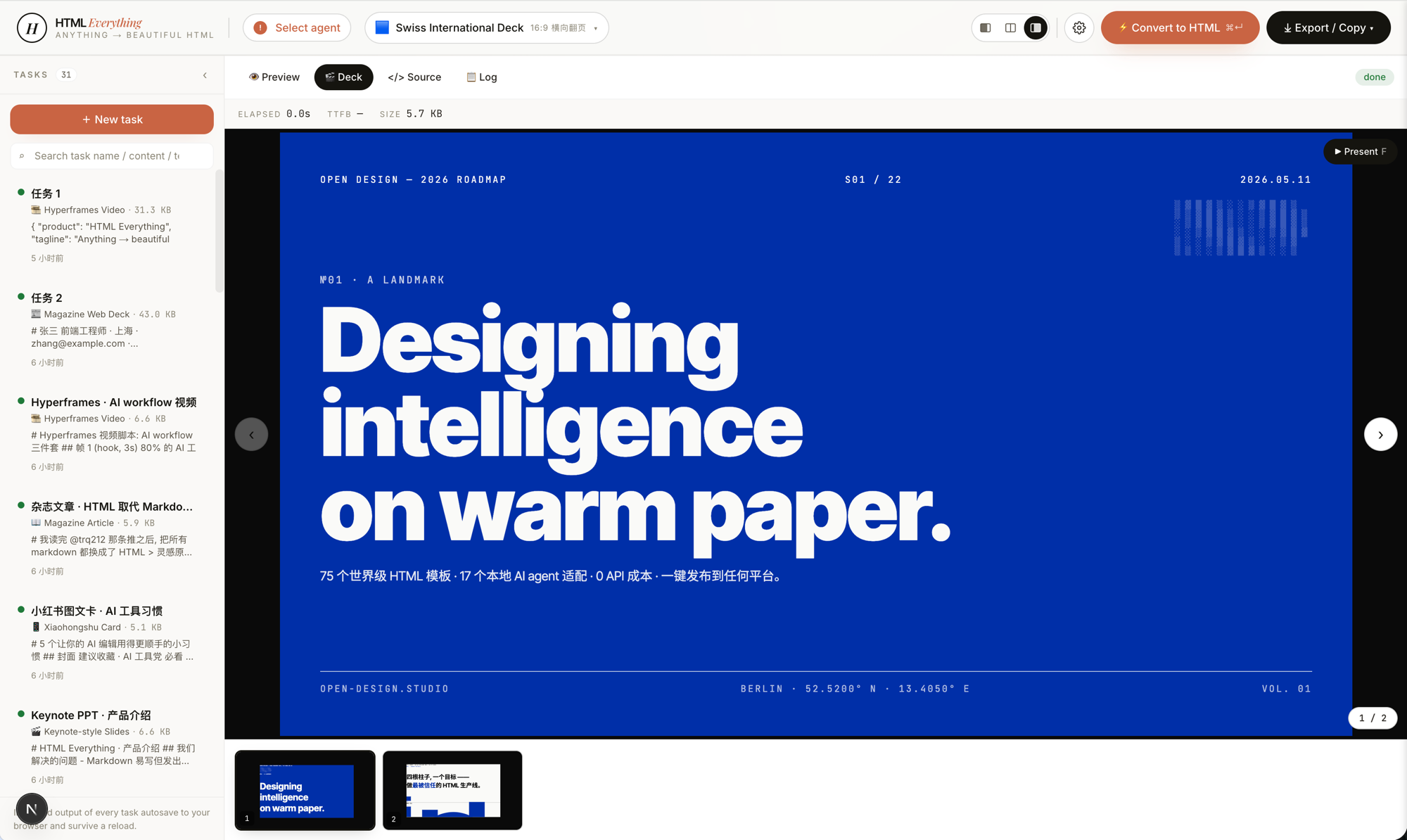
Every deck exports to HTML (single file, inlined assets), PDF (browser print, deck-aware), PPTX (agent-driven skill), ZIP (archive), or Markdown.
4 · Images — gpt-image-2, ImageRouter, custom API
93 ready-to-replicate prompts live in prompt-templates/ — preview thumbnails, full prompt body, target model, aspect ratio, and source attribution. One click drops a brief into the composer.
5 · Video & HyperFrames — agent-native motion graphics
HyperFrames is HeyGen's open-source, agent-native video framework, integrated as a first-class citizen in OpenDesign. The agent writes HTML + CSS + GSAP, and HyperFrames renders it to a deterministic MP4 via headless Chrome + FFmpeg. Pair it with Seedance 2.0 for cinematic t2v / i2v, Veo 3 / Sora 2 / Kling 2 for routed model variants, and Suno v5 / Lyria 2 for the audio layer.
11 HyperFrames templates + 39 Seedance prompts ship with the repo. Catalog thumbnails © HeyGen; the framework is Apache-2.0. The OD-specific render workflow (composition cache, sandbox-exec workaround, MP4-as-chip) is detailed in design-templates/hyperframes/.
Why OpenDesign
In April 2026, Anthropic released Claude Design — the first time an LLM stopped writing prose and started delivering design artifacts directly. It went viral. But it stayed closed-source, paid-only, cloud-only, locked to Anthropic's model, Anthropic's skills, Anthropic's surface. No checkout, no self-host, no Vercel deploy, no swap-in-your-own-agent.
OpenDesign (OD) is the open-source alternative. Same loop, same artifact-first mental model, none of the lock-in:
- 🤖 Agent-native, model-agnostic. We don't ship an agent. The
claude/codex/cursor-agent/copilot/hermes/kimialready on yourPATHare the design engine. Swap with one click. - 🧠 Brand-grade by default. Every render reads the active package's
DESIGN.mdas the core brand contract. 151 design-system packages ship with the repo; legacy packages may beDESIGN.md-only, while newer packages can addmanifest.json,tokens.css, components, assets, and provenance. Drop a folder in, the picker finds it. - 🖥️ Local-first, BYOK at every layer. Native desktop apps for macOS (Apple Silicon + Intel) and Windows (x64). Linux desktop users can currently run OpenDesign from source; the latest official release does not include a prebuilt Linux artifact. Product analytics and session replay are consent-gated; scrubbed safety and reliability telemetry is always on. Before describing daemon data paths, contributors and operators MUST read
AGENTS.md→ Daemon data directory contract. This README MUST NOT restate it. - 🌍 Composable on four planes. Plugins carry runnable workflows · functional skills carry agent behavior · design templates carry rendering blueprints · design systems carry the brand. All four use portable, versionable directories that anyone can author and publish.
- 🔁 Refresh an existing codebase. Hand a
gitrepo +DESIGN.mdto the agent and it refactors your real components to the brand spec. Dedicated plugins migrate Figma / Pencil workflows into React / Next.js / Vue code. - 🔒 Privacy by conviction. Everything runs where your data lives — your laptop, your team's server, your Vercel project. When the network is needed, the BYOK proxy is SSRF-guarded.
Comparison
| Claude Design | Figma | Lovable / v0 / Bolt | OpenDesign | |
|---|---|---|---|---|
| Open source | ❌ | ❌ | ❌ | ✅ Apache-2.0 |
| Self-host / desktop | ❌ | ❌ | ❌ | ✅ macOS + Windows + Docker + Vercel web |
| Agent-native (runs in your CLI) | Anthropic only | ❌ | Cloud agent only | ✅ 25 CLIs + BYOK |
Brand-grade DESIGN.md | Proprietary | Theme JSON | Limited tokens | ✅ 151 systems shipped |
| Skills / plugins / templates | Closed | Plugin store | Closed | ✅ 100+ functional skills · rendering templates · 277 plugins |
| HyperFrames (HTML→MP4) | ❌ | ❌ | ❌ | ✅ First-class |
| Refresh an existing repo to brand | ❌ | ❌ | ❌ | ✅ via agent + DESIGN.md |
| Minimum billing | Pro / Max / Team | Pro / Org | Pro / Team | BYOK · any compatible endpoint |
Quick start
🖥️ Download the desktop app (recommended — zero config)
The fastest way to use OpenDesign. No Node, no pnpm, no clone.
- macOS (Apple Silicon · Intel x64) → open-design.ai or GitHub Releases
- Windows (x64) → open-design.ai or GitHub Releases
- Linux → No prebuilt Linux artifact is currently published in the official releases. For now, run OpenDesign from source; Linux release work is tracked in #4368.
After install: the app auto-detects every coding-agent CLI on your PATH, loads 100+ functional skills, the separate rendering-template catalog, and 151 design systems, and lets you type a brief in the entry view.
🤖 Install into your coding agent (no UI)
You can use OpenDesign without ever opening the GUI — call it as a skill, plugin, or MCP server inside Claude Code, Codex, Cursor, Copilot, OpenClaw, Antigravity, Hermes, Kimi, and more.
If you installed the macOS desktop app via the DMG or Homebrew cask, your shell
may still resolve od to Apple's built-in /usr/bin/od octal-dump utility. In
that case, open Settings → MCP server in the desktop app and copy the
client-specific snippet; it uses absolute paths and does not rely on the bare
od command.
# One-line install into the agent you're using:
od mcp install <agent>
# <agent> = claude | codex | reasonix | raven | cursor | copilot | openclaw
#         | antigravity | pi | vibe | hermes | cline | kimi | kiro
#         | trae | opencode

# Hosted equivalent for curl-based setup:
curl -fsSL https://open-design.ai/install.sh | sh -s <agent>
install.sh is a thin shell wrapper around od mcp install; it exists so the
hosted URL returns shell instead of the landing-page HTML fallback and fails
fast if your shell resolves a non-Open-Design od binary.
macOS / WSL2 users: /usr/bin/od is a system octal-dump command and can
shadow OpenDesign's od command. Desktop-app users should prefer the
Settings → MCP server snippet; WSL2 users should follow the
WSL2 setup guide first.
Then, inside the agent:
> Use open-design to generate a landing page with the Linear design systemIn a filesystem-backed local CLI run, the agent composes the selected functional skill or design template with your DESIGN.md, writes the canonical project files, and OpenDesign previews those files. A BYOK/plain-API run without filesystem tools instead returns one complete <artifact> block.
🐳 Run with Docker
git clone https://github.com/nexu-io/open-design.git
cd open-design/deploy
cp .env.example .env
echo "OD_API_TOKEN=$(openssl rand -hex 32)" >> .env
docker compose up -d
# open http://127.0.0.1:7456
If the browser asks for credentials, use open-design as the username and the
OD_API_TOKEN value from deploy/.env as the password. This keeps Docker bridge
traffic authenticated without requiring host networking. API clients can keep
using Authorization: Bearer <OD_API_TOKEN>.
🚀 Deploy on Sealos
The Sealos App Store template runs the published OpenDesign Docker image with persistent workspace storage and Basic Auth on the public proxy. For custom public or shared Docker deployments, follow the reverse-proxy and OPEN_DESIGN_ALLOWED_ORIGINS guidance in deploy/README.md.
🧑💻 Run from source
git clone https://github.com/nexu-io/open-design.git
cd open-design
corepack enable && pnpm install
pnpm tools-dev run web
Open the URL printed by tools-dev; development ports are allocated dynamically unless you pass explicit port flags.
Node ~24, pnpm 10.33.x. WSL2 users, see docs/wsl-setup.md; native Windows users, see docs/windows-troubleshooting.md. Full quickstart, env vars, and packaged build flow → QUICKSTART.md.
A full workflow — from brief to artifact
brief → plugin → direction → design system → artifact → handoff → memory
- 1A PM submits a brief. The plugin picker offers landing page · pitch deck · dashboard · social post · PM spec · OKR scorecard…
- 2A designer (or the agent) locks the direction. No brand? Pick from 5 curated directions. Have a brand? Drop a screenshot / URL → the agent connects GitHub, imports Figma, and codifies a reusable
DESIGN.md. - 3The agent creates the first deliverable. Plugin + functional skill or design template +
DESIGN.mdare bound. Filesystem-backed CLI runs write canonical project files and the preview follows them; BYOK/plain-API runs without file tools return one complete<artifact>block. - 4Hand off to engineering. The artifact is real HTML/CSS — drop it into Cursor, Codex, or Claude Code to keep building as code. Or export PPTX / PDF / MP4 straight to marketing.
- 5OpenDesign gets smarter as you use it. Your screenshots, fonts, palettes, and confirmed artifacts accumulate as defaults for the next session. Less rework, less drift.
Use OpenDesign from your coding agent
OpenDesign ships a stdio MCP server and per-agent install scripts. Any MCP-compatible agent in another repo can read files from your local OpenDesign projects directly — tokens CSS, JSX components, entry HTML — as a structured API queryable by name. The agent always sees the live file, not a stale export.
# One-line install (16+ CLIs supported):
od mcp install <agent>

# Then the agent can:
od project list --json
od files list <project-id> --json
od files read <project-id> <relative-path>
od plugin list --json
od skills list --json
Why MCP? Exporting and re-attaching a zip every iteration breaks flow. MCP exposes the design source directly — the agent always sees the live file.
For an agent starting from scratch, the installer places ~/.config/<agent>/open-design.json (or the platform equivalent) plus a copy-paste MCP snippet. Cursor gets a one-click deeplink; Claude Code gets a claude mcp add-json one-liner; every other agent gets JSON in the schema its config expects. On macOS desktop installs, prefer that Settings snippet over typing bare od mcp install <agent> in Terminal, because /usr/bin/od may win on PATH. Full per-agent flow → Settings → MCP server in the desktop app, or docs/agent-adapters.md.
Security model. Read-only by default, the daemon binds to 127.0.0.1, and SSRF is blocked at the proxy edge. LAN exposure requires an explicit OD_BIND_HOST plus OD_ALLOWED_ORIGINS. Connector credentials and live-artifact preview routes stay loopback-only regardless.
Internally-hosted model endpoints. To prevent SSRF, the daemon blocks provider base URLs that resolve to private/internal address ranges (RFC1918, link-local, CGNAT, and cloud-metadata IPs) by default, surfacing Internal IPs blocked. If you run an internally-hosted gateway (e.g. LiteLLM or Ollama on a VPN-only 10.x/192.168.x address), opt that host out with OD_ALLOWED_INTERNAL_HOSTS=<host1>,<host2>,... — a comma- or whitespace-separated list of bare hostnames or IPs (10.0.0.5, litellm.internal.corp; a host:port or full URL is accepted and reduced to its hostname; IPv6 must be bracketed, e.g. [fd00::1]). The allowlist is strict opt-in (empty by default), exact-host (no subdomain/substring matching), and applies only to provider endpoints you configure (connection test, model discovery, BYOK chat). It deliberately does not relax the guard on download URLs returned inside upstream responses, which stay blocked. A malformed entry — or CIDR notation, which is not supported — is dropped with a warning rather than silently trusted, so a typo never quietly widens (or fails to widen) the guard. Allowlisting a hostname trusts whatever it resolves to (like OD_ALLOWED_ORIGINS); allowlist the resolved IP instead if you want the DNS-resolved address re-checked.
Skills and design templates
100+ functional skills ship in skills/. Each follows the Agent Skills SKILL.md convention and supplies reusable agent behavior, references, or utilities. Renderable starters live separately in design-templates/; they may also use SKILL.md, but they populate the design-template catalog rather than the functional-skill registry.
Two modes anchor the design-template catalog: prototype (web/mobile/desktop single-page artifacts) and deck (horizontal-swipe presentations). Other templates cover image, video, audio, and utility surfaces. The scenario field groups templates by audience: design · marketing · operation · engineering · product · finance · hr · sale · personal.
| Design template | Mode | Scenario | What it produces |
|---|---|---|---|
web-prototype | prototype | design | Default landing page / hero |
saas-landing | prototype | marketing | Hero / features / pricing / CTA |
dashboard | prototype | operation | Admin / analytics (with sidebar) |
mobile-app | prototype | design | iPhone 15 Pro / Pixel framed app |
mobile-onboarding | prototype | design | Splash · value-prop · sign-in flow |
social-carousel | prototype | marketing | 3-card 1080×1080 carousel |
email-marketing | prototype | marketing | Table-fallback-safe brand email |
magazine-poster | prototype | marketing | Single-page magazine layout |
motion-frames | prototype | marketing | Looping CSS motion hero |
sprite-animation | prototype | marketing | 8-bit pixel animated explainer |
pm-spec | prototype | product | PM spec doc (with TOC + decision log) |
team-okrs | prototype | product | OKR scorecard |
eng-runbook | prototype | engineering | Incident runbook |
finance-report | prototype | finance | Exec finance summary |
hr-onboarding | prototype | hr | Role onboarding plan |
guizang-ppt | deck | marketing | Magazine-style web PPT (deck default) |
html-ppt-* | deck | marketing | 15 deck templates × 36 themes (master template in design-templates/html-ppt/) |
hyperframes | video | marketing | HTML → MP4 motion graphics (HeyGen OSS framework) |
critique | utility | design | Five-dimensional self-critique scoresheet |
tweaks | utility | design | AI-emitted tweaks-panel manifest |
Full protocol and directory split → docs/skills-protocol.md. Registry endpoints: GET /api/skills for functional skills and GET /api/design-templates for rendering templates.
Design Systems
151 brand-grade design-system packages centered on DESIGN.md ship with the repo. Legacy packages may contain only that Markdown contract; newer packages can also carry manifest.json, compiled tokens.css, component fixtures, assets, and provenance evidence. The catalog mixes upstream-derived systems with project-owned additions; design-systems/README.md records the package shape and provenance. Switch a system → the next render uses the new tokens.
AI & LLM — claude · cohere · mistral-ai · minimax · together-ai · replicate · runwayml · elevenlabs · ollama · x-ai
Developer Tools — cursor · vercel · linear-app · framer · expo · clickhouse · mongodb · supabase · hashicorp · posthog · sentry · warp · webflow · sanity · mintlify · lovable · composio · opencode-ai · voltagent
Productivity — notion · figma · miro · airtable · superhuman · intercom · zapier · cal · clay · raycast
Fintech — stripe · coinbase · binance · kraken · mastercard · revolut · wise
E-commerce — shopify · airbnb · uber · nike · starbucks · pinterest
Media — spotify · playstation · wired · theverge · meta
Automotive — tesla · bmw · ferrari · lamborghini · bugatti · renault
Other — apple · ibm · nvidia · vodafone · resend · spacex
Starters — default (Neutral Modern) · warm-editorial
Re-import the library via scripts/sync-design-systems.ts. Add your own brand → drop a DESIGN.md into design-systems/<brand>/. Full guide → design-systems/README.md.
Plugins
277 official plugins plus 183 remixable reference examples live in plugins/_official/. Each entry is a portable plugin directory anchored by open-design.json plus the payload required by its type: for example SKILL.md for agent workflows, template.json for media templates, or DESIGN.md for design-system entries. Jump straight to a category:
| Category | Count | Contents |
|---|---|---|
scenarios/ | 13 | Complete design scenarios — od-default, od-design-refine, od-figma-migration, od-code-migration, od-react-export, od-nextjs-export, od-vue-export, od-media-generation, od-new-generation, od-tune-collab, od-plugin-authoring, od-share-to-community, od-web-effect-extractor |
image-templates/ | 45 | One-shot image prompts — editorial, cinematic, product, portrait |
video-templates/ | 63 | HyperFrames / Seedance / Veo motion templates |
design-systems/ | 143 | Brand DESIGN.md wrapped as plugins |
atoms/ | 13 | Reusable UI fragments (buttons, heroes, KPI cards) |
examples/ | 183 | Remixable reference outputs |
Also plugins/community/ for community plugins and plugins/registry/ for the publishing flow.
What plugins can do
- 🤖 Run in any coding agent — Claude Code, Codex, Cursor, Copilot, OpenClaw, Antigravity, Hermes, Kimi… through the same skill protocol the agent already knows.
- 🔁 Migrate Figma / Pencil workflows → React, Next.js, or Vue source. See
od-figma-migration. - 🛠️ Refresh an existing codebase to a brand spec — point a plugin at a
gitrepo +DESIGN.md, get a PR. Seeod-code-migration. - 💾 Persist custom workflows — your team's reusable templates sit next to the shipped ones.
Using plugins
Plugins are at full parity across the web UI and the od CLI — same /api/plugins endpoints, pick whichever fits.
In the desktop / web app: open the Plugin page to browse the marketplace and click Install; inside a project's Studio, plugins appear as composer chips you click to apply (with the inputs they declare).
On the command line (runs without a UI — this is the path external agents use):
od plugin list                       # list installed plugins (--task-kind / --mode / --tag filters)
od plugin search "landing page"      # search by keyword
od plugin info od-default            # inspect a plugin's metadata, inputs, capabilities
od plugin install od-figma-migration # install from a registry; also accepts ./local-folder or an https://… link
od plugin apply od-default --input brief="a one-page pitch for our seed round"
od plugin upgrade od-default         # upgrade
od plugin uninstall od-default       # uninstall
Every command supports --json, so you can pipe it through jq / xargs into automation.
Building a plugin
An OpenDesign plugin requires open-design.json plus the payload required by its type. A workflow skill or scenario also includes SKILL.md; manifest-only template and design-system entries use their own payloads instead:
my-plugin/
├── open-design.json    ← required: marketplace metadata + inputs + pipeline + capabilities
├── SKILL.md            ← required for agent-skill/scenario entries; omitted for other plugin types
├── README.md           ← optional: usage, install, registry links
├── preview/            ← optional: index.html / poster.png (strongly recommended for visual plugins)
└── examples/           ← optional: concrete use cases
Core open-design.json fields: specVersion (currently 1.0.0), name (stable ID), version (semver), optional compat.agentSkills[].path (points at ./SKILL.md when the entry exposes an Agent Skill), od.kind (skill / scenario / atom / bundle), od.taskKind (new-generation / figma-migration / code-migration / tune-collab), od.mode (the output surface, e.g. prototype / deck / live-artifact / image / video / hyperframes / audio / design-system / scenario), od.capabilities[] (declare the minimum — a restricted install grants only prompt:inject by default), od.inputs[] (apply-time parameters).
Scaffold + validate locally:
od plugin scaffold --id my-plugin --title "My Plugin"   # generate the skeleton
od plugin validate ./my-plugin                          # check manifest / file layout
pnpm guard && pnpm --filter @open-design/plugin-runtime typecheck
Full field set and runtime contract → plugins/spec/SPEC.md; developing a plugin with a coding agent → plugins/spec/AGENT-DEVELOPMENT.md; copy-paste minimal templates → plugins/spec/examples/.
Contributing a plugin
- 1Drop the plugin folder into
plugins/community/(third-party plugins), or — to ship it bundled with OpenDesign — into the matching tier ofplugins/_official/. - 2Pass validation:
od plugin validate,pnpm guard,pnpm --filter @open-design/plugin-runtime typecheck. - 3Fill the PR using the template in
plugins/spec/CONTRIBUTING.md(ID, version, lane, mode, capabilities, trigger examples; attach a screenshot / preview for visual plugins). - 4To publish to an external registry (skills.sh / ClawHub / standalone GitHub) →
plugins/spec/PUBLISHING-REGISTRIES.md.
Plugin registry endpoint: GET /api/plugins. Directory overview → plugins/README.md (简体中文).
Architecture
┌────────────────── browser (Next.js 16) / Electron shell ──────────────┐
│  chat · file workspace · iframe preview · settings · import · MCP     │
└──────────────┬─────────────────────────────────────┬─────────────────┘
               │ /api/*                              │
               ▼                                     ▼
   ┌─────────────────────────────────┐   /api/proxy/{provider}/stream (SSE)
   │  local daemon (Express+SQLite)  │   ─→ any OpenAI-compatible BYOK,
   │                                  │       SSRF-guarded at the edge
   │  /api/skills    /api/design-templates    /api/plugins    │
   │  /api/design-systems            │
   │  /api/chat (SSE)   /api/proxy/* │
   │  /api/projects/:id/files/...    │
   │  /api/artifacts/{save,lint}     │
   │  /api/import/claude-design      │
   │  MCP stdio server                │
   └─────────┬───────────────────────┘
             │ spawn(cli, [...], { cwd: managed project cwd })
             ▼
   ┌──────────────────────────────────────────────────────────────────┐
   │  Local runtime definitions come from runtimes/registry.ts;                 │
   │  the base registry has 27 definitions (including byok-opencode),           │
   │  backed by 26 distinct local CLI executables because byok-opencode shares │
   │  the OpenCode executable. See docs/agent-adapters.md.                     │
   │  composes a functional skill or design template + DESIGN.md; writes files │
└──────────────────────────────────────────────────────────────────┘| Layer | Stack |
|---|---|
| Frontend | Next.js 16 App Router + React 18 + TypeScript |
| Daemon | Node 24 · Express · SSE streaming · better-sqlite3 |
| Storage | Before changing or documenting daemon storage paths, you MUST read AGENTS.md → Daemon data directory contract. This README MUST NOT restate it. |
| Preview | Filesystem runs render canonical project files; BYOK/plain-API runs parse one complete <artifact> block into a sandboxed srcdoc iframe |
| Export | HTML (inlined) · PDF (browser print) · PPTX (agent-driven) · ZIP · Markdown · MP4 (HyperFrames) |
| Desktop | Electron shell + sandboxed renderer + sidecar IPC (STATUS · EVAL · SCREENSHOT · CONSOLE · CLICK · SHUTDOWN) |
| Lifecycle | One entry point: pnpm tools-dev (start / stop / run / status / logs / inspect / check) |
Full architecture → docs/architecture.md. Skill protocol → docs/skills-protocol.md. Agent adapter contract → docs/agent-adapters.md.
Roadmap
- [x] Daemon + 27 runtime definitions across 26 distinct coding-agent CLI executables + skill/design-template registries + design-system catalog
- [x] Web app + chat + question form + 5-direction picker + todo progress + sandboxed preview
- [x] 100+ functional skills · separate rendering-template catalog · 151 design-system packages · 5 visual directions · 5 device frames
- [x] SQLite-backed projects · conversations · messages · tabs · templates
- [x] Multi-provider BYOK proxy (
/api/proxy/{anthropic,openai,azure,google,ollama,senseaudio}/stream) with OpenAI-compatible presets including Atlas Cloud + SSRF guard - [x] Claude Design ZIP import (
/api/import/claude-design) - [x] Sidecar protocol + Electron desktop + IPC automation
- [x] Artifact lint API + 5-dim self-critique pre-emit gate
- [x] 0.8.0 — plugin marketplace infrastructure (261 official plugins, manifest spec, per-agent install scripts)
- [x] 0.9.0 — OpenDesign Cloud (official model service built into the app: zero config, one-click sign-in)
- [x] 0.10.0 — the all-in-one design workspace: the whole craft loop in one window (references → material → interactive editing → motion → handoff)
- [x] 0.11.0 — The Bazaar: built in the open — a community marketplace of plugins and design systems anyone can pick from and contribute to
- [x] 0.12.0 — Brand-backed Design System: turn the brand you already own into a reusable, portable
DESIGN.mdsystem - [x] 0.13.0 — Stay in Flow: native session resume, faster model picking, and export straight to screenshot-backed PPTX / PDF
- [x] Published desktop releases — macOS (Apple Silicon + Intel) + Windows (x64)
- [ ] Published Linux desktop release (optional lane) — tracked in #4368
- [ ] Comment-mode surgical edits — partially shipped; reliable targeted patching in progress
- [ ] AI-emitted tweaks panel UX — not yet implemented
- [ ]
npx od initto scaffold a project withDESIGN.md - [ ] Plugin SDK +
od plugin {add,list,remove,test,publish}CLI - [ ] Figma / Pencil → React / Next / Vue migration plugins (alpha)
- [ ] Refresh-existing-codebase plugin (point at a git repo +
DESIGN.md)
Phased delivery → docs/roadmap.md.
Community
Real people behind every channel.
- 💬 Discord — daily chat, plugin sharing, questions → discord.gg/mHAjSMV6gz
- 🐦 X / Twitter — release notes, milestones, behind the scenes → @OpenDesignHQ
- 🗣️ GitHub Discussions — deep Q&A, RFCs, "show your work" → Discussions
- 🐛 GitHub Issues — bug reports, feature requests → Issues
The good-first-issue and help-wanted labels are the easiest way in.
Contributing
OpenDesign keeps moving because contributors — designers, engineers, prompt authors — keep showing up. Many of the most-used skills, design systems, and plugins were written by people outside the core team.
🎯 Where to start (max leverage, min change)
| Want to ship… | How | Where |
|---|---|---|
| A new functional skill | Drop a folder with SKILL.md + optional assets/ + references/ | skills/ · spec in docs/skills-protocol.md |
| A new rendering design template | Add a renderable SKILL.md bundle | design-templates/ |
| A new design system | Drop a package centered on DESIGN.md; add manifest.json, tokens.css, components, assets, or provenance when needed | design-systems/<brand>/ |
| A new plugin | Drop open-design.json + the type-specific payload under a category folder | plugins/community/ · spec in plugins/spec/SPEC.md · agent dev guide in plugins/spec/AGENT-DEVELOPMENT.md |
| Support a new coding-agent CLI | One runtime definition + registry entry; add a parser only for a new wire format | apps/daemon/src/runtimes/defs/ |
| Fix a bug or polish UI | Browse the good-first-issue label | Issues → |
| Translate the docs | Update the README.<lang>.md files | TRANSLATIONS.md |
🤖 Contributing as an agent
If you are the agent reading this, the fastest path is:
# 1. Boot locally
git clone https://github.com/nexu-io/open-design.git
cd open-design && corepack enable && pnpm install
pnpm tools-dev run web

# 2. Find a good-first-issue and assign yourself
gh issue list --label "good first issue" --state open --limit 20
gh issue develop <number>   # create a branch and worktree

# 3. Make the change, run the checks
pnpm guard && pnpm typecheck
pnpm --filter @open-design/<package> test

# 4. Open the PR
gh pr create --fill
Full agent-friendly contribution flow, code style, and PR bar → CONTRIBUTING.md (Deutsch · Français · 简体中文 · 日本語 · 한국어 · Português · ภาษาไทย).
🏅 OpenDesign Fellow program
We're recruiting OpenDesign Fellows around the world — Fellows shape the product alongside the core team, represent OpenDesign officially in their region, and grow the community locally, backed by funded support ($1,000 / MR), free LLM credits, and a direct review track. Details → MAINTAINERS.md and the announcement on Discord.
Maintainers
They carry a lot of the load — daily maintenance, review, and community support.


Maintainer rules, promotion criteria, and the exit protocol → MAINTAINERS.md (also Deutsch · Français · 简体中文 · 日本語 · 한국어 · Português · ภาษาไทย).
Contributors
Thanks to everyone who has taken part — code, docs, feedback, a sharp issue, a new skill, a new design system.
Repository activity

The SVG above is regenerated daily by .github/workflows/metrics.yml using lowlighter/metrics.
Star us
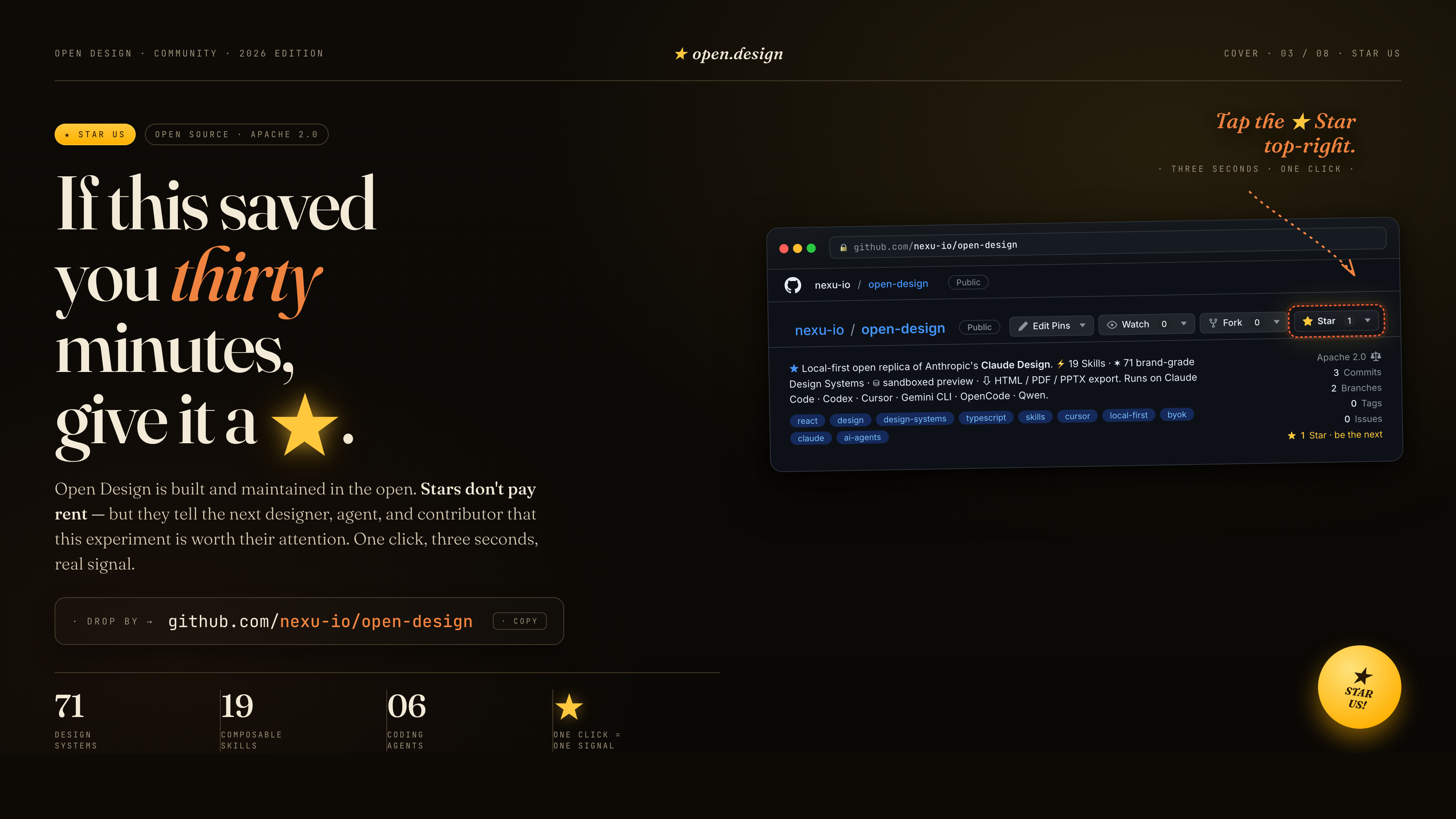
If this saved you thirty minutes, give it a ★. Stars don't pay rent — but they tell the next designer, agent, and contributor that this experiment is worth their attention. One click, three seconds, a real signal.
References & lineage
| Project | Role |
|---|---|
| Claude Design | The closed-source product this repo is the open-source alternative to. |
alchaincyf/huashu-design | The design-philosophy compass — junior-designer workflow, brand-asset protocol, anti-AI-slop checklist, five-dimensional critique. |
op7418/guizang-ppt-skill | The magazine-style web PPT skill, bundled verbatim under design-templates/guizang-ppt/. Default for deck mode. |
lewislulu/html-ppt-skill | The HTML PPT Studio family — 15 deck templates, 36 themes, 31 page layouts, animation runtime, magnetic-card presenter mode. |
OpenCoworkAI/open-codesign | The first open-source Claude Design alternative; UX patterns we borrow (streaming-artifact loop, sandboxed iframe, live agent panel). |
multica-ai/multica | The daemon + adapter architecture — PATH-scan agent detection, local daemon as the only privileged process. |
VoltAgent/awesome-design-md | Historical source of the original 9-section DESIGN.md schema and 70 upstream-derived systems; current packages may extend that baseline. |
bergside/awesome-design-skills | Source of the 57 design skills added under design-systems/. |
heygen-com/hyperframes | The HTML→MP4 motion-graphics framework, integrated as the first-class hyperframes-html in OpenDesign. |
| Claude Code skills | The SKILL.md convention we adopt verbatim. |
Detailed provenance → docs/references.md.
License
Apache-2.0. Bundled skills and templates with their own LICENSE files retain those licenses, including design-templates/guizang-ppt/ (MIT, @op7418), design-templates/html-ppt/ (MIT, @lewislulu), and skills/web-clone/ (MIT, @Jane-xiaoer).