
GetNotes Tools
localsend/localsend
Tool นี้คืออะไร
LocalSend เป็นแอปพลิเคชันโอเพนซอร์สฟรีที่ช่วยให้คุณสามารถแชร์ไฟล์และข้อความกับอุปกรณ์ใกล้เคียงผ่านเครือข่ายภายในได้อย่างปลอดภัยโดยไม่ต้องเชื่อมต่ออินเทอร์เน็ต เหมาะสำหรับนักพัฒนาและผู้ใช้ทั่วไปที่ต้องการการสื่อสารภายในที่รวดเร็ว ปลอดภัย และใช้งานได้หลากหลายแพลตฟอร์ม
ข้อมูลโปรเจกต์
ดาว
88.2K
Forks
4.9K
License
Apache-2.0
อัปเดต GitHub ล่าสุด
13 ส.ค. 2569
เพิ่มใน GetNotes
17 ส.ค. 2569
Repository
localsend/localsend
Ecosystem
Dart · Flutter
แปลและเรียบเรียงโดย AI
เนื้อหาฉบับภาษาไทย
ใช้อ่านเพื่อทำความเข้าใจเบื้องต้น โปรดตรวจสอบรายละเอียดสำคัญกับเอกสารต้นฉบับด้านล่าง
LocalSend



หน้าแรก • Discord • GitHub • Codeberg
English (Default) • Беларуская • Español • فارسی • Filipino • Français • Indonesia • Italiano • 日本語 • ភាសាខ្មែរ • 한국어 • Polski • Português Brasil • Русский • ภาษาไทย • Türkçe • Українська • Tiếng Việt • 中文
LocalSend เป็นแอปพลิเคชันโอเพนซอร์สฟรีที่ช่วยให้คุณสามารถแชร์ไฟล์และข้อความกับอุปกรณ์ใกล้เคียงผ่านเครือข่ายภายในของคุณได้อย่างปลอดภัยโดยไม่จำเป็นต้องเชื่อมต่ออินเทอร์เน็ต
- เกี่ยวกับ
- ผู้สนับสนุน
- ภาพหน้าจอ
- ดาวน์โหลด
- วิธีการทำงาน
- ลำดับชั้นของ Dependency
- เริ่มต้นใช้งาน
- การมีส่วนร่วม- [การแปล](#translation) - [การแก้ไขข้อบกพร่องและการปรับปรุง](#bug-fixes-and-improvements)
- การแก้ไขปัญหา
- การสร้าง- [Android](#android) - [iOS](#ios) - [macOS](#macos) - [Windows](#windows) - [Linux](#linux)
เกี่ยวกับ
LocalSend เป็นแอปพลิเคชันข้ามแพลตฟอร์มที่ช่วยให้การสื่อสารระหว่างอุปกรณ์เป็นไปอย่างปลอดภัยโดยใช้ REST API และการเข้ารหัส HTTPS แตกต่างจากแอปส่งข้อความอื่น ๆ ที่ต้องพึ่งพาเซิร์ฟเวอร์ภายนอก LocalSend ไม่จำเป็นต้องเชื่อมต่ออินเทอร์เน็ตหรือเซิร์ฟเวอร์ของบุคคลที่สาม ทำให้เป็นโซลูชันที่รวดเร็วและเชื่อถือได้สำหรับการสื่อสารภายใน
ผู้สนับสนุน
การทดสอบเบราว์เซอร์โดย

ภาพหน้าจอ
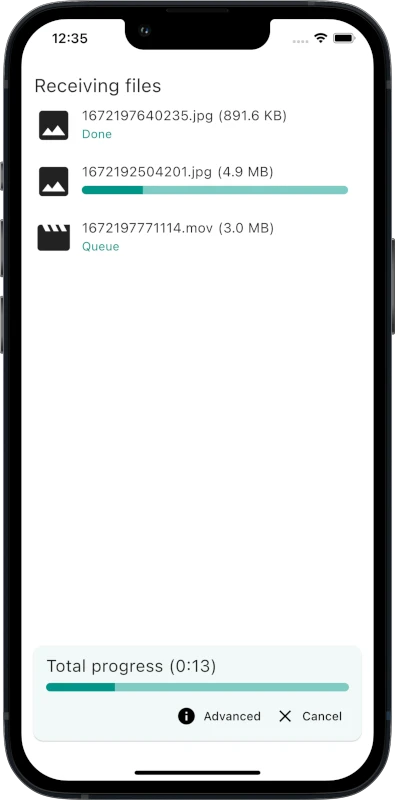
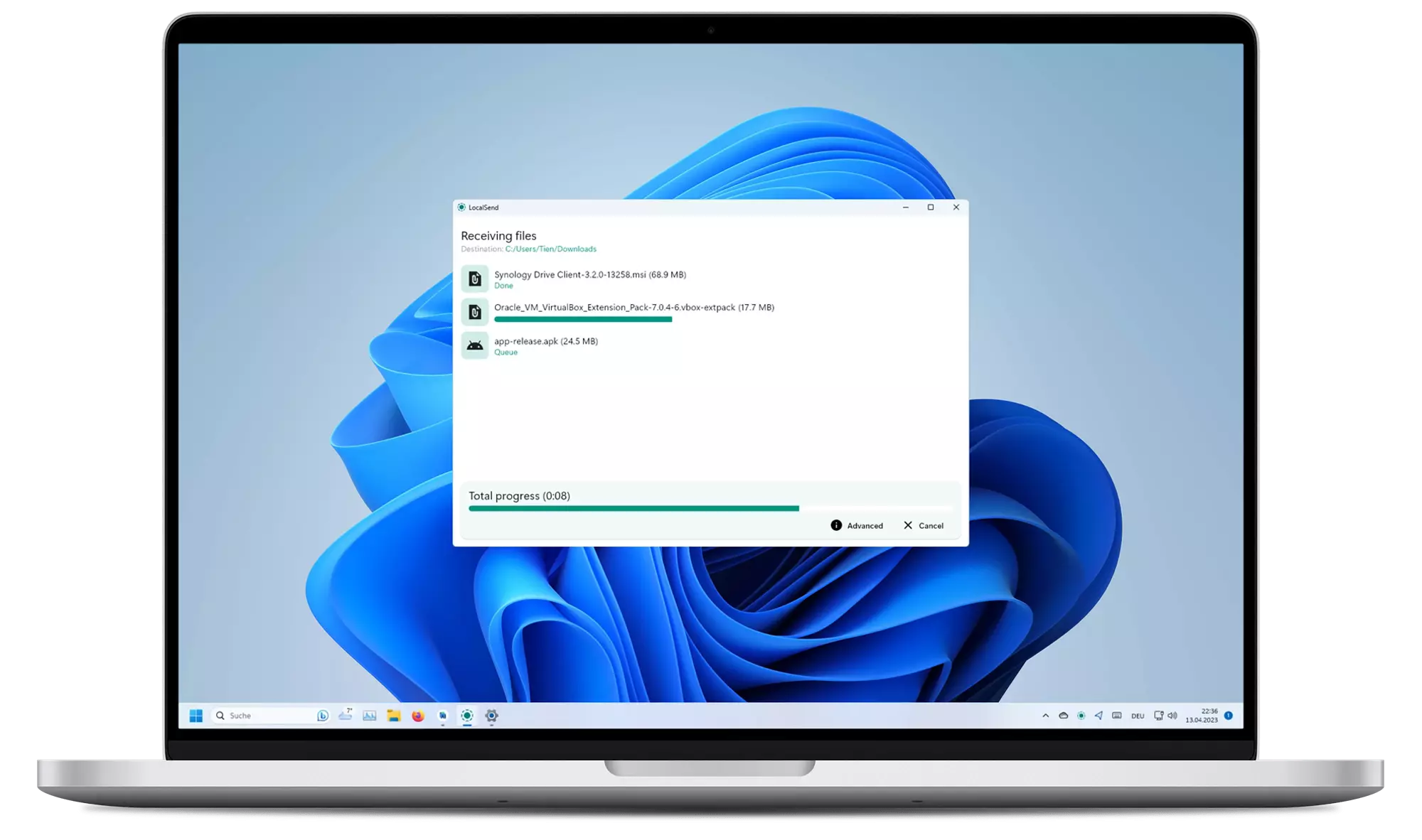
ดาวน์โหลด
แนะนำให้ดาวน์โหลดแอปจาก App Store หรือจากตัวจัดการแพ็กเกจ เนื่องจากแอปไม่มีการอัปเดตอัตโนมัติ
อ่านเพิ่มเติมเกี่ยวกับ ช่องทางการจัดจำหน่าย
ไบนารีของ Windows มีการลงนาม อ่านเพิ่มเติมเกี่ยวกับ นโยบายการลงนามโค้ด
พรีวิว MSIX ที่ไม่เป็นทางการ: คุณสามารถลองใช้บิลด์จากคอมมิตล่าสุดได้ที่ localsend.ob-buff.dev ความเสถียรไม่รับประกัน และการปรับแต่งโค้ดทั้งหมดจะแสดงอยู่ในเว็บไซต์นั้น
ความเข้ากันได้
| แพลตฟอร์ม | เวอร์ชันขั้นต่ำ | หมายเหตุ |
|---|---|---|
| Android | 5.0 | - |
| iOS | 12.0 | - |
| macOS | 11 Big Sur | ใช้ OpenCore Legacy Patcher 2.0.2 (ดู #1005) |
| Windows | 10 | เวอร์ชันสุดท้ายที่รองรับ Windows 7 คือ v1.15.4 อาจมีการ backport เวอร์ชันใหม่กว่าสำหรับ Windows 7 ในอนาคต |
| Linux | N.A. | Deps: Gnome: xdg-desktop-portal และ xdg-desktop-portal-gtk, KDE: xdg-desktop-portal และ xdg-desktop-portal-kde |
การตั้งค่า
ในกรณีส่วนใหญ่ LocalSend ควรทำงานได้ทันที อย่างไรก็ตาม หากคุณมีปัญหาในการส่งหรือรับไฟล์ คุณอาจต้องกำหนดค่าไฟร์วอลล์ของคุณเพื่ออนุญาตให้ LocalSend สื่อสารผ่านเครือข่ายภายในของคุณ
| ประเภททราฟฟิก | โปรโตคอล | พอร์ต | การดำเนินการ |
|---|---|---|---|
| ขาเข้า | TCP, UDP | 53317 | อนุญาต |
| ขาออก | TCP, UDP | ใดก็ได้ | อนุญาต |
นอกจากนี้ ตรวจสอบให้แน่ใจว่าได้ปิดใช้งาน AP isolation บนเราเตอร์ของคุณ โดยปกติแล้วควรปิดใช้งานโดยค่าเริ่มต้น แต่เราเตอร์บางตัวอาจเปิดใช้งานอยู่ (โดยเฉพาะเครือข่ายสำหรับแขก) ดู การแก้ไขปัญหา สำหรับข้อมูลเพิ่มเติม
โหมดพกพา (Portable Mode)
(เปิดตัวใน v1.13.0)
สร้างไฟล์ชื่อ settings.json ในไดเรกทอรีเดียวกับ executable
ไฟล์นี้สามารถเป็นไฟล์ว่างได้
แอปจะใช้ไฟล์นี้เพื่อจัดเก็บการตั้งค่าแทนตำแหน่งเริ่มต้น
เริ่มแบบซ่อน (Start hidden)
(อัปเดตใน v1.15.0)
หากต้องการเริ่มแอปแบบซ่อน (เฉพาะในถาดระบบ) ให้ใช้แฟล็ก --hidden (ตัวอย่าง: localsend_app.exe --hidden)
ในเวอร์ชัน v1.14.0 และก่อนหน้า แอปจะเริ่มทำงานแบบซ่อนอยู่ หากตั้งค่าแฟล็ก autostart และเปิดใช้งานการตั้งค่าซ่อนอยู่
วิธีการทำงาน
LocalSend ใช้โปรโตคอลการสื่อสารที่ปลอดภัยซึ่งช่วยให้อุปกรณ์ต่างๆ สื่อสารกันได้โดยใช้ REST API ข้อมูลทั้งหมดจะถูกส่งอย่างปลอดภัยผ่าน HTTPS และใบรับรอง TLS/SSL จะถูกสร้างขึ้นแบบเรียลไทม์บนอุปกรณ์แต่ละเครื่อง เพื่อให้มั่นใจถึงความปลอดภัยสูงสุด
สำหรับข้อมูลเพิ่มเติมเกี่ยวกับ LocalSend Protocol โปรดดูที่ เอกสารประกอบ
ลำดับชั้นของ Dependency

เริ่มต้นใช้งาน
หากต้องการคอมไพล์ LocalSend จากซอร์สโค้ด ให้ทำตามขั้นตอนเหล่านี้:
- 1ติดตั้ง Flutter โดยตรง หรือใช้ fvm (ดู เวอร์ชันที่ต้องการ)
- 2ติดตั้ง Rust
- 3โคลนรีโพซิโทรี
LocalSend - 4รัน
cd appเพื่อเข้าสู่ไดเรกทอรีแอป - 5รัน
flutter pub getเพื่อดาวน์โหลด dependency - 6รัน
flutter runเพื่อเริ่มแอป
LocalSend ปัจจุบันต้องการ Flutter เวอร์ชันเก่ากว่า (ระบุไว้ใน .fvmrc)
ดังนั้นปัญหาในการบิลด์อาจเกิดจากการไม่ตรงกันระหว่างเวอร์ชัน Flutter ที่ต้องการกับเวอร์ชันที่ติดตั้ง (ทั่วทั้งระบบ)
เพื่อให้การพัฒนาสอดคล้องกันมากขึ้น LocalSend ใช้ fvm ในการจัดการเวอร์ชัน Flutter ของโปรเจกต์
หลังจากติดตั้ง fvm ให้รัน fvm flutter แทน flutter
การมีส่วนร่วม
เรายินดีรับการมีส่วนร่วมจากทุกคนที่สนใจช่วยปรับปรุง LocalSend หากคุณต้องการมีส่วนร่วม มีหลายวิธีที่คุณสามารถทำได้:
การแปล
คุณสามารถช่วยแปล LocalSend เป็นภาษาอื่นๆ ได้ เราใช้แพลตฟอร์ม Weblate ในการจัดการการแปล
อีกทางเลือกหนึ่ง คุณสามารถมีส่วนร่วมได้โดยการ fork รีโพซิโทรีนี้และเพิ่มการแปลด้วยตนเอง
ไฟล์การแปลอยู่ในไดเรกทอรี app/assets/i18n แก้ไขไฟล์ _missing_translations_<locale>.json หรือ strings_<locale>.i18n.json เพื่อเพิ่มหรืออัปเดตการแปล
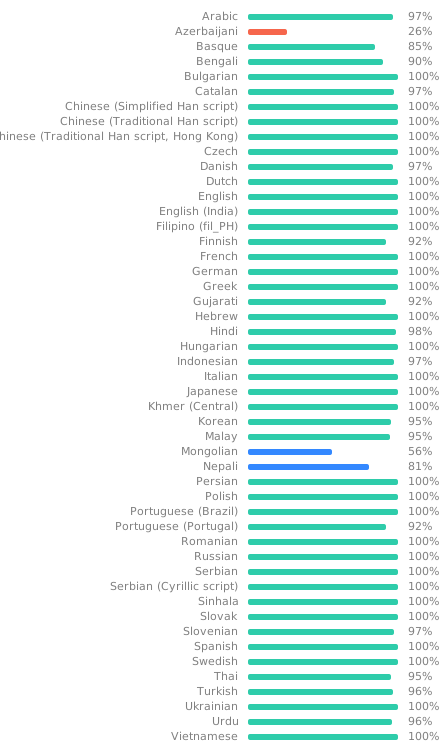
โปรดทราบ: ฟิลด์ที่มีเครื่องหมาย @ ไม่ได้มีไว้สำหรับการแปล; ฟิลด์เหล่านี้ไม่ได้ถูกใช้ในแอปแต่อย่างใด เป็นเพียงข้อความให้ข้อมูลเกี่ยวกับไฟล์หรือเพื่อให้บริบทแก่ผู้แปลเท่านั้น
การแก้ไขข้อผิดพลาดและการปรับปรุง
- การแก้ไขข้อผิดพลาด: หากคุณพบข้อผิดพลาด โปรดสร้าง pull request พร้อมคำอธิบายที่ชัดเจนเกี่ยวกับปัญหาและวิธีแก้ไข
- การปรับปรุง: มีแนวคิดในการปรับปรุง LocalSend หรือไม่? โปรดสร้าง issue ก่อนเพื่อหารือว่าทำไมจึงจำเป็นต้องมีการปรับปรุงนั้น
สำหรับข้อมูลเพิ่มเติม โปรดดูที่ คู่มือการมีส่วนร่วม
การแก้ไขปัญหา
| ปัญหา | แพลตฟอร์ม (ส่ง) | แพลตฟอร์ม (รับ) | วิธีแก้ไข |
|---|---|---|---|
| อุปกรณ์ไม่ปรากฏ | ใดๆ | ใดๆ | ตรวจสอบให้แน่ใจว่าได้ปิดใช้งาน AP-Isolation บนเราเตอร์ของคุณ หากเปิดใช้งาน การเชื่อมต่อระหว่างอุปกรณ์จะถูกห้าม |
| อุปกรณ์ไม่ปรากฏ | ใดๆ | Windows | ตรวจสอบให้แน่ใจว่าได้กำหนดค่าเครือข่ายของคุณเป็นเครือข่าย "ส่วนตัว" Windows อาจเข้มงวดมากขึ้นเมื่อเครือข่ายถูกกำหนดค่าเป็นสาธารณะ |
| อุปกรณ์ไม่ปรากฏ | macOS, iOS | ใดๆ | คุณสามารถลองสลับการอนุญาต "Local Network" ภายใต้ "Privacy" ในการตั้งค่า OS |
| ความเร็วช้าเกินไป | ใดๆ | ใดๆ | ใช้ 5 Ghz; ปิดการเข้ารหัสบนอุปกรณ์ทั้งสอง |
| ความเร็วช้าเกินไป | ใดๆ | Android | ปัญหาที่ทราบ https://github.com/flutter-cavalry/saf_stream/issues/4 |
การบิลด์
คำสั่งเหล่านี้มีไว้สำหรับผู้ดูแลเท่านั้น ตรวจสอบให้แน่ใจว่ารันคำสั่งเหล่านี้จากไดเรกทอรี app
Android
APK แบบดั้งเดิม
flutter build apkAppBundle สำหรับ Google Play
flutter build appbundleiOS
flutter build ipamacOS
flutter build macosWindows
แบบดั้งเดิม
flutter build windowsแอป MSIX ภายในเครื่อง
flutter pub run msix:createพร้อมสำหรับ Store
flutter pub run msix:create --storeLinux
แบบดั้งเดิม
flutter build linuxAppImage
appimage-builder --recipe AppImageBuilder.ymlSnap
คำแนะนำอยู่ใน localsend/snap/README.md
ผู้มีส่วนร่วม
เอกสารโปรเจกต์
อ่านเอกสารต้นฉบับ
README วิธีติดตั้ง วิธีใช้งาน และข้อกำหนดจาก repository ต้นฉบับ
LocalSend
Homepage • Discord • GitHub • Codeberg
LocalSend is a free, open-source app that allows you to securely share files and messages with nearby devices over your local network without needing an internet connection.
- About
- Sponsors
- Screenshots
- Download
- How It Works
- Dependency Hierarchy
- Getting Started
- Command Line Interface
- Contributing- [Translation](#translation) - [Bug Fixes and Improvements](#bug-fixes-and-improvements)
- Troubleshooting
- Building- [Android](#android) - [iOS](#ios) - [macOS](#macos) - [Windows](#windows) - [Linux](#linux)
About
LocalSend is a cross-platform app that enables secure communication between devices using a REST API and HTTPS encryption. Unlike other messaging apps that rely on external servers, LocalSend doesn't require an internet connection or third-party servers, making it a fast and reliable solution for local communication.
Sponsors
Browser testing via
Screenshots
Download
It is recommended to download the app either from an app store or from a package manager because the app does not have an auto-update.
Read more about distribution channels.
Windows binaries are signed. Read more about the Code signing policy.
Unofficial MSIX preview: you can try builds from the latest commits at localsend.ob-buff.dev. Stability is not guaranteed and all custom code tweaks are listed on that site.
Compatibility
| Platform | Minimum Version | Note |
|---|---|---|
| Android | 7.0 | The last version to support Android 5 and 6 is v1.17.0. |
| iOS | 13.0 | The last version to support iOS 12 is v1.17.0. |
| macOS | 11 Big Sur | Use OpenCore Legacy Patcher 2.0.2 (See #1005) |
| Windows | 10 | The last version to support Windows 7 is v1.15.4. |
| Linux | N.A. | Deps: Gnome: xdg-desktop-portal and xdg-desktop-portal-gtk, KDE: xdg-desktop-portal and xdg-desktop-portal-kde |
Setup
In most cases, LocalSend should work out of the box. However, if you are having trouble sending or receiving files, you may need to configure your firewall to allow LocalSend to communicate over your local network.
| Traffic Type | Protocol | Port | Action |
|---|---|---|---|
| Incoming | TCP, UDP | 53317 | Allow |
| Outgoing | TCP, UDP | Any | Allow |
On Linux, for example with ufw: sudo ufw allow 53317. With firewalld: sudo firewall-cmd --permanent --add-port=53317/tcp, sudo firewall-cmd --permanent --add-port=53317/udp, then sudo firewall-cmd --reload.
Also make sure to disable AP isolation on your router. It should be usually disabled by default but some routers may have it enabled (especially guest networks). See troubleshooting for more information.
Portable Mode
(Introduced in v1.13.0)
Create a file named settings.json located in the same directory as the executable.
This file can be empty.
The app will use this file to store settings instead of the default location.
Start hidden
(Updated in v1.15.0)
To start the app hidden (only in tray), use the --hidden flag (example: localsend_app.exe --hidden).
On v1.14.0 and earlier, the app starts hidden if autostart flag is set, and the hidden setting is enabled.
How It Works
LocalSend uses a secure communication protocol that allows devices to communicate with each other using a REST API. All data is sent securely over HTTPS, and the TLS/SSL certificate is generated on the fly on each device, ensuring maximum security.
For more information on the LocalSend Protocol, see the documentation.
Dependency Hierarchy
Getting Started
To compile LocalSend from the source code, follow these steps:
- 1Install Flutter directly or using fvm (see version required)
- 2Install Rust
- 3Clone the
LocalSendrepository - 4Run
cd appto enter the app directory - 5Run
flutter pub getto download dependencies - 6Run
flutter runto start the app
LocalSend currently requires an older Flutter version (specified in .fvmrc)
and thus build issues may be caused by a mismatch between the required and the (system-wide) installed Flutter version.
To make development more consistent, LocalSend uses fvm to manage the project Flutter version.
After installing fvm, run fvm flutter instead of flutter.
Command Line Interface
The LocalSend CLI is a terminal client built on LocalSend Protocol v2.
Run localsend-cli --help to see every available option and hotkey.
Use the send command with one or more files, directories, or a mixture of both:
localsend-cli send report.pdf photo.jpg ./project-backupThe command opens the discovered-device list; select the destination interactively and press Enter to start the transfer.
To select the destination without an interactive device list, pass its exact alias or IP address:
localsend-cli send --to "Cute Tomato" report.pdf
localsend-cli send --to 192.168.27.26 report.pdf
An alias must uniquely identify a discovered device. An IP address is probed directly
over HTTPS on LocalSend's default port (53317).
Directories are collected recursively. Their selected root names and nested paths are preserved on the receiver. Empty directories are not sent because LocalSend transfers file entries rather than directory entries.
Contributing
We welcome contributions from anyone interested in helping improve LocalSend. If you'd like to contribute, there are a few ways to get involved:
Translation
You can help translate LocalSend into other languages. We use the Weblate platform to manage translations.
Alternatively, you can also contribute by forking this repository and adding translations manually.
The translations are located in the app/assets/i18n directory. Edit the _missing_translations_<locale>.json or strings_<locale>.i18n.json file to add or update translations.
Take note: Fields decorated with @ are not meant to be translated; they are not used in the app in any way, being merely informative text about the file or to give context to the translator.
Bug Fixes and Improvements
- Bug Fixes: If you find a bug, please create a pull request with a clear description of the issue and how to fix it.
- Improvements: Have an idea for how to improve LocalSend? Please create an issue first to discuss why the improvement is needed.
For more information, see the contributing guide.
Troubleshooting
| Issue | Platform (Sending) | Platform (Receiving) | Solution |
|---|---|---|---|
| Device not visible | Any | Any | Make sure to disable AP-Isolation on your router. If it is enabled, connections between devices are forbidden. |
| Device not visible | Any | Windows | Make sure to configure your network as a "private" network. Windows might be more restrictive when the network is configured as public. |
| Device not visible | macOS, iOS | Any | You can try to toggle the "Local Network" permission under "Privacy" in the OS settings. |
| Device not visible | Any | Any | If a VPN is active, allow local/LAN traffic or temporarily disable the VPN. Some VPNs block local network connections by default. |
| Device not visible | Any | Any | Use manual sending to enter the receiver's IP address directly. If that works, add the device to favorites so it is probed directly. |
| Speed too slow | Any | Any | Use 5 Ghz; Disable encryption on both devices |
| Speed too slow | Any | Android | Known issue. https://github.com/flutter-cavalry/saf_stream/issues/4 |
Building
These commands are intended for maintainers only. Make sure to run them from the app directory.
Android
Traditional APK
flutter build apkAppBundle for Google Play
flutter build appbundleiOS
flutter build ipamacOS
flutter build macosWindows
Traditional
flutter build windowsLocal MSIX App
flutter pub run msix:createStore ready
flutter pub run msix:create --storeLinux
Traditional
flutter build linuxAppImage
appimage-builder --recipe AppImageBuilder.ymlSnap
Instructions in localsend/snap/README.md