
GetNotes Tools
huggingface/speech-to-speech
Tool นี้คืออะไร
Speech To Speech เป็นเครื่องมือสำหรับสร้างระบบตัวแทนเสียง (voice agent) ที่มีความหน่วงต่ำและปรับเปลี่ยนได้ง่าย โดยใช้โมเดล Open Source เหมาะสำหรับนักพัฒนาที่ต้องการสร้างแอปพลิเคชันสนทนาด้วยเสียง หรือระบบควบคุมหุ่นยนต์ที่ใช้เสียงเป็นหลัก
ข้อมูลโปรเจกต์
ดาว
8.3K
Forks
1K
License
Apache-2.0
อัปเดต GitHub ล่าสุด
30 ก.ค. 2569
เพิ่มใน GetNotes
17 ส.ค. 2569
Repository
huggingface/speech-to-speech
เหมาะกับงาน
Ecosystem
Python
แปลและเรียบเรียงโดย AI
เนื้อหาฉบับภาษาไทย
ใช้อ่านเพื่อทำความเข้าใจเบื้องต้น โปรดตรวจสอบรายละเอียดสำคัญกับเอกสารต้นฉบับด้านล่าง

Speech To Speech: สร้างตัวแทนเสียงด้วยโมเดล Open Source




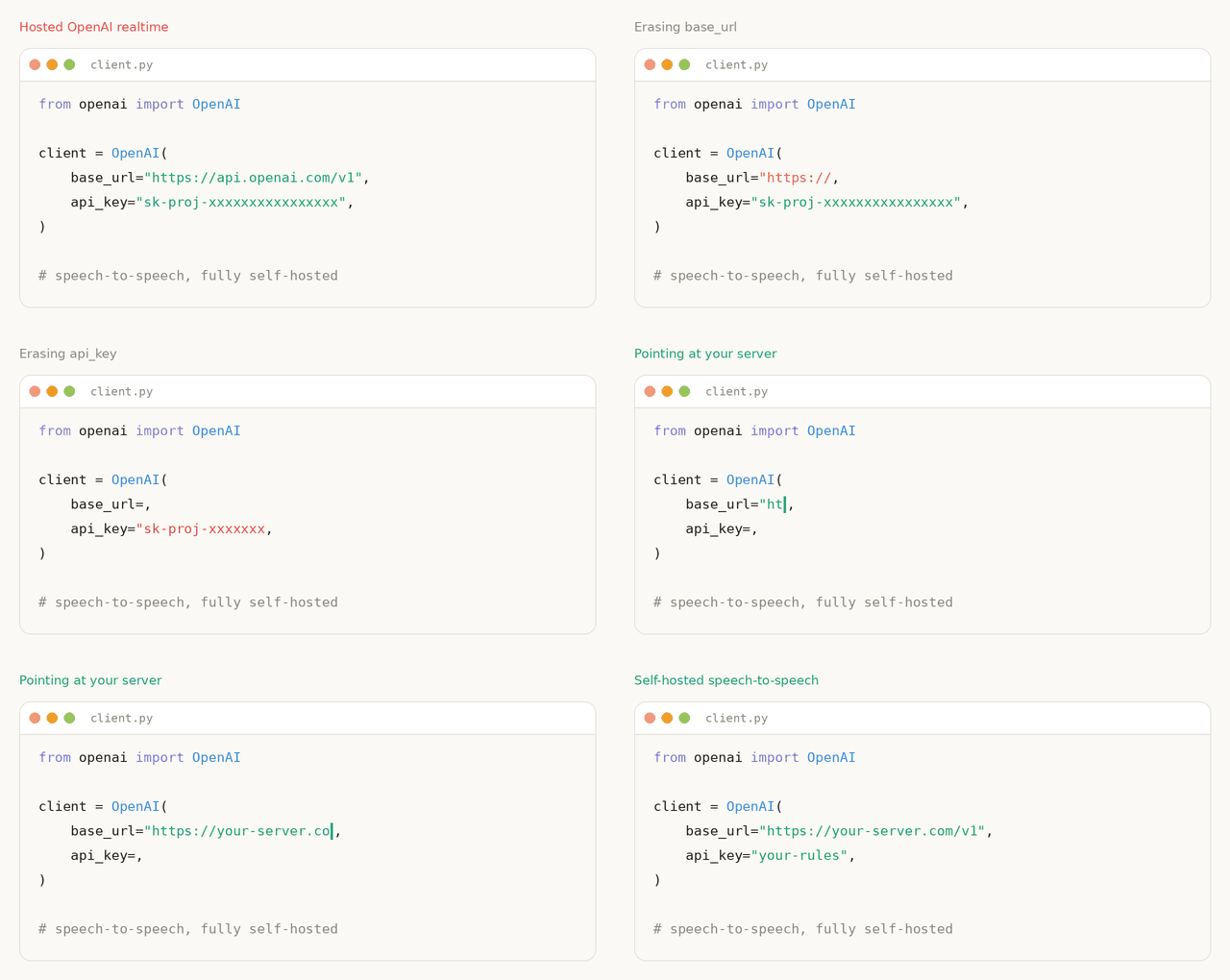
ไปป์ไลน์ตัวแทนเสียงที่มีความหน่วงต่ำและเป็นโมดูลาร์อย่างสมบูรณ์: VAD -> STT -> LLM -> TTS ซึ่งเปิดเผยผ่านชุดเหตุการณ์ OpenAI Realtime GA event set หลักผ่าน WebSocket และ WebRTC ทุกองค์ประกอบสามารถสลับเปลี่ยนได้ ช่อง LLM รองรับโปรโตคอลที่เข้ากันได้กับ OpenAI ดังนั้นคุณสามารถชี้ไปที่ผู้ให้บริการโฮสต์, ที่ HF Inference Providers, หรือที่เซิร์ฟเวอร์ vLLM หรือ llama.cpp บนฮาร์ดแวร์ของคุณเองสำหรับสแต็กที่เปิดกว้างและทำงานแบบโลคอลอย่างสมบูรณ์
ไปป์ไลน์นี้ทำงานในการผลิตในฐานะแบ็กเอนด์การสนทนาสำหรับหุ่นยนต์ Reachy Mini หลายพันตัว
เริ่มต้นใช้งานอย่างรวดเร็ว
pip install speech-to-speech
export OPENAI_API_KEY=...
speech-to-speech serve
คำสั่งนี้จะเริ่มเซิร์ฟเวอร์ที่เข้ากันได้กับ OpenAI Realtime ที่ ws://localhost:8765/v1/realtime โดยใช้ Parakeet TDT สำหรับ STT แบบโลคอล, LLM ที่เข้ากันได้กับ OpenAI และ Qwen3-TTS สำหรับการสร้างเสียงพูดแบบโลคอล
พูดคุยกับมันจากเทอร์มินัลที่สอง:
speech-to-speech talk --url ws://127.0.0.1:8765/v1/realtimeหากต้องการเริ่มเซิร์ฟเวอร์และไคลเอนต์ไมโครโฟน/ลำโพงที่มาพร้อมแพ็กเกจในคำสั่งเดียว:
speech-to-speech localต้องการเก็บ LLM ไว้บนเครื่องของคุณเองหรือไม่? ให้บริการ Gemma 4 ด้วย llama.cpp:
llama-server -hf ggml-org/gemma-4-E4B-it-GGUF -np 2 -c 65536 -fa on --swa-fullจากนั้นชี้แบ็กเอนด์ LLM ที่เข้ากันได้กับ OpenAI ไปที่มัน:
speech-to-speech serve \
    --model_name "ggml-org/gemma-4-E4B-it-GGUF" \
    --responses_api_base_url "http://127.0.0.1:8080/v1" \
    --responses_api_api_key ""
ไคลเอนต์ที่ใช้ชุดเหตุการณ์ Realtime หลักที่นำมาใช้งานสามารถเชื่อมต่อได้ OpenAI Agents SDK อย่างเป็นทางการได้รับการทดสอบบนทั้งสองการส่งข้อมูลมาตรฐาน ดู Realtime API สำหรับส่วนที่ได้รับการทดสอบ และ LLM backends สำหรับตัวเลือกผู้ให้บริการและเซิร์ฟเวอร์โลคอล
สารบัญ
- วิธีการทำงาน
- การติดตั้ง
- การทำงานแบบออฟไลน์
- ส่วนประกอบที่รองรับ
- คำสั่ง
- Realtime API
- LLM backends
- การรองรับหลายภาษา
- Pocket TTS
- การอ้างอิง CLI
- การมีส่วนร่วม
- ประวัติการติดดาว
- การอ้างอิง
วิธีการทำงาน
ไปป์ไลน์เป็นลำดับของสี่ส่วนประกอบ แต่ละส่วนทำงานในเธรดของตัวเองและเชื่อมต่อกันด้วยคิว:
- 1Voice Activity Detection (VAD): Silero VAD v5 ตรวจจับขอบเขตของเสียงพูดและการสลับตาพูด
- 2Speech to Text (STT): ถอดเสียงพูดของผู้ใช้ โดยมีตัวเลือกการถอดเสียงบางส่วนแบบสด
- 3Language Model (LLM): สร้างการตอบสนอง โดยสตรีมข้อความและการเรียกใช้เครื่องมือ
- 4Text to Speech (TTS): สังเคราะห์เสียงและสตรีมกลับไปยังไคลเอนต์
แต่ละขั้นตอนมีแบ็กเอนด์ที่สลับเปลี่ยนได้หลายแบบ ซึ่งเลือกได้ผ่านแฟล็ก CLI โค้ดถูกออกแบบมาให้แก้ไขได้ง่าย โดยเน้นที่โมเดลที่มีให้ผ่าน Transformers และ Hugging Face Hub
การติดตั้ง
ต้องใช้ Python 3.10+
pip install speech-to-speechการติดตั้งเริ่มต้นครอบคลุมเส้นทางเรียลไทม์มาตรฐาน:
- Parakeet TDT สำหรับ STT
- API ที่เข้ากันได้กับ OpenAI สำหรับโมเดลภาษา
- Qwen3-TTS สำหรับการสร้างเสียงพูด โดยใช้แบ็กเอนด์ GGML เป็นค่าเริ่มต้นบนแพลตฟอร์มที่ไม่ใช่ macOS และ
mlx-audioบน Apple Silicon - โหมดเสียงโลคอลและเซิร์ฟเวอร์เรียลไทม์
การพึ่งพาของ macOS และที่ไม่ใช่ macOS จะถูกแก้ไขโดยอัตโนมัติผ่านตัวระบุแพลตฟอร์มใน pyproject.toml
ข้อควรทราบเกี่ยวกับ CUDA สำหรับ Qwen3-TTS
บน Linux แบ็กเอนด์ Qwen3-TTS GGML มาจาก faster-qwen3-tts[ggml] โดย qwentts-cpp-python wheel เริ่มต้นบน PyPI กำหนดเป้าหมาย CUDA 12.8 หากเครื่องของคุณไม่มีรันไทม์ CUDA 12 ที่ wheel คาดหวัง ให้ติดตั้ง wheel ที่ตรงกันจาก Hugging Face wheelhouse ก่อนติดตั้ง speech-to-speech:
# CUDA 13.x
pip install "qwentts-cpp-python==0.3.1+cu130" \
  -f https://huggingface.co/datasets/andito/qwentts-cpp-python-wheels/tree/main/whl/cu130

# CUDA 12.4
pip install "qwentts-cpp-python==0.3.1+cu124" \
  -f https://huggingface.co/datasets/andito/qwentts-cpp-python-wheels/tree/main/whl/cu124

# CPU-only fallback
pip install "qwentts-cpp-python==0.3.1+cpu" \
  -f https://huggingface.co/datasets/andito/qwentts-cpp-python-wheels/tree/main/whl/cpu

pip install speech-to-speech
หากต้องการใช้การใช้งาน CUDA-graphs ก่อนหน้าแทน GGML ให้ส่ง --qwen3_tts_backend torch
ส่วนประกอบเสริม
ส่วนประกอบเสริมจะถูกติดตั้งด้วย pip extras:
pip install "speech-to-speech[kokoro]"          # Kokoro-82M TTS บนแพลตฟอร์มที่ไม่ใช่ macOS
pip install "speech-to-speech[pocket]"          # Pocket TTS
pip install "speech-to-speech[chattts]"         # ChatTTS
pip install "speech-to-speech[faster-whisper]"  # Faster Whisper STT
pip install "speech-to-speech[whisper-mlx]"     # Lightning Whisper MLX STT บน macOS
pip install "speech-to-speech[paraformer]"      # Paraformer STT ผ่าน FunASR
pip install "speech-to-speech[mlx-lm]"          # รองรับ mlx-vlm สำหรับโมเดลวิชันบน macOS
การใช้งานที่เลิกใช้แล้ว รวมถึง MeloTTS อยู่ใน archive/ และไม่ได้เชื่อมต่อกับ CLI อีกต่อไป
หมายเหตุเกี่ยวกับ DeepFilterNet: DeepFilterNet ซึ่งใช้สำหรับการปรับปรุงเสียงเสริมใน VAD ต้องใช้ numpy<2 และขัดแย้งกับ Pocket TTS ซึ่งต้องใช้ numpy>=2 ติดตั้งด้วยตนเองเฉพาะในสภาพแวดล้อมที่คุณไม่ได้ใช้ Pocket TTS
จาก Source
git clone https://github.com/huggingface/speech-to-speech.git
cd speech-to-speech
uv sync
คำสั่งนี้จะติดตั้งแพ็กเกจในโหมดแก้ไขได้และทำให้ CLI speech-to-speech พร้อมใช้งาน
ส่วนประกอบที่รองรับ
| ส่วนประกอบ | แบ็กเอนด์ | แพลตฟอร์ม | การติดตั้ง |
|---|---|---|---|
| VAD | Silero VAD v5 | ทั้งหมด | built-in |
| STT | Parakeet TDT (ค่าเริ่มต้น) | CUDA / CPU ผ่าน nano-parakeet, Apple Silicon ผ่าน MLX | built-in |
| STT | Whisper ผ่าน Transformers | CUDA / CPU | built-in |
| STT | Faster Whisper | CUDA / CPU | faster-whisper |
| STT | Lightning Whisper MLX | Apple Silicon | whisper-mlx |
| STT | MLX Audio Whisper | Apple Silicon | built-in บน macOS |
| STT | Paraformer | CUDA / CPU | paraformer |
| LLM | OpenAI-compatible API (responses-api, chat-completions) | ผู้ให้บริการโฮสต์หรือเซิร์ฟเวอร์ที่โฮสต์เอง | built-in |
| LLM | Transformers | CUDA / CPU | built-in |
| LLM | mlx-lm | Apple Silicon | built-in บน macOS |
| TTS | Qwen3-TTS (ค่าเริ่มต้น) | GGML / CUDA บน Linux, mlx-audio บน macOS | built-in |
| TTS | Kokoro-82M | CUDA / CPU, Apple Silicon | kokoro บนแพลตฟอร์มที่ไม่ใช่ macOS; built-in บน macOS |
| TTS | Pocket TTS | CPU / CUDA | pocket |
| TTS | ChatTTS | CUDA / CPU | chattts |
| TTS | MMS TTS | CUDA / CPU | built-in |
เลือกการใช้งานด้วย --stt, --llm_backend, และ --tts CLI จะสร้างการกำหนดค่าสำหรับแบ็กเอนด์ที่เลือกเท่านั้น ตัวเลือกที่ทราบสำหรับแบ็กเอนด์ที่ไม่ได้ใช้งานยังคงได้รับการยอมรับเพื่อความเข้ากันได้ แต่จะถูกละเว้นพร้อมคำเตือน การกำหนดค่า JSON อาจรวมคีย์แบ็กเอนด์ที่ไม่ได้ใช้งานเพิ่มเติม ซึ่งจะถูกละเว้น เรียกใช้ speech-to-speech serve -h สำหรับค่าเริ่มต้น หรือส่งตัวเลือกก่อน -h เพื่อดูแฟล็กเฉพาะแบ็กเอนด์ของการรวมกันอื่น (เช่น speech-to-speech serve --stt mlx-audio-whisper -h)
คำสั่ง
| คำสั่ง | พฤติกรรม | ใช้เมื่อ |
|---|---|---|
serve | รันเซิร์ฟเวอร์ไปป์ไลน์ผ่าน OpenAI Realtime WebSocket และ WebRTC | คุณกำลังสร้างแอปหรืออุปกรณ์ที่ใช้ API |
talk --url <full-realtime-url> | รันไคลเอนต์ไมโครโฟน/ลำโพงที่มาพร้อมแพ็กเกจ | คุณต้องการพูดคุยกับเซิร์ฟเวอร์ Realtime ที่มีอยู่ |
local | รวม serve และ talk ในกระบวนการเดียวกันผ่าน loopback | คุณต้องการรันเซิร์ฟเวอร์และพูดคุยกับมันด้วยคำสั่งเดียว |
serve จะผูกกับ 127.0.0.1 โดยค่าเริ่มต้น หากต้องการเปิดเผยบนเครือข่าย ให้ส่ง --host 0.0.0.0 อย่างชัดเจน local จะผูกกับ loopback เสมอและเชื่อมต่อไคลเอนต์ที่มาพร้อมแพ็กเกจเดียวกันที่ ws://127.0.0.1:<port>/v1/realtime
ไคลเอนต์ที่มาพร้อมแพ็กเกจสามารถเลือกใช้เครื่องมือ Python ภายในเครื่องได้ด้วย talk --tool-module <module> หรือ local --tool-module <module> สัญญาของโมดูล, API แบบโปรแกรม และตัวอย่างการค้นหาเว็บ Serper มีเอกสารอยู่ใน Tool calling design
การย้ายจาก --mode
--mode ถูกเลิกใช้งานแล้วและจะหยุดทำงานในไม่ช้า ในช่วงการย้ายข้อมูลนี้ speech-to-speech --mode realtime จะรัน speech-to-speech serve และ speech-to-speech --mode local จะรัน speech-to-speech local โดยทั้งคู่จะแสดงคำเตือน ค่าโหมดอื่นๆ ทั้งหมดถูกลบออกแล้วและจะออกพร้อมคำแนะนำให้ใช้คำสั่งใหม่
เซิร์ฟเวอร์ Realtime
export OPENAI_API_KEY=...
speech-to-speech serve
นี่เทียบเท่ากับ:
speech-to-speech serve \
    --thresh 0.6 \
    --stt parakeet-tdt \
    --llm_backend responses-api \
    --tts qwen3 \
    --qwen3_tts_model_name Qwen/Qwen3-TTS-12Hz-1.7B-CustomVoice \
    --qwen3_tts_speaker Aiden \
    --qwen3_tts_language auto \
    --qwen3_tts_backend ggml \
    --qwen3_tts_non_streaming_mode True \
    --qwen3_tts_mlx_quantization 6bit \
    --model_name gpt-5.4-mini \
    --chat_size 30 \
    --responses_api_stream \
    --enable_live_transcription
โมเดลเริ่มต้นคือ gpt-5.4-mini ผ่าน OpenAI Responses API คุณสามารถแทนที่ได้ด้วย --model_name และตั้งค่า --responses_api_base_url สำหรับผู้ให้บริการหรือเซิร์ฟเวอร์ที่เข้ากันได้กับ OpenAI อื่นๆ
Mac ภายในเครื่อง
speech-to-speech local --mac-optimal-settingsเลือกใช้ LLM ที่เฉพาะเจาะจงได้:
speech-to-speech local \
    --mac-optimal-settings \
    --model_name mlx-community/Qwen3-4B-Instruct-2507-bf16
การตั้งค่านี้:
- ใช้ค่าเริ่มต้นของ MPS สำหรับส่วนประกอบโมเดลที่รองรับ
- ตั้งค่า Parakeet TDT สำหรับ STT
- ตั้งค่า MLX LM เป็นแบ็กเอนด์ LLM
- ตั้งค่า Qwen3-TTS สำหรับ TTS โดยใช้
mlx-audioพร้อม MLX variant6bitโดยค่าเริ่มต้น
ค่าที่ตั้งไว้ล่วงหน้าเหล่านี้เป็นค่าเริ่มต้นเท่านั้น: --device ที่ระบุอย่างชัดเจน, แฟล็กอุปกรณ์ส่วนประกอบ เช่น --qwen3_tts_device, และ --stt, --llm_backend, --model_name, และ --tts ทั้งหมดจะมีผลเหนือกว่า ใช้กับ serve แทน local เมื่อคุณต้องการเปิดเผยเซิร์ฟเวอร์โดยไม่ต้องเริ่มไคลเอนต์ไมโครโฟน/ลำโพง
--tts pocket และ --tts kokoro ก็ใช้ได้บน macOS เช่นกัน
หากต้องการเปรียบเทียบ MLX quantization variants ภายในเครื่อง:
python scripts/benchmark_tts.py \
    --handlers qwen3 \
    --iterations 3 \
    --qwen3_mlx_quantizations bf16 4bit 6bit 8bit
Docker
ติดตั้ง NVIDIA Container Toolkit จากนั้น:
docker compose upไฟล์ compose จะเริ่มเซิร์ฟเวอร์ llama.cpp พร้อม Gemma 4 และเซิร์ฟเวอร์ Realtime โดยเปิดพอร์ต 8080 และ 8765
Realtime API
โหมด Realtime รองรับโปรโตคอล OpenAI Realtime ผ่าน WebSocket และ WebRTC พร้อมการถอดเสียงแบบสดและการผลัดกันพูดที่ใช้เวลาแฝงต่ำ ไคลเอนต์ WebSocket เชื่อมต่อที่ /v1/realtime:
from openai import OpenAI

client = OpenAI(
    base_url="http://localhost:8765/v1",
    websocket_base_url="ws://localhost:8765/v1",
    api_key="not-needed",
)

with client.realtime.connect(model="local") as conn:
    conn.send(
        {
            "type": "session.update",
            "session": {
                "type": "realtime",
                "instructions": "You are a helpful assistant.",
                "audio": {
                    "input": {
                        "turn_detection": {
                            "type": "server_vad",
                            "interrupt_response": True,
                        }
                    }
                },
            },
        }
    )

    for event in conn:
        print(event.type)
เซิร์ฟเวอร์ใช้ชุดเหตุการณ์ Realtime หลัก: input_audio_buffer.append, session.update, conversation.item.create, conversation.item.truncate, response.create, และ response.cancel ขาเข้า; การเริ่ม/หยุดพูด, การถอดเสียงแบบสตรีมมิ่ง, การเปลี่ยนแปลงเสียง, การเรียกใช้เครื่องมือ, และ response.done ขาออก CI เชื่อมต่ออินสแตนซ์ @openai/agents RealtimeSession ที่ตรึงไว้ผ่าน WebSocket และ WebRTC transports มาตรฐานของ SDK นี่คือชุดย่อยหลักที่ผ่านการทดสอบแล้ว ไม่ใช่การอ้างสิทธิ์ความเท่าเทียมกันของ OpenAI Realtime API ทั้งหมด เมทริกซ์เหตุการณ์, สถาปัตยกรรม, และรายละเอียดการออกแบบอยู่ใน Realtime Engine README
LLM Proxy
ด้วย --enable_llm_proxy เซิร์ฟเวอร์ Realtime ยังเปิดเผย LLM ระยะไกลที่กำหนดค่าไว้เป็นปลายทางที่เข้ากันได้กับ OpenAI ธรรมดา ดังนั้นไคลเอนต์จึงสามารถรันงานเสริม (สรุป, หัวข้อ, เอเจนต์เบื้องหลัง) ด้วยเครื่องมือและการสตรีม โดยทำงานพร้อมกันกับการสนทนาด้วยเสียงและไม่ถูกขัดจังหวะด้วยเสียงพูดใหม่:
POST /v1/chat/completionsเมื่อรัน--llm_backend chat-completionsPOST /v1/responsesเมื่อรัน--llm_backend responses-api
เซิร์ฟเวอร์ไม่ทำการตรวจสอบสิทธิ์และไม่จำกัดความเร็วด้วยตัวเอง เปิดใช้งานพร็อกซีเฉพาะบนเครือข่ายที่เชื่อถือได้ หรือปรับใช้เซิร์ฟเวอร์หลังเกตเวย์ที่ควบคุมการเข้าถึง s2s-endpoint compute replica เป็นเกตเวย์ดังกล่าว: มันเปิดเส้นทางเหล่านี้เฉพาะกับไคลเอนต์ที่สร้างเซสชันด้วยโทเค็น HF, ตรวจสอบคีย์ API กับโทเค็นนั้น, และใช้การจำกัดอัตราต่อผู้ใช้ ชี้ OpenAI SDK มาตรฐานไปยังโฮสต์ใดก็ตามที่คุณพูดคุยด้วย; เซิร์ฟเวอร์นี้จะละเว้นคีย์ API (เกตเวย์ด้านหน้าจะตัดสินใจว่าควรเป็นอะไร):
from openai import OpenAI

llm = OpenAI(base_url="http://localhost:8765/v1", api_key="unused")
completion = llm.chat.completions.create(
    model="anything",  # ถูกละเว้น: เซิร์ฟเวอร์บังคับใช้ --model_name ที่กำหนดค่าไว้
    messages=[{"role": "user", "content": "Summarize the conversation so far: ..."}],
)
คำขอเป็นแบบไร้สถานะ (ส่งรายการข้อความทั้งหมดทุกครั้ง) และจะถูกส่งผ่านไปยังต้นทางที่กำหนดค่าไว้ด้วยคีย์ที่เซิร์ฟเวอร์ถืออยู่ ซึ่งไม่เคยไปถึงไคลเอนต์ ฟิลด์ model จะถูกเขียนทับเสมอด้วย --model_name ที่กำหนดค่าไว้ในเซิร์ฟเวอร์ พร็อกซีปิดอยู่โดยค่าเริ่มต้น, ต้องใช้แบ็กเอนด์ระยะไกล (chat-completions หรือ responses-api), และจะตอบกลับด้วย 501 พร้อมเหตุผลในกรณีอื่น
LLM Backends
LLM เป็นส่วนประกอบที่ใช้การประมวลผลมากที่สุดและมีเวลาแฝงสูงที่สุดในไปป์ไลน์ การส่งผ่านโมเดลขนาดใหญ่เพียงครั้งเดียวสามารถครอบงำเวลาตอบสนองแบบ end-to-end ได้ ดังนั้นการเลือกแบ็กเอนด์ที่เหมาะสมสำหรับฮาร์ดแวร์และงบประมาณเวลาแฝงของคุณจึงเป็นสิ่งสำคัญ ไปป์ไลน์รองรับ:
- การอนุมานภายในเครื่อง:
transformersบน CUDA / CPU และmlx-lmบน Apple Silicon - เซิร์ฟเวอร์ที่โฮสต์เอง:
responses-apiและchat-completionsสามารถชี้ไปยังเซิร์ฟเวอร์ vLLM หรือ llama.cpp ภายในเครื่องได้ - Provider APIs: แบ็กเอนด์เดียวกันนี้ทำงานร่วมกับ OpenAI, HF Inference Providers, OpenRouter และผู้ให้บริการอื่นๆ ที่เข้ากันได้กับ OpenAI
มีแบ็กเอนด์ API สองตัวให้เลือกใช้ โดยใช้แฟล็กการเชื่อมต่อ --responses_api_* เดียวกัน:
--llm_backend responses-api(ค่าเริ่มต้น) กำหนดเป้าหมายไปที่/v1/responses--llm_backend chat-completionsกำหนดเป้าหมายไปที่/v1/chat/completions
การป้อนข้อมูลเสียงโดยตรง (ไม่มี STT)
ใช้ --stt none --llm_backend chat-completions เพื่อส่งส่วนเสียง VAD ที่สมบูรณ์แต่ละส่วนโดยตรงไปยังโมเดลที่รับอินพุตเสียง โหมดเสียงโดยตรงไม่รองรับกับ --llm_backend responses-api: โมเดลอาจยอมรับเสียงผ่าน /v1/chat/completions โดยไม่รองรับ /v1/responses รวมถึง gpt-audio-1.5 ของ OpenAI
คุณต้องตั้งค่า --model_name อย่างชัดเจนเป็นโมเดลที่รับเสียงได้: gpt-5.4-mini เริ่มต้นรับอินพุตข้อความและรูปภาพ แต่ไม่ใช่เสียง ตรวจสอบเอกสารโมเดลของผู้ให้บริการและการรองรับปลายทางก่อนเปิดใช้งานโหมดนี้ สำหรับ OpenAI โปรดดู GPT-5.4 mini model card และ audio-input guide
speech-to-speech serve \
    --stt none \
    --llm_backend chat-completions \
    --model_name "YOUR_AUDIO_CAPABLE_MODEL" \
    --responses_api_base_url "https://provider.example/v1" \
    --responses_api_api_key "$PROVIDER_API_KEY"
เซิร์ฟเวอร์ที่เข้ากันได้กับ OpenAI แสดงอินพุตเสียงแตกต่างกัน ใช้ --responses_api_audio_content_type input_audio (ค่าเริ่มต้น) สำหรับ WAV base64 แบบฝัง หรือ --responses_api_audio_content_type audio_url สำหรับ URL ข้อมูล base64
ตัวอย่างด้านล่างจับคู่ Parakeet TDT สำหรับ STT แบบโลคัล และ Qwen3-TTS สำหรับ TTS แบบโลคัล กับ LLM แบ็กเอนด์ที่แตกต่างกัน
แบ็กเอนด์ Responses API
ทำงานร่วมกับผู้ให้บริการหรือเซิร์ฟเวอร์ใดๆ ที่ใช้ OpenAI Responses API ชี้ --responses_api_base_url ไปยังปลายทางและตั้งค่า --model_name ตามความเหมาะสม:
| ผู้ให้บริการ / เซิร์ฟเวอร์ | --responses_api_base_url | --responses_api_api_key |
|---|---|---|
| OpenAI | ละเว้น, ใช้ค่าเริ่มต้นของ OpenAI | $OPENAI_API_KEY |
| HF Inference Providers | https://router.huggingface.co/v1 | $HF_TOKEN |
| OpenRouter | https://openrouter.ai/api/v1 | $OPENROUTER_API_KEY |
| vLLM | http://localhost:8000/v1 | ละเว้นหรือสตริงใดๆ |
| llama.cpp | http://127.0.0.1:8080/v1 | สตริงว่าง |
# OpenAI
speech-to-speech local \
    --stt parakeet-tdt \
    --llm_backend responses-api \
    --tts qwen3 \
    --qwen3_tts_mlx_quantization 6bit \
    --model_name "gpt-4o-mini" \
    --responses_api_api_key "$OPENAI_API_KEY" \
    --responses_api_stream \
--enable_live_transcription# HF Inference Providers: Qwen3.5-9B via Together
speech-to-speech local \
--stt parakeet-tdt \
--llm_backend responses-api \
--tts qwen3 \
--qwen3_tts_mlx_quantization 6bit \
--model_name "Qwen/Qwen3.5-9B:together" \
--responses_api_base_url "https://router.huggingface.co/v1" \
--responses_api_api_key "$HF_TOKEN" \
--responses_api_stream \
--enable_live_transcription# HF Inference Providers: GPT-oss-20B via Groq
speech-to-speech serve \
--stt parakeet-tdt \
--llm_backend responses-api \
--tts qwen3 \
--qwen3_tts_mlx_quantization 6bit \
--model_name "openai/gpt-oss-20b:groq" \
--responses_api_base_url "https://router.huggingface.co/v1" \
--responses_api_api_key "$HF_TOKEN" \
--responses_api_stream \
--enable_live_transcriptionแบ็กเอนด์ Chat Completions
การกำหนดค่าเหมือนกับ responses-api โดยใช้แฟล็กการเชื่อมต่อ --responses_api_* เดียวกัน แต่จะสื่อสารกับ /v1/chat/completions แทน /v1/responses ควรเลือกใช้เมื่อ:
- ผู้ให้บริการละเลย
chat_template_kwargs.enable_thinkingบนพาธ Responses และต้องการปุ่มreasoning_effortเพื่อระงับการให้เหตุผล หรือ - พาธการสตรีม tool-call ของเซิร์ฟเวอร์ Responses ไม่น่าเชื่อถือ ในขณะที่การสตรีม tool-call ของ Chat Completions นั้นเสถียร ซึ่งมีประโยชน์สำหรับ vLLM บางรุ่น ดูที่ #312
เพิ่ม --responses_api_reasoning_effort none เพื่อปิดใช้งานการให้เหตุผลบนผู้ให้บริการที่แฟล็ก chat-template ไม่มีผล:
# vLLM serving a Qwen model with tool calling
speech-to-speech serve \
    --stt parakeet-tdt \
    --llm_backend chat-completions \
    --tts qwen3 \
    --model_name "Qwen/Qwen3-4B-Instruct-2507" \
    --responses_api_base_url "http://localhost:8000/v1" \
--responses_api_stream# Gemma 4 31B via the HF router on Cerebras, with reasoning disabled for low voice latency
speech-to-speech serve \
--stt parakeet-tdt \
--llm_backend chat-completions \
--tts qwen3 \
--model_name "google/gemma-4-31B-it:cerebras" \
--responses_api_base_url "https://router.huggingface.co/v1" \
--responses_api_api_key "$HF_TOKEN" \
--responses_api_reasoning_effort none \
--responses_api_streamโลคัลทั้งหมด
เรียกใช้ LLM ในกระบวนการ llama.cpp แยกต่างหากเพื่อการตั้งค่าโลคัลทั้งหมดที่ง่ายที่สุด ดังที่แสดงใน คู่มือการสนทนาโลคัล Reachy Mini:
สำหรับการตั้งค่าเสียงแบบเนทีฟแบบโลคัลทั้งหมดพร้อมเดโมในเบราว์เซอร์, การแก้ไขการพูดแบบเรียลไทม์ และ barge-in โปรดดู ตัวอย่าง speech-to-speech ของ Gemma 4 12B สำหรับ Apple Silicon ที่ผ่านการทดสอบแล้ว
# Terminal 1: llama.cpp serving Gemma 4
llama-server -hf ggml-org/gemma-4-E4B-it-GGUF -np 2 -c 65536 -fa on --swa-full# Terminal 2: speech-to-speech using that local LLM server
speech-to-speech serve \
--stt parakeet-tdt \
--llm_backend responses-api \
--tts qwen3 \
--model_name "ggml-org/gemma-4-E4B-it-GGUF" \
--responses_api_base_url "http://127.0.0.1:8080/v1" \
--responses_api_api_key "" \
--responses_api_stream \
--enable_live_transcriptionใช้ speech-to-speech local เมื่อคุณต้องการเรียกใช้เซิร์ฟเวอร์เดียวกันและสื่อสารผ่านเครื่องที่โฮสต์มัน แบ็กเอนด์โลคัลแบบ In-process มีให้ใช้งานด้วย --llm_backend mlx-lm บน Apple Silicon หรือ --llm_backend transformers บน CUDA / CPU
การทำงานแบบออฟไลน์
ไปป์ไลน์สามารถทำงานได้โดยไม่ต้องเชื่อมต่ออินเทอร์เน็ตหลังจากติดตั้งส่วนประกอบที่เลือกและโมเดลที่เกี่ยวข้องในเครื่อง ก่อนที่จะตัดการเชื่อมต่อ ให้เริ่มการกำหนดค่าที่แน่นอนหนึ่งครั้งในขณะที่ออนไลน์ เพื่อให้สามารถแคชทรัพยากร STT, LLM, TTS, Silero VAD, NLTK และ Smart Turn ที่จำเป็นได้
สำหรับการตั้งค่า LLM แบบโลคัลทั้งหมดที่ง่ายที่สุด ให้เรียกใช้ llama.cpp บนเครื่องเดียวกันตามที่อธิบายไว้ใน โลคัลทั้งหมด เมื่อ llama.cpp และทรัพยากรไปป์ไลน์พร้อมใช้งานในเครื่องแล้ว ให้ตั้งค่า HF_HUB_OFFLINE=1 เมื่อเริ่ม speech-to-speech เพื่อป้องกันการร้องขอ Hugging Face Hub:
HF_HUB_OFFLINE=1 speech-to-speech serve \
    --model_name "ggml-org/gemma-4-E4B-it-GGUF" \
    --responses_api_base_url "http://127.0.0.1:8080/v1" \
    --responses_api_api_key ""
หากไม่มีการแทนที่ base URL แบบโลคัล แบ็กเอนด์ LLM responses-api เริ่มต้นจะเรียกใช้บริการระยะไกล อีกทางเลือกหนึ่งคือใช้แบ็กเอนด์โลคัลแบบ in-process เช่น transformers หรือ mlx-lm โมเดลที่เลือกทั้งหมดจะต้องถูกแคชไว้แล้วหรือจัดหาผ่านพาธโลคัลที่รองรับโดยแบ็กเอนด์ของมัน
Smart Turn ใช้ ONNX checkpoint แยกต่างหาก checkpoint ที่แคชไว้จะทำงานร่วมกับ HF_HUB_OFFLINE=1; สำหรับการตั้งค่าที่ชัดเจนและไม่ขึ้นกับแคช ให้ส่ง --smart_turn_model_path /path/to/smart-turn-v3.2-cpu.onnx หาก checkpoint ไม่พร้อมใช้งาน ให้ส่ง --no_smart_turn เพื่อปิดใช้งาน Smart Turn
การรองรับหลายภาษา
การรองรับภาษาขึ้นอยู่กับแบ็กเอนด์ STT และ TTS ที่คุณเลือก ไม่ใช่ตัวไปป์ไลน์เอง:
| ส่วนประกอบ | แบ็กเอนด์ | ภาษา |
|---|---|---|
| STT | Parakeet TDT (ค่าเริ่มต้น) | 25 ภาษายุโรป |
| STT | Whisper / Whisper MLX / Faster Whisper | ครอบคลุมหลายภาษาอย่างกว้างขวาง ขึ้นอยู่กับ Whisper checkpoint ที่เลือก |
| STT | Paraformer | ขึ้นอยู่กับ FunASR checkpoint ที่เลือก; ค่าเริ่มต้นเน้นภาษาจีน |
| TTS | Qwen3-TTS (ค่าเริ่มต้น) | หลายภาษา โดยมี --qwen3_tts_language auto เป็นค่าเริ่มต้น |
| TTS | Kokoro | การแมปภาษา/เสียงหลายแบบ ขึ้นอยู่กับความพร้อมใช้งานของแบ็กเอนด์ |
| TTS | ChatTTS | ภาษาอังกฤษและจีน |
| TTS | MMS TTS | ครอบคลุมหลายภาษาอย่างกว้างขวางผ่าน MMS checkpoints |
ตรวจสอบให้แน่ใจว่า STT, LLM และ TTS ที่คุณจับคู่รองรับภาษาเป้าหมายของคุณทั้งหมด รูปแบบการใช้งานสองแบบ:
- ภาษาเดียว: ตั้งค่า
--languageเป็นรหัสภาษาเป้าหมาย ค่าเริ่มต้นคือen - การสลับภาษา: ตั้งค่า
--language autoSTT จะตรวจจับภาษาของแต่ละข้อความเสียงที่พูดและส่งต่อไปยัง LLM คุณสามารถเพิ่ม--enable_lang_promptเพื่อเพิ่มคำสั่ง "Please reply to my message in ..." ได้ ค่าเริ่มต้นคือFalse; LLM ขนาดใหญ่มักจะอนุมานภาษาจากบริบท แต่คำสั่งที่ชัดเจนสามารถช่วยโมเดลขนาดเล็กได้
การตรวจจับภาษาอัตโนมัติ:
speech-to-speech serve \
    --stt parakeet-tdt \
    --language auto \
    --llm_backend mlx-lm \
    --model_name "mlx-community/Qwen3-4B-Instruct-2507-bf16"
ภาษาเดียวที่ไม่ใช่ภาษาอังกฤษ ในตัวอย่างนี้คือภาษาจีน:
speech-to-speech serve \
    --stt whisper-mlx \
    --stt_model_name large-v3 \
    --language zh \
    --llm_backend mlx-lm \
    --model_name mlx-community/Qwen3-4B-Instruct-2507-bf16
ทั้งสองคำสั่งยังทำงานร่วมกับ --mac-optimal-settings; แฟล็ก --stt ที่ชัดเจนจะแทนที่ค่าเริ่มต้นที่ตั้งไว้
Pocket TTS
Pocket TTS จาก Kyutai Labs ให้บริการ TTS แบบสตรีมมิ่งพร้อมการโคลนเสียง:
speech-to-speech serve \
    --tts pocket \
    --pocket_tts_voice jean \
    --pocket_tts_device cpu
พรีเซ็ตเสียงที่มีให้: alba, marius, javert, jean, fantine, cosette, eponine, azelma ไฟล์เสียงที่กำหนดเองและพาธ Hugging Face ก็ใช้งานได้เช่นกัน
การอ้างอิง CLI
การอ้างอิงสำหรับอาร์กิวเมนต์ CLI ของไปป์ไลน์อยู่ใน คลาสอาร์กิวเมนต์ และใน speech-to-speech serve -h อาร์กิวเมนต์ของไคลเอนต์จะแสดงโดย speech-to-speech talk -h
พารามิเตอร์ระดับโมดูล
ดู ModuleArguments ซึ่งอนุญาตให้ตั้งค่า:
--deviceทั่วไป หากทุกส่วนควรทำงานบนอุปกรณ์เดียวกัน- ค่าเริ่มต้นของโมเดล/อุปกรณ์ macOS (
--mac-optimal-settings) - การใช้งาน STT (
--stt) - แบ็กเอนด์ LLM (
--llm_backend:transformers,mlx-lm,responses-api, หรือchat-completions) - การใช้งาน TTS (
--tts) - ระดับการบันทึก (logging level)
- ขนาดพูลของไปป์ไลน์เรียลไทม์ (
--num_pipelines)
พารามิเตอร์ VAD
ดู VADHandlerArguments ตัวเลือกที่น่าสนใจ:
--thresh: ค่าเกณฑ์เพื่อกระตุ้นการตรวจจับกิจกรรมเสียง (VAD)--min_speech_ms: ระยะเวลาขั้นต่ำของกิจกรรมเสียงที่ตรวจพบเพื่อพิจารณาว่าเป็นคำพูด--min_speech_continuation_ms: เกณฑ์ hysteresis ของแถบ sustain สำหรับคำพูดที่ต่อเนื่องจากเทิร์นที่จบแบบนุ่มนวล, ยังไม่ถูกคอมมิต และสามารถเปิดใหม่ได้ภายในช่วงเวลาที่เปิดใหม่ได้ การจับคู่เริ่มต้นและแนะนำคือ--min_speech_ms 384 --min_speech_continuation_ms 192--min_silence_ms: ความยาวขั้นต่ำของช่วงเวลาเงียบสำหรับการแบ่งส่วนคำพูด ค่าเริ่มต้นคือ 64 มิลลิวินาที--short_segment_merge_ms: หน้าต่างการรวมเสริมสำหรับเชื่อมต่อส่วน VAD ที่อยู่ติดกันซึ่งแต่ละส่วนสั้นกว่า--min_speech_ms--speculative_reopen_ms: หน่วงการคอมมิตการตอบสนองเป็นเวลา 800 มิลลิวินาทีหลังจากเทิร์นที่จบแบบนุ่มนวล เพื่อให้คำพูดที่กลับมาทันทีสามารถเปิดเทิร์นนั้นใหม่ได้--unanswered_reopen_ms: ขีดจำกัดความสมเหตุสมผลว่าเทิร์นที่จบแบบนุ่มนวลและยังไม่ได้รับการตอบสนองจากผู้ช่วยจะยังคงเปิดใหม่ได้นานแค่ไหน เมื่อเปิดใช้งาน Smart Turn ค่านี้จะถูกจำกัดให้มีค่าอย่างน้อยเท่ากับ--smart_turn_max_wait_msเพื่อให้เทิร์นยังคงเปิดใหม่ได้ตลอดช่วงเวลาผ่อนผัน
การกำหนดจุดสิ้นสุดด้วย Smart Turn
Smart Turn v3.2 สามารถตรวจสอบการตัดสินใจสิ้นสุดคำพูดของ Silero ได้โดยใช้เนื้อหาและทำนองของเทิร์นปัจจุบัน Silero จะสรุปส่วนนั้น และงาน STT/LLM อาจเริ่มต้นแบบคาดการณ์ เทิร์นที่สมบูรณ์จะเริ่มประมวลผลทันทีและใช้ --speculative_reopen_ms (ค่าเริ่มต้น 800 มิลลิวินาที) ก่อนที่จะคอมมิตผลลัพธ์ เทิร์นที่ไม่สมบูรณ์จะรอ --smart_turn_incomplete_delay_ms (ค่าเริ่มต้น 600 มิลลิวินาที) ก่อนที่จะเริ่มงาน STT/LLM ในขณะที่ผลลัพธ์ของพวกเขายังคงถูกควบคุมโดย --smart_turn_max_wait_ms (ค่าเริ่มต้น 2 วินาที) หากคำพูดกลับมาในช่วงเวลาหน่วงใดๆ เทิร์นที่มีอยู่จะถูกเปิดใหม่เป็นเวอร์ชันที่ใหม่กว่า เสียงที่สะสมไว้จะถูกปล่อยออกมาอีกครั้ง และงานจากเวอร์ชันก่อนหน้าจะถูกทิ้งก่อนที่จะถึงผู้ใช้
แพ็กเกจพื้นฐานประกอบด้วยรันไทม์ CPU แบบ quantized และเปิดใช้งาน Smart Turn โดยค่าเริ่มต้น:
pip install speech-to-speech
speech-to-speech serve
เช็คพอยต์ v3.2 CPU ล่าสุดที่รองรับจะถูกดาวน์โหลดจาก Hugging Face Hub เมื่อใช้งานครั้งแรก หากต้องการใช้โมเดลในเครื่อง ให้ส่ง --smart_turn_model_path /path/to/model.onnx หรือใช้ --no_smart_turn เพื่อปิดใช้งาน Smart Turn Smart Turn ถูกเปิดใช้งานโดยค่าเริ่มต้นสำหรับเซสชันเซิร์ฟเวอร์และไคลเอนต์ในเครื่องที่มาพร้อมแพ็กเกจ
ปรับการตัดจบด้วย --smart_turn_threshold (ค่าเริ่มต้น 0.5) ค่าเกณฑ์ที่สูงขึ้นจะทำให้การหยุดชั่วคราวที่คลุมเครือมีแนวโน้มที่จะใช้ช่วงเวลาผ่อนผันการตอบสนองแบบคาดการณ์ที่นานขึ้น
พารามิเตอร์ STT, LLM และ TTS
model_name, torch_dtype และ device ถูกเปิดเผยสำหรับแต่ละการใช้งาน STT, LLM และ TTS พารามิเตอร์ STT และ TTS ใช้คำนำหน้า handler เช่น --stt_model_name หรือ --qwen3_tts_device การเลือกโมเดล LLM และการตั้งค่าแชทจะถูกแชร์ระหว่างแบ็กเอนด์ผ่านแฟล็กที่ไม่มีคำนำหน้า เช่น --model_name และ --chat_size; แฟล็กเฉพาะแบ็กเอนด์จะใช้คำนำหน้า responses_api_ สำหรับแบ็กเอนด์ responses-api และ chat-completions และคำนำหน้า llm_ สำหรับแบ็กเอนด์ในเครื่อง
ตัวอย่างเช่น:
# Local transformers/mlx-lm backend
--model_name google/gemma-2b-it

# OpenAI-compatible backend
--llm_backend responses-api --model_name deepseek-chat --responses_api_base_url https://api.deepseek.com
พารามิเตอร์การสร้าง
พารามิเตอร์การสร้างอื่นๆ สามารถตั้งค่าได้โดยใช้คำนำหน้า handler บวกกับ _gen_ ตัวอย่างเช่น --stt_gen_max_new_tokens 128 หรือ --llm_gen_temperature 0.7 พารามิเตอร์ที่ยังไม่ถูกเปิดเผยสามารถเพิ่มลงในคลาส arguments ที่เกี่ยวข้องได้
การมีส่วนร่วม
ยินดีรับ Issues และ PRs จุดเริ่มต้นที่ดีคือ open issues สำหรับการเปลี่ยนแปลงที่ใหญ่ขึ้น โปรดเปิด issue ก่อนเพื่อหารือเกี่ยวกับแนวทาง
สำหรับการพัฒนาในเครื่อง:
uv sync
pytest
ruff check
ประวัติ Star

การอ้างอิง
หากคุณใช้ไปป์ไลน์นี้ โปรดอ้างอิงโมเดลส่วนประกอบที่คุณรันด้วย ค่าเริ่มต้นคือ:
Silero VAD
@misc{SileroVAD,
  author = {Silero Team},
  title = {Silero VAD: pre-trained enterprise-grade Voice Activity Detector (VAD), Number Detector and Language Classifier},
  year = {2021},
  publisher = {GitHub},
  journal = {GitHub repository},
  howpublished = {\url{https://github.com/snakers4/silero-vad}},
  email = {hello@silero.ai}
}
Parakeet TDT
@misc{parakeet-tdt,
  author = {NVIDIA},
  title = {Parakeet TDT 0.6B v3},
  publisher = {Hugging Face},
  howpublished = {\url{https://huggingface.co/nvidia/parakeet-tdt-0.6b-v3}}
}
Qwen3-TTS
@misc{qwen3-tts,
  author = {Qwen Team},
  title = {Qwen3-TTS},
  publisher = {Hugging Face},
  howpublished = {\url{https://huggingface.co/Qwen/Qwen3-TTS-12Hz-1.7B-CustomVoice}}
}
การอ้างอิงสำหรับแบ็กเอนด์เสริม เช่น Kokoro, Pocket TTS, ChatTTS, Whisper variants, Paraformer และ MMS อยู่ใน READMEs ของส่วนประกอบ ที่เกี่ยวข้อง
เอกสารโปรเจกต์
อ่านเอกสารต้นฉบับ
README วิธีติดตั้ง วิธีใช้งาน และข้อกำหนดจาก repository ต้นฉบับ
Speech To Speech: Build voice agents with open-source models

A low-latency, fully modular voice-agent pipeline: VAD -> STT -> LLM -> TTS, exposed through the core OpenAI Realtime GA event set over WebSocket and WebRTC. Every component is swappable. The LLM slot speaks OpenAI-compatible protocols, so you can point it at a hosted provider, at HF Inference Providers, or at a vLLM or llama.cpp server on your own hardware for a fully local, fully open stack.
This pipeline runs in production as the conversation backend for thousands of Reachy Mini robots.
Quickstart
Choose where the language model should run. All three configurations use local Parakeet TDT speech recognition and Qwen3-TTS speech output by default. You can change the STT, LLM, and TTS models and backends; see Supported components. Each configuration runs from one terminal with the packaged microphone/speaker client.
| Starting configuration | Hardware to plan for | Conversation data sent to a provider |
|---|---|---|
| Apple Silicon, fully local | Apple Silicon Mac; budget 16 GB or more of unified memory | None |
| NVIDIA GPU, fully local | Linux with an NVIDIA GPU; budget 24 GB of VRAM for the unquantized LLM, speech models, and caches below, plus system RAM | None |
| Local speech with a hosted LLM | Apple Silicon: budget ~8 GB of available unified memory (16 GB total recommended); Linux/NVIDIA: ~8 GB of available VRAM, plus system RAM | Transcribed text, instructions, and conversation history; microphone audio stays local |
The memory figures are planning estimates for one conversation, not measured minimum requirements. Actual use depends on context length, audio length, and backend versions. All configurations need internet access for the first model downloads; the hosted LLM also needs an API key and internet access during conversations.
Install for these examples
Use Python 3.10+ (Python 3.11 recommended) and install the package in a virtual environment.
On Ubuntu, install the local audio libraries first: sudo apt-get install libportaudio2 libsndfile1. The default Linux Qwen3-TTS wheel targets CUDA 12.8 and glibc 2.39 (Ubuntu 24.04); check the CUDA installation note if your system differs.
python3 -m venv .venv
source .venv/bin/activate
pip install speech-to-speech
Run the configuration you chose with this environment activated. Activate the same environment in any additional terminal where you run speech-to-speech. The first run downloads and warms up the models before connecting the microphone. Allow microphone access if prompted, use headphones to avoid speaker feedback, then speak and pause for a reply. Stop with Ctrl+C.
If speaker feedback interrupts replies, add --local_audio_block_mic_during_playback to your speech-to-speech local command. This pauses microphone capture during playback, so you cannot interrupt the assistant while it speaks.
Apple Silicon, fully local
Run all three models locally on an Apple Silicon Mac, using a quantized LLM through MLX. No API key is needed.
speech-to-speech local \
    --mac-optimal-settings \
    --model_name mlx-community/Qwen3-4B-Instruct-2507-4bit
The Mac preset selects Parakeet TDT through MLX, the 4-bit Qwen3-4B language model through MLX LM, and the 6-bit Qwen3-TTS CustomVoice model through MLX Audio. The core model weights total approximately 7.5 GB: STT, LLM, and TTS. Allow additional disk space for dependencies and auxiliary model assets.
For a separate local LLM server, see Combining with llama.cpp. For a model that accepts audio directly, see the Gemma 4 12B example.
NVIDIA GPU, fully local
Run all three models locally on a Linux workstation with a CUDA-capable NVIDIA GPU. Transformers loads the LLM in the speech process, so no separate LLM server or API key is needed.
speech-to-speech local \
    --device cuda \
    --stt parakeet-tdt \
    --llm_backend transformers \
    --model_name Qwen/Qwen3-4B-Instruct-2507 \
    --llm_torch_dtype float16 \
    --tts qwen3 \
    --qwen3_tts_backend ggml
The LLM weights alone are approximately 8 GB; speech models, caches, and dependencies need additional disk space. For a quantized LLM in a separate server, see Combining with llama.cpp, available on both Apple Silicon and NVIDIA.
Local speech with a hosted LLM
Run speech recognition and synthesis locally on Apple Silicon or Linux/NVIDIA while a hosted LLM generates replies. The speech backends select MLX automatically on Apple Silicon.
Budget approximately 8 GB of available memory for the local speech pipeline: unified memory on Apple Silicon (16 GB total recommended) or GPU VRAM on NVIDIA, with separate system RAM. Leave room for the operating system and other apps.
export OPENAI_API_KEY=...
speech-to-speech local \
    --stt parakeet-tdt \
    --llm_backend responses-api \
    --tts qwen3
This uses the default OpenAI model described under Realtime Server, with provider API charges. Only the speech models download locally: approximately 5.2 GB of core weights on Apple Silicon, plus dependencies and auxiliary assets; Linux uses different speech-model formats and caches. Transcribed text, instructions, and conversation history are sent to OpenAI. Microphone audio and speech synthesis remain on your computer in this configuration. For another provider, see LLM backends.
Other clients and offline use
For offline use, first cache the selected models and dependencies as described in Offline operation.
To connect an app instead of the packaged microphone client, replace local with serve in your chosen speech-to-speech command, keeping any separate LLM server running. The speech server listens at ws://127.0.0.1:8765/v1/realtime. You can then connect from another terminal with the same Python environment activated:
speech-to-speech talk --url ws://127.0.0.1:8765/v1/realtimeFor a browser interface, start your chosen configuration with serve, then follow the browser demo setup using that running backend.
Clients using the implemented core Realtime event set can connect. The official OpenAI Agents SDK is tested over both stock transports; see Realtime API for the tested surface and LLM backends for provider and local-server options.
Index
- How it works
- Starting configurations
- Installation
- Offline operation
- Supported components
- Commands
- Realtime API
- LLM backends
- Multi-language support
- OmniVoice
- Pocket TTS
- CLI reference
- Contributing
- Star history
- Citations
How it works
The pipeline is a cascade of four components, each running in its own thread and connected by queues:
- 1Voice Activity Detection (VAD): Silero VAD v5 detects speech boundaries and turn-taking.
- 2Speech to Text (STT): transcribes the user's turn, with optional live partial transcripts.
- 3Language Model (LLM): generates the response, streaming text and tool calls.
- 4Text to Speech (TTS): synthesizes audio and streams it back to the client.
Every stage has multiple interchangeable backends, selected via CLI flags. The code is designed for easy modification, with a focus on models available through Transformers and the Hugging Face Hub.
Installation
Requires Python 3.10+. Install from PyPI in an activated virtual environment (see the quickstart setup):
pip install speech-to-speechThe default install covers the standard realtime path:
- Parakeet TDT for STT
- OpenAI-compatible API for the language model
- Qwen3-TTS for speech output, using the GGML backend by default on non-macOS platforms and
mlx-audioon Apple Silicon - local audio and realtime server modes
macOS and non-macOS dependencies are resolved automatically via platform markers in pyproject.toml.
CUDA Note for Qwen3-TTS
On Linux, the Qwen3-TTS GGML backend comes from faster-qwen3-tts[ggml]. Its default qwentts-cpp-python wheel on PyPI targets CUDA 12.8 and manylinux_2_39 (for example, Ubuntu 24.04). If your CUDA runtime or glibc is older, install the matching wheel from the Hugging Face wheelhouse before installing speech-to-speech:
# CUDA 13.x
pip install "qwentts-cpp-python==0.3.1+cu130" \
  -f https://huggingface.co/datasets/andito/qwentts-cpp-python-wheels/tree/main/whl/cu130

# CUDA 12.4
pip install "qwentts-cpp-python==0.3.1+cu124" \
  -f https://huggingface.co/datasets/andito/qwentts-cpp-python-wheels/tree/main/whl/cu124

# CPU-only fallback
pip install "qwentts-cpp-python==0.3.1+cpu" \
  -f https://huggingface.co/datasets/andito/qwentts-cpp-python-wheels/tree/main/whl/cpu

pip install speech-to-speech
To use the previous CUDA-graphs implementation instead of GGML, pass --qwen3_tts_backend torch.
Optional Components
Optional components are installed with pip extras:
pip install "speech-to-speech[kokoro]"          # Kokoro-82M TTS on non-macOS
pip install "speech-to-speech[pocket]"          # Pocket TTS
pip install "speech-to-speech[chattts]"         # ChatTTS
pip install "speech-to-speech[omnivoice]"       # OmniVoice TTS (CUDA, Intel XPU, or Apple Silicon)
pip install "speech-to-speech[faster-whisper]"  # Faster Whisper STT
pip install "speech-to-speech[whisper-mlx]"     # Lightning Whisper MLX STT on macOS
pip install "speech-to-speech[paraformer]"      # Paraformer STT through FunASR
pip install "speech-to-speech[fireredvad]"      # FireRed streaming VAD
pip install "speech-to-speech[nemo]"            # Parakeet Unified, Nemotron, and Orukeet STT through NeMo
pip install "speech-to-speech[mlx-lm]"          # mlx-vlm support for vision models on macOS
Deprecated implementations, including MeloTTS, live in archive/ and are no longer wired into the CLI.
Note on DeepFilterNet: DeepFilterNet, used for optional audio enhancement in VAD, requires numpy<2 and conflicts with Pocket TTS, which requires numpy>=2. Install it manually only in environments where you are not using Pocket TTS.
From Source
To work on the code, install Git and uv, then run:
git clone https://github.com/huggingface/speech-to-speech.git
cd speech-to-speech
uv sync --python 3.11
source .venv/bin/activate
This installs the package in editable mode. With the environment activated, use the same speech-to-speech commands shown above.
Supported Components
| Component | Backend | Platforms | Install |
|---|---|---|---|
| VAD | Silero VAD v5 | all | built-in |
| VAD | FireRed Stream-VAD | CUDA / CPU | fireredvad |
| STT | Parakeet TDT (default) | CUDA / CPU through nano-parakeet, Apple Silicon through MLX | built-in |
| STT | Parakeet Unified | CUDA / CPU | nemo |
| STT | Nemotron Speech Streaming | CUDA / CPU | nemo |
| STT | Orukeet | CUDA / CPU | nemo |
| STT | Whisper through Transformers | CUDA / CPU | built-in |
| STT | Faster Whisper | CUDA / CPU | faster-whisper |
| STT | Lightning Whisper MLX | Apple Silicon | whisper-mlx |
| STT | MLX Audio Whisper | Apple Silicon | built-in on macOS |
| STT | Paraformer | CUDA / CPU | paraformer |
| STT | Qwen3-ASR through Transformers | CUDA / CPU, Apple Silicon | built-in |
| STT | OpenAI-compatible /v1/audio/transcriptions endpoint | local or remote HTTP server | built-in |
| STT | OpenAI Realtime transcription | hosted or compatible WebSocket server | built-in |
| STT | vLLM Realtime transcription (experimental) | local or remote vLLM server | built-in |
| LLM | OpenAI-compatible API (responses-api, chat-completions) | hosted providers or self-hosted servers | built-in |
| LLM | Transformers | CUDA / CPU | built-in |
| LLM | mlx-lm | Apple Silicon | built-in on macOS |
| TTS | Qwen3-TTS (default) | GGML / CUDA on Linux, mlx-audio on macOS | built-in |
| TTS | Kokoro-82M | CUDA / CPU, Apple Silicon | kokoro on non-macOS; built-in on macOS |
| TTS | Pocket TTS | CPU / CUDA | pocket |
| TTS | ChatTTS | CUDA / CPU | chattts |
| TTS | OmniVoice | CUDA / Intel XPU / Apple Silicon | omnivoice |
| TTS | MMS TTS | CUDA / CPU | built-in |
| TTS | OpenAI-compatible /v1/audio/speech endpoint | local or remote HTTP server | built-in |
Optional streaming speaker diarization
adds speaker labels to transcribed turns. Enable it with --diarization after
installing the supporting Transformers build; the linked guide has the current
model revision and setup while the merged Transformers PR #49056
is awaiting a package release.
Select implementations with --stt, --llm_backend, and --tts. The CLI constructs configuration only for the selected backends; known options for inactive backends remain accepted for compatibility but are ignored with a warning. JSON configuration may likewise include extra inactive-backend keys, which are ignored. Run speech-to-speech serve -h for the defaults, or pass selectors before -h to see another combination's backend-specific flags (for example, speech-to-speech serve --stt mlx-audio-whisper -h).
For client-only TTS serving with vLLM-Omni or another compatible server, see OpenAI-compatible TTS.
For client-only speech recognition with vLLM, OpenAI's hosted Transcription API, or another compatible server, see OpenAI-compatible STT. For native incremental audio and partial transcripts, see stateful streaming STT.
Commands
| Command | Behavior | Use it when |
|---|---|---|
serve | Runs the pipeline server over OpenAI Realtime WebSocket and WebRTC. | You are building an app or device against the API. |
talk --url <full-realtime-url> | Runs the packaged microphone/speaker client. | You want to talk to an existing Realtime server. |
local | Composes serve and talk in-process over loopback. | You want to run the server and talk to it from one command. |
serve binds to 127.0.0.1 by default; pass --host 0.0.0.0 explicitly for network exposure. local always binds to loopback and connects the same packaged client at ws://127.0.0.1:<port>/v1/realtime.
The packaged local client buffers 196 ms of received audio when using the
OpenAI-compatible TTS backend, which absorbs short delivery gaps from HTTP
speech inference. Other local backends and talk start playback immediately
by default. Use --playback-buffer-ms <milliseconds> to override either
default: a larger value resists stuttering but delays the start of each
response, while a smaller value starts sooner but is more sensitive to jitter.
This setting only controls the packaged Python client's speakers; browser and
other Realtime clients manage their own playback buffers.
The packaged client can opt in to local Python tools with talk --tool-module <module> or local --tool-module <module>. The module contract, programmatic API, and a Serper web-search example are documented in Tool calling design.
Migrating from --mode
--mode is deprecated and will stop working soon. During this migration window, speech-to-speech --mode realtime runs speech-to-speech serve, and speech-to-speech --mode local runs speech-to-speech local; both print a warning. All other mode values have been removed and exit with guidance to use the new commands.
Realtime Server
export OPENAI_API_KEY=...
speech-to-speech serve
This is equivalent to:
speech-to-speech serve \
    --thresh 0.6 \
    --stt parakeet-tdt \
    --llm_backend responses-api \
    --tts qwen3 \
    --qwen3_tts_model_name Qwen/Qwen3-TTS-12Hz-1.7B-CustomVoice \
    --qwen3_tts_speaker Aiden \
    --qwen3_tts_language auto \
    --qwen3_tts_backend ggml \
    --qwen3_tts_non_streaming_mode True \
    --qwen3_tts_mlx_quantization 6bit \
    --model_name gpt-5.6-terra \
    --chat_size 30 \
    --responses_api_stream \
    --enable_live_transcription
The default model is gpt-5.6-terra through the OpenAI Responses API with reasoning effort none, preserving the previous default model's latency-oriented reasoning behavior. Override the model with --model_name, the effort with --responses_api_reasoning_effort, and set --responses_api_base_url for another OpenAI-compatible provider or server.
Local Mac
Start with Apple Silicon, fully local. Its --mac-optimal-settings preset supplies MPS defaults for supported components, Parakeet TDT for STT, MLX LM for the LLM, and Qwen3-TTS through mlx-audio with the 6bit variant.
The preset supplies these as defaults only: explicit --device, component-device flags such as --qwen3_tts_device, and --stt, --llm_backend, --model_name, and --tts all win. Use it with serve instead of local when you want to expose the server without starting the microphone/speaker client.
--tts pocket, --tts kokoro, and --tts omnivoice are also valid on macOS.
To compare the MLX quantization variants locally:
python scripts/benchmark_tts.py \
    --handlers qwen3 \
    --iterations 3 \
    --qwen3_mlx_quantizations bf16 4bit 6bit 8bit
Docker
Install the NVIDIA Container Toolkit, then:
docker compose upThe compose file starts a llama.cpp server with Gemma 4 and the Realtime server, exposing ports 8080 and 8765.
Realtime API
The server logs per-response STT, LLM, first TTS audio, and speech-to-audio durations for supported backends, including vLLM-backed STT and TTS. See the response latency guide for the coverage matrix and measurement boundaries.
Realtime mode supports the OpenAI Realtime protocol over WebSocket and WebRTC, with live transcription and low-latency turn-taking. WebSocket clients connect at /v1/realtime:
from openai import OpenAI

client = OpenAI(
    base_url="http://localhost:8765/v1",
    websocket_base_url="ws://localhost:8765/v1",
    api_key="not-needed",
)

with client.realtime.connect(model="local") as conn:
    conn.send(
        {
            "type": "session.update",
            "session": {
                "type": "realtime",
                "instructions": "You are a helpful assistant.",
                "audio": {
                    "input": {
                        "turn_detection": {
                            "type": "server_vad",
                            "interrupt_response": True,
                        }
                    }
                },
            },
        }
    )

    for event in conn:
        print(event.type)
The server implements the core Realtime event set: input_audio_buffer.append, session.update, conversation.item.create, conversation.item.truncate, response.create, and response.cancel inbound; speech start/stop, streaming transcription, audio deltas, tool calls, and response.done outbound. CI connects pinned @openai/agents RealtimeSession instances through the SDK's stock WebSocket and WebRTC transports. This is a tested core subset, not a claim of full OpenAI Realtime API equivalence. The event matrix, architecture, and design details live in the Realtime Engine README.
LLM Proxy
With --enable_llm_proxy, the realtime server also exposes the remote LLM it is configured with as a plain OpenAI compatible endpoint, so a client can run side tasks (summaries, titles, background agents) with tools and streaming, fully concurrent with the voice conversation and never interrupted by new speech:
POST /v1/chat/completionswhen running--llm_backend chat-completionsPOST /v1/responseswhen running--llm_backend responses-api
The server performs no authentication and no throttling of its own. Enable the proxy only on a trusted network, or deploy the server behind a gateway that owns access control. The s2s-endpoint compute replica is such a gateway: it opens these paths only to clients that created their session with an HF token, checks the API key against that token, and applies a rate limit per user. Point the stock OpenAI SDK at whichever host you talk to; this server ignores the API key (a gateway in front decides what it must be):
from openai import OpenAI

llm = OpenAI(base_url="http://localhost:8765/v1", api_key="unused")
completion = llm.chat.completions.create(
    model="anything",  # ignored: the server forces its configured --model_name
    messages=[{"role": "user", "content": "Summarize the conversation so far: ..."}],
)
Requests are stateless (send the full message list each time) and are proxied to the configured upstream with the key held by the server, which never reaches clients. The model field is always overwritten with the server configured --model_name. The proxy is off by default, requires a remote backend (chat-completions or responses-api), and answers 501 with the reason otherwise.
LLM Backends
The LLM is the most compute-intensive and highest-latency component in the pipeline. A single forward pass through a large model can dominate end-to-end response time, so choosing the right backend for your hardware and latency budget matters. The pipeline supports:
- Local inference:
transformerson CUDA / CPU andmlx-lmon Apple Silicon. - Self-hosted servers:
responses-apiandchat-completionscan point at a local vLLM or llama.cpp server. - Provider APIs: the same backends work with OpenAI, HF Inference Providers, OpenRouter, and other OpenAI-compatible providers.
Two API backends are available, sharing the same --responses_api_* connection flags:
--llm_backend responses-api(default) targets/v1/responses.--llm_backend chat-completionstargets/v1/chat/completions.
Direct Audio Input (No STT)
Use --stt none --llm_backend chat-completions to send each completed VAD
audio segment directly to an audio-input model. Direct audio mode is not
supported with --llm_backend responses-api: a model may accept audio through
/v1/chat/completions without supporting /v1/responses, including OpenAI's
gpt-audio-1.5.
You must explicitly set --model_name to a model that accepts audio: the
default gpt-5.6-terra accepts text and image input, but not audio. Check the
provider's model documentation and endpoint support before enabling this mode.
For OpenAI, see the
GPT-5.6 Terra model card
and audio-input guide.
speech-to-speech serve \
    --stt none \
    --llm_backend chat-completions \
    --model_name "YOUR_AUDIO_CAPABLE_MODEL" \
    --responses_api_base_url "https://provider.example/v1" \
    --responses_api_api_key "$PROVIDER_API_KEY"
OpenAI-compatible servers represent input audio differently. Use
--responses_api_audio_content_type input_audio (the default) for embedded
WAV base64, or --responses_api_audio_content_type audio_url for a base64
data URL.
The examples below pair Parakeet TDT for local STT and Qwen3-TTS for local TTS with different LLM backends.
Responses API Backend
Works with any provider or server that implements the OpenAI Responses API. Point --responses_api_base_url at the endpoint and set --model_name accordingly:
| Provider / server | --responses_api_base_url | --responses_api_api_key |
|---|---|---|
| OpenAI | omit, uses OpenAI default | $OPENAI_API_KEY |
| HF Inference Providers | https://router.huggingface.co/v1 | $HF_TOKEN |
| OpenRouter | https://openrouter.ai/api/v1 | $OPENROUTER_API_KEY |
| vLLM | http://localhost:8000/v1 | omit or any string |
| llama.cpp | http://127.0.0.1:8080/v1 | empty string |
# OpenAI
speech-to-speech local \
    --stt parakeet-tdt \
    --llm_backend responses-api \
    --tts qwen3 \
    --qwen3_tts_mlx_quantization 6bit \
    --model_name "gpt-4o-mini" \
    --responses_api_api_key "$OPENAI_API_KEY" \
    --responses_api_stream \
--enable_live_transcription# HF Inference Providers: Qwen3.5-9B via Together
speech-to-speech local \
--stt parakeet-tdt \
--llm_backend responses-api \
--tts qwen3 \
--qwen3_tts_mlx_quantization 6bit \
--model_name "Qwen/Qwen3.5-9B:together" \
--responses_api_base_url "https://router.huggingface.co/v1" \
--responses_api_api_key "$HF_TOKEN" \
--responses_api_stream \
--enable_live_transcription# HF Inference Providers: GPT-oss-20B via Groq
speech-to-speech serve \
--stt parakeet-tdt \
--llm_backend responses-api \
--tts qwen3 \
--qwen3_tts_mlx_quantization 6bit \
--model_name "openai/gpt-oss-20b:groq" \
--responses_api_base_url "https://router.huggingface.co/v1" \
--responses_api_api_key "$HF_TOKEN" \
--responses_api_stream \
--enable_live_transcriptionChat Completions Backend
Identical configuration to responses-api, reusing the same --responses_api_* connection flags, but talks to /v1/chat/completions instead of /v1/responses. Prefer it when:
- the provider ignores
chat_template_kwargs.enable_thinkingon the Responses path and needs areasoning_effortknob to suppress reasoning, or - the server's Responses streaming tool-call path is unreliable, while its Chat Completions tool-call streaming is solid. This is useful for some vLLM builds; see #312.
Add --responses_api_reasoning_effort none to disable reasoning on providers where the chat-template flag has no effect:
# vLLM serving a Qwen model with tool calling
speech-to-speech serve \
    --stt parakeet-tdt \
    --llm_backend chat-completions \
    --tts qwen3 \
    --model_name "Qwen/Qwen3-4B-Instruct-2507" \
    --responses_api_base_url "http://localhost:8000/v1" \
--responses_api_stream# Gemma 4 31B via the HF router on Cerebras, with reasoning disabled for low voice latency
speech-to-speech serve \
--stt parakeet-tdt \
--llm_backend chat-completions \
--tts qwen3 \
--model_name "google/gemma-4-31B-it:cerebras" \
--responses_api_base_url "https://router.huggingface.co/v1" \
--responses_api_api_key "$HF_TOKEN" \
--responses_api_reasoning_effort none \
--responses_api_streamCombining with llama.cpp
Serve the LLM with llama.cpp and connect speech-to-speech through its local Responses API, keeping your choice of STT/TTS backends. This works on Apple Silicon or Linux/NVIDIA. Install llama.cpp with brew install llama.cpp on macOS or use a CUDA build on NVIDIA.
For this Gemma 4 configuration with the default speech models, budget 24 GB of total unified memory on Mac or 16 GB of GPU VRAM on NVIDIA, plus system RAM. These are planning estimates; reserve approximately 8 GB for the speech pipeline alongside the LLM and its runtime cache.
Terminal 1 — start the LLM and leave it running:
llama-server \
    -hf ggml-org/gemma-4-E4B-it-GGUF:Q4_0 \
    --alias local-gemma \
    --host 127.0.0.1 --port 8080 \
    -ngl all -np 1 -c 8192 -fa on \
    --no-mmproj \
    --reasoning off
Terminal 2 — activate your Python environment and connect the speech pipeline to that LLM:
speech-to-speech local \
    --stt parakeet-tdt \
    --llm_backend responses-api \
    --model_name local-gemma \
    --responses_api_base_url http://127.0.0.1:8080/v1 \
    --responses_api_api_key "" \
    --tts qwen3
The speech backends automatically select MLX on Apple Silicon or CUDA/GGML on NVIDIA. Change --stt and --tts to use other speech backends, or -hf to use another supported GGUF model; keep the server alias and --model_name matched.
The Q4_0 LLM weights are approximately 4.6 GB. The example uses one 8k context and disables reasoning for faster replies; --no-mmproj skips the image/audio projector because STT supplies text. Increase context or concurrency only as needed, leaving memory for speech. Stop both processes with Ctrl+C in their respective terminals.
Offline Operation
The pipeline can run without internet access after the dependencies and model assets for the selected components are installed locally. Before disconnecting, start the exact configuration once while online so it can cache the STT, LLM, TTS, Silero VAD, NLTK, and Smart Turn resources it needs.
For the llama.cpp configuration, keep the local LLM server running. Once its model
and the pipeline assets are cached, set
HF_HUB_OFFLINE=1 when starting speech-to-speech to prevent Hugging Face Hub requests:
HF_HUB_OFFLINE=1 speech-to-speech serve \
    --model_name local-gemma \
    --responses_api_base_url "http://127.0.0.1:8080/v1" \
    --responses_api_api_key ""
Without the local base URL override, the default responses-api LLM backend calls a remote service. Alternatively,
use an in-process local backend such as transformers or mlx-lm. Every selected model must already be cached or
supplied through a local path supported by its backend.
Smart Turn uses a separate ONNX checkpoint. A cached checkpoint works with HF_HUB_OFFLINE=1; for an explicit,
cache-independent setup, pass --smart_turn_model_path /path/to/smart-turn-v3.2-cpu.onnx. If the checkpoint is not
available, pass --no_smart_turn to disable Smart Turn.
Multi-Language Support
Language coverage depends on the STT and TTS backends you pick, not on the pipeline itself:
| Component | Backend | Languages |
|---|---|---|
| STT | Parakeet TDT (default) | 25 European languages |
| STT | Whisper / Whisper MLX / Faster Whisper | Broad multilingual coverage, depending on the selected Whisper checkpoint |
| STT | Paraformer | Depends on the selected FunASR checkpoint; the default is Chinese-oriented |
| TTS | Qwen3-TTS (default) | Multilingual, with --qwen3_tts_language auto by default |
| TTS | Kokoro | Multiple language/voice mappings, depending on backend availability |
| TTS | ChatTTS | English and Chinese |
| TTS | MMS TTS | Broad multilingual coverage through MMS checkpoints |
| TTS | OmniVoice | 600+ languages; voice cloning, design, and automatic voice selection |
| TTS | Supertonic | 32 languages |
| TTS | Pocket TTS | English, French, German, Portuguese, Italian, Spanish |
| TTS | OpenAI-compatible /v1/audio/speech endpoint | Depends on the connected TTS server/model |
Make sure the STT, LLM, and TTS you pair all cover your target language(s). By default, the language code sent to TTS comes from the user's transcription. Qwen3-TTS keeps its configured auto behavior by default. Add --detect_llm_output_language to detect the language of each assistant text chunk instead and send that code to TTS. This helps when the assistant replies in a different language from the user. The Lingua detector is loaded and warmed when the pipeline starts, so detection does not wait for the full reply. Short text (under 20 characters for most languages, or under four CJK characters) and ambiguous text use the last detected assistant language for that response. If there is none yet, TTS receives no language code and uses its own automatic or default behavior; this avoids delaying speech to collect more text. A TTS backend must support the detected language to use it. When a Realtime session selects a language with session.audio.input.transcription.language, STT keeps that language, but TTS receives the confidently detected assistant language instead. The first spoken text of each response decides; if it is too short or ambiguous, the whole response uses the session's selected language. If the active TTS backend cannot speak the detected language, that response uses the session's selected language.
For Parakeet TDT, the decoder chooses the transcription language automatically. --parakeet_tdt_language remains accepted for compatibility with existing commands, but setting it to a code such as de does not constrain decoding. The reported language is inferred with Lingua from the finished transcription when possible. Text shorter than 20 characters is not classified, and inconclusive or failed detection reports an unknown language rather than the configured or previous code. --language belongs to the Whisper backends; it does not control Parakeet. For Whisper and Whisper MLX, use --language auto to detect each turn, or a code such as --language zh to fix the language. Other STT backends have their own language flags; see the STT component guide.
To encourage replies in the user's detected language, add --enable_lang_prompt. It appends a per-turn instruction such as "Please reply to my message in French." The flag is off by default and works independently of --detect_llm_output_language. Qwen3-TTS uses --qwen3_tts_language auto by default: it infers language from text unless assistant language detection or a session selection supplies a supported code. Set --qwen3_tts_language german, for example, to force synthesis in German.
Automatic detection with Parakeet and a language instruction for the LLM:
speech-to-speech serve \
    --stt parakeet-tdt \
    --enable_lang_prompt \
    --detect_llm_output_language \
    --qwen3_tts_language auto \
    --llm_backend mlx-lm \
    --model_name "mlx-community/Qwen3-4B-Instruct-2507-4bit"
A single non-English language, Chinese in this example:
speech-to-speech serve \
    --stt whisper-mlx \
    --stt_model_name large-v3 \
    --language zh \
    --llm_backend mlx-lm \
    --model_name mlx-community/Qwen3-4B-Instruct-2507-4bit
Both commands also work with --mac-optimal-settings; explicit --stt flags override the defaults it sets.
OmniVoice
OmniVoice provides voice cloning, voice design, and automatic voice selection across 600+ languages. Install its opt-in dependencies and provide a reference clip plus its transcript for voice cloning. This example uses CUDA on Linux or Windows; use --omnivoice_device mps on Apple Silicon, --omnivoice_device xpu with an Intel XPU-enabled PyTorch installation, or --omnivoice_device npu with an Ascend torch_npu installation:
pip install "speech-to-speech[omnivoice]"
speech-to-speech serve \
    --tts omnivoice \
    --omnivoice_device cuda \
    --omnivoice_ref_audio /path/to/reference.wav \
    --omnivoice_ref_text "Transcript of the reference clip."
The handler converts OmniVoice's completed 24 kHz float output into the pipeline's 16 kHz int16 blocks. OmniVoice does not currently expose incremental audio through generate(), so the first block is available only after the full utterance has been synthesized. See the TTS component guide for saved prompts, voice design, devices, latency, and all backend flags.
The omnivoice extra is supported on Linux, Windows, and macOS. On non-macOS platforms, both OmniVoice and the built-in Qwen3 backend share Transformers 5 through faster-qwen3-tts>=0.4.0, so installing this extra keeps the default Qwen3 path available. Linux uses Qwen3's GGML extra by default; see the CUDA note if its CUDA 12.8 / manylinux_2_39 native wheel does not match your host.
OmniVoice's code is Apache-2.0, but its pretrained weights are CC-BY-NC and are not licensed for commercial use. Use voice cloning only with authorization and consent; do not use it for impersonation, fraud, scams, or other illegal or unethical activity.
Pocket TTS
Pocket TTS from Kyutai Labs provides streaming TTS with voice cloning:
speech-to-speech serve \
    --tts pocket \
    --pocket_tts_voice jean \
    --pocket_tts_device cpu
Available voice presets: alba, marius, javert, jean, fantine, cosette, eponine, azelma. Custom voice files and Hugging Face paths also work.
CLI Reference
References for pipeline CLI arguments live in the arguments classes and in speech-to-speech serve -h. Client arguments are listed by speech-to-speech talk -h.
Module-Level Parameters
See ModuleArguments. It allows setting:
- a common
--device, if every part should run on the same device - macOS model/device defaults (
--mac-optimal-settings) - STT implementation (
--stt) - LLM backend (
--llm_backend:transformers,mlx-lm,responses-api, orchat-completions) - TTS implementation (
--tts) - logging level
- transcript logging (
--log_transcripts) - realtime pipeline pool size (
--num_pipelines)
Logs are content-free by default: transcript-bearing records report a character count rather
than the text, because logs are commonly retained by service managers, containers and hosted
log aggregators. Pass --log_transcripts to include full user and assistant transcripts when
debugging STT, LLM, TTS or Realtime behaviour; it logs a warning at startup because enabling
it writes conversation content wherever those logs are collected. The talk client takes the
same flag, as --log-transcripts or --log_transcripts.
VAD Parameters
See VADHandlerArguments. Notable options:
--thresh: threshold value to trigger voice activity detection.--min_speech_ms: minimum duration of detected voice activity to be considered speech.--min_speech_continuation_ms: sustain-bar hysteresis threshold for speech that continues a reopenable soft-ended, uncommitted turn within the reopen window. The default and recommended pairing is--min_speech_ms 384 --min_speech_continuation_ms 192.--min_silence_ms: minimum length of silence intervals for segmenting speech. Default is 64 ms.--short_segment_merge_ms: optional merge window for stitching adjacent VAD segments that are each shorter than--min_speech_ms.--speculative_reopen_ms: delay response commitment for 800 ms after a soft-ended turn so immediately resumed speech can reopen it.--unanswered_reopen_ms: sanity cap on how long a soft-ended speculative turn that has not yet received any assistant output stays reopenable. With Smart Turn enabled, this is clamped to at least--smart_turn_max_wait_msso a turn remains reopenable for its full grace.
Smart Turn endpointing
Smart Turn v3.2 can validate Silero's end-of-speech
decisions using the content and prosody of the current turn. Silero finalizes the segment
and STT/LLM work may begin speculatively. Complete turns start processing immediately and use
--speculative_reopen_ms (800 ms by default) before committing output. Incomplete turns wait
--smart_turn_incomplete_delay_ms (600 ms by default) before starting STT/LLM work, while their output remains
gated by --smart_turn_max_wait_ms (2 seconds by default). If speech resumes during either delay, the existing turn is
reopened as a newer revision, the accumulated audio is re-emitted, and work from the previous revision is
discarded before it reaches the user.
The server holds input_audio_buffer.speech_stopped and the final transcription while a turn can still
reopen. Resumed speech keeps the same open item and live transcription deltas
continue. Once the turn commits, the client receives one stop, an input-buffer commitment, the created
user item, and one final transcript, so its user-turn history matches the model's.
If transcription fails, the server sends the stop and failure after the reopen grace ends.
The base package includes the quantized CPU runtime and enables Smart Turn by default:
pip install speech-to-speech
speech-to-speech serve
The latest supported v3.2 CPU checkpoint downloads from the Hugging Face Hub on first use. Pass
--smart_turn_model_path /path/to/model.onnx to use a local model, or --no_smart_turn to disable Smart Turn.
Smart Turn is enabled by default for server sessions and the packaged local client.
Tune the completion cutoff with --smart_turn_threshold (default 0.5). A higher threshold makes ambiguous
pauses more likely to use the longer speculative response grace.
STT, LLM, and TTS Parameters
model_name, torch_dtype, and device are exposed for each STT, LLM, and TTS implementation. STT and TTS parameters use the handler prefix, for example --stt_model_name or --qwen3_tts_device. LLM model selection and chat settings are shared across backends via unprefixed flags, for example --model_name and --chat_size; backend-specific flags use the responses_api_ prefix for the responses-api and chat-completions backends and the llm_ prefix for local backends.
For example:
# Local transformers/mlx-lm backend
--model_name google/gemma-2b-it

# OpenAI-compatible backend
--llm_backend responses-api --model_name deepseek-chat --responses_api_base_url https://api.deepseek.com
Generation Parameters
Other generation parameters can be set using the handler prefix plus _gen_, for example --stt_gen_max_new_tokens 128 or --llm_gen_temperature 0.7. Parameters not yet exposed can be added to the relevant arguments class.
Contributing
Issues and PRs are welcome. Good starting points are the open issues. For larger changes, open an issue first to discuss the approach.
For local development:
uv sync
pytest
ruff check
Star History
Citations
If you use this pipeline, please also cite the component models you run. The defaults are:
Silero VAD
@misc{SileroVAD,
  author = {Silero Team},
  title = {Silero VAD: pre-trained enterprise-grade Voice Activity Detector (VAD), Number Detector and Language Classifier},
  year = {2021},
  publisher = {GitHub},
  journal = {GitHub repository},
  howpublished = {\url{https://github.com/snakers4/silero-vad}},
  email = {hello@silero.ai}
}
Parakeet TDT
@misc{parakeet-tdt,
  author = {NVIDIA},
  title = {Parakeet TDT 0.6B v3},
  publisher = {Hugging Face},
  howpublished = {\url{https://huggingface.co/nvidia/parakeet-tdt-0.6b-v3}}
}
Qwen3-TTS
@misc{qwen3-tts,
  author = {Qwen Team},
  title = {Qwen3-TTS},
  publisher = {Hugging Face},
  howpublished = {\url{https://huggingface.co/Qwen/Qwen3-TTS-12Hz-1.7B-CustomVoice}}
}
Citations for optional backends such as Kokoro, Pocket TTS, ChatTTS, Whisper variants, Paraformer, and MMS live in the respective component READMEs.