
GetNotes Tools
3b1b/manim
Tool นี้คืออะไร
Manim เป็นเอนจินสำหรับสร้างแอนิเมชันเชิงโปรแกรมที่แม่นยำ เหมาะสำหรับนักพัฒนาและผู้สร้างเนื้อหาที่ต้องการสร้างวิดีโออธิบายคณิตศาสตร์ ทำให้การนำเสนอแนวคิดทางคณิตศาสตร์เป็นภาพที่เข้าใจง่าย
ข้อมูลโปรเจกต์
ดาว
90.3K
Forks
7.5K
License
MIT
อัปเดต GitHub ล่าสุด
11 ส.ค. 2569
เพิ่มใน GetNotes
17 ส.ค. 2569
Repository
3b1b/manim
Ecosystem
Python
แปลและเรียบเรียงโดย AI
เนื้อหาฉบับภาษาไทย
ใช้อ่านเพื่อทำความเข้าใจเบื้องต้น โปรดตรวจสอบรายละเอียดสำคัญกับเอกสารต้นฉบับด้านล่าง
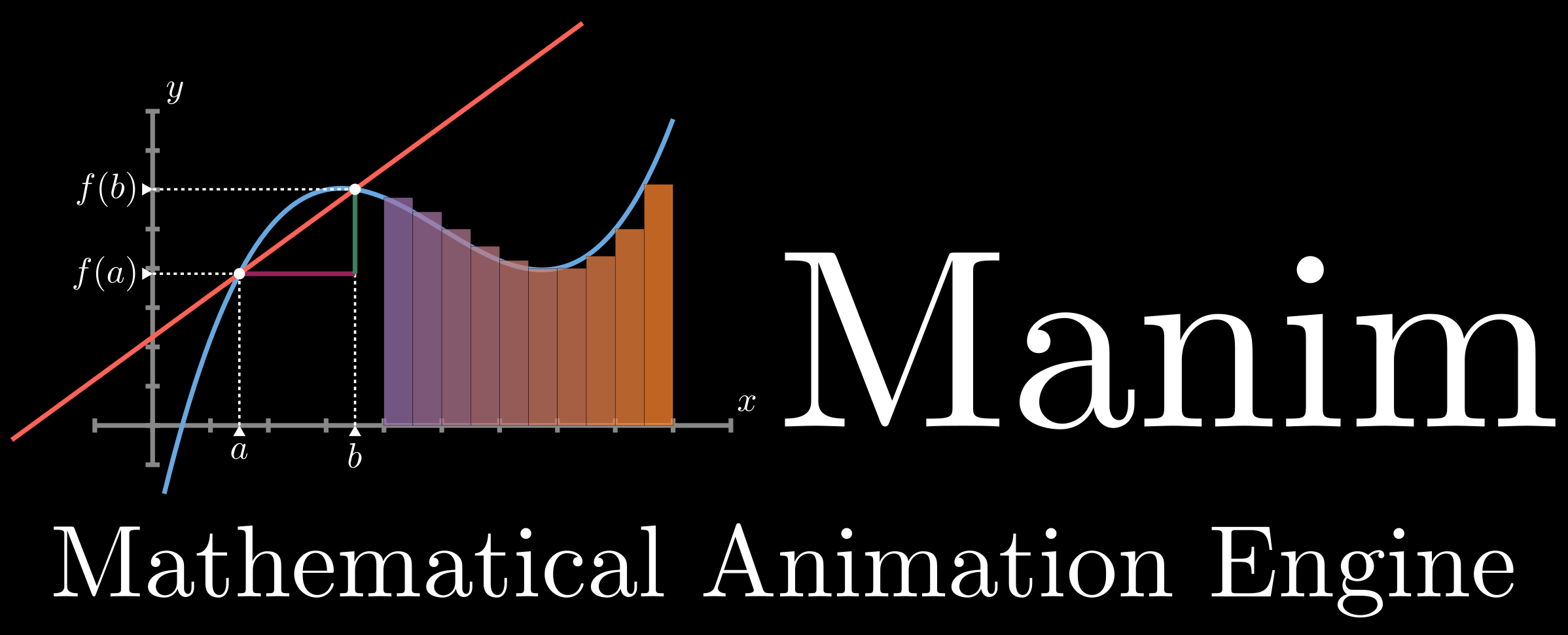




Manim คือเอนจินสำหรับสร้างแอนิเมชันเชิงโปรแกรมที่แม่นยำ ซึ่งออกแบบมาเพื่อสร้างวิดีโออธิบายคณิตศาสตร์
โปรดทราบว่า manim มีสองเวอร์ชัน Repository นี้เริ่มต้นจากโปรเจกต์ส่วนตัวโดยผู้สร้าง 3Blue1Brown เพื่อวัตถุประสงค์ในการสร้างแอนิเมชันสำหรับวิดีโอเหล่านั้น โดยมีโค้ดเฉพาะสำหรับวิดีโออยู่ที่ นี่ ในปี 2020 กลุ่มนักพัฒนาได้ fork โปรเจกต์นี้ไปเป็น community edition โดยมีเป้าหมายเพื่อให้มีความเสถียรมากขึ้น ผ่านการทดสอบที่ดีขึ้น ตอบสนองต่อการมีส่วนร่วมของชุมชนได้เร็วขึ้น และโดยรวมแล้วเป็นมิตรต่อการเริ่มต้นใช้งานมากขึ้น ดู หน้านี้ สำหรับรายละเอียดเพิ่มเติม
การติดตั้ง
คำเตือน: คำแนะนำเหล่านี้มีไว้สำหรับ ManimGL เท่านั้น การพยายามใช้คำแนะนำเหล่านี้เพื่อติดตั้ง Manim Community/manim หรือใช้คำแนะนำจากที่นั่นเพื่อติดตั้งเวอร์ชันนี้จะทำให้เกิดปัญหา คุณควรตัดสินใจก่อนว่าจะติดตั้งเวอร์ชันใด จากนั้นจึงปฏิบัติตามคำแนะนำสำหรับเวอร์ชันที่คุณต้องการเท่านั้น
หมายเหตุ: หากต้องการติดตั้ง manim โดยตรงผ่าน pip โปรดใส่ใจกับชื่อแพ็กเกจที่ติดตั้ง Repository นี้คือ ManimGL ของ 3b1b ชื่อแพ็กเกจคือ manimgl แทนที่จะเป็น manim หรือ manimlib โปรดใช้ pip install manimgl เพื่อติดตั้งเวอร์ชันใน repository นี้
Manim ทำงานบน Python 3.10 หรือสูงกว่า
ข้อกำหนดของระบบคือ FFmpeg, OpenGL และ LaTeX (ไม่บังคับ หากคุณต้องการใช้ LaTeX) สำหรับ Linux จำเป็นต้องมี Pango พร้อมกับ development headers ดูคำแนะนำ ที่นี่
โดยตรง
# ติดตั้ง manimgl
pip install manimgl

# ลองใช้งาน
manimgl
สำหรับตัวเลือกเพิ่มเติม โปรดดูส่วน การใช้งาน manim ด้านล่าง
หากคุณต้องการแก้ไข manimlib ด้วยตัวเอง ให้โคลน repository นี้ และในไดเรกทอรีนั้นให้รันคำสั่ง:
# ติดตั้ง manimgl
pip install -e .

# ลองใช้งาน
manimgl example_scenes.py OpeningManimExample
# หรือ
manim-render example_scenes.py OpeningManimExample
Linux (Ubuntu/Debian)
- 1ติดตั้ง system dependencies
sudo apt update

sudo apt install ffmpeg
sudo apt install python3-pip
sudo apt install libpango1.0-dev- 1ติดตั้ง LaTeX distribution ขนาดเล็ก (ไม่บังคับ สำหรับการเรนเดอร์ LaTeX)
sudo apt install texlive-science texlive-fonts-extra texlive-latex-extraการตั้งค่าขนาดเล็กนี้มีขนาดเล็กกว่าการติดตั้ง texlive-full อย่างมาก
แต่ยังคงรองรับโปรเจกต์ Manim ส่วนใหญ่
- 1โคลนและติดตั้ง ManimGL
git clone https://github.com/3b1b/manim.git
cd manim

python3 -m pip install -e .

manimgl example_scenes.py OpeningManimExample
ขอแนะนำให้ใช้สภาพแวดล้อมเสมือนเพื่อหลีกเลี่ยงความขัดแย้งกับแพ็กเกจระบบ
sudo apt install python3-venv

python3 -m venv venv
source venv/bin/activate

python3 -m pip install -e .
หาก python3-venv ไม่พร้อมใช้งานในระบบของคุณ ให้ลองติดตั้งแพ็กเกจเฉพาะเวอร์ชันแทน:
sudo apt install python3.12-venvโดยตรง (Windows)
- 1ติดตั้ง FFmpeg
- 2ติดตั้ง LaTeX distribution แนะนำ MiKTeX
- 3ติดตั้งแพ็กเกจ Python ที่เหลือgit clone https://github.com/3b1b/manim.git cd manim pip install -e . manimgl example_scenes.py OpeningManimExample
Mac OSX
- 1ติดตั้ง FFmpeg, LaTeX ในเทอร์มินัลโดยใช้ homebrewbrew install ffmpeg mactex เพื่อหลีกเลี่ยงการติดตั้งชุด MacTeX เต็มรูปแบบ ซึ่งมีขนาดประมาณ 6GB คุณสามารถติดตั้ง [BasicTeX](https://formulae.brew.sh/cask/basictex) ที่มีน้ำหนักเบากว่าแทน และค่อยๆ เพิ่ม เฉพาะแพ็กเกจ LaTeX ที่คุณต้องการจริงๆ รายการแพ็กเกจที่เพียงพอต่อการรันตัวอย่างสามารถ พบได้ [ที่นี่](https://github.com/3b1b/manim/issues/2133#issuecomment-2414547866) สำหรับภาพรวมของชุดติดตั้ง MacTeX ดูที่ https://www.tug.org/mactex/
- 2หากคุณใช้โปรเซสเซอร์ที่ใช้ ARM ให้ติดตั้ง Cairoarch -arm64 brew install pkg-config cairo
- 3ติดตั้ง manim เวอร์ชันล่าสุดโดยใช้คำสั่งเหล่านี้git clone https://github.com/3b1b/manim.git cd manim pip install -e . manimgl example_scenes.py OpeningManimExample (ตรวจสอบให้แน่ใจว่าได้เพิ่ม manimgl ลงใน path ก่อน)
การติดตั้งด้วย Anaconda
- 1ติดตั้ง LaTeX ตามด้านบน
- 2สร้างสภาพแวดล้อม conda โดยใช้
conda create -n manim python=3.10 - 3เปิดใช้งานสภาพแวดล้อมโดยใช้
conda activate manim - 4ติดตั้ง manimgl โดยใช้
pip install -e .
การใช้งาน manim
ลองรันคำสั่งต่อไปนี้:
manimgl example_scenes.py OpeningManimExampleสิ่งนี้ควรจะเปิดหน้าต่างที่เล่นฉากง่ายๆ ขึ้นมา
ดู ฉากตัวอย่าง เพื่อดูตัวอย่างไวยากรณ์ของไลบรารี ประเภทแอนิเมชัน และประเภทออบเจกต์ ใน repo 3b1b/videos คุณสามารถดูโค้ดทั้งหมดสำหรับวิดีโอ 3blue1brown ได้ แม้ว่าโค้ดจากวิดีโอเก่าอาจไม่เข้ากันกับ manim เวอร์ชันล่าสุด Readme ของ repo นั้นยังสรุปรายละเอียดบางอย่างเกี่ยวกับวิธีการตั้งค่าเวิร์กโฟลว์แบบโต้ตอบมากขึ้น ดังที่แสดงใน วิดีโอสาธิต manim นี้ เป็นต้น
เมื่อรันใน CLI แฟล็กที่มีประโยชน์บางอย่างได้แก่:
-wเพื่อเขียนฉากลงไฟล์-oเพื่อเขียนฉากลงไฟล์และเปิดผลลัพธ์-sเพื่อข้ามไปยังตอนท้ายและแสดงเฉพาะเฟรมสุดท้าย* `-so` จะบันทึกเฟรมสุดท้ายเป็นรูปภาพและแสดง-n <number>เพื่อข้ามไปยังแอนิเมชันลำดับที่nของฉาก-fเพื่อทำให้หน้าต่างเล่นเต็มหน้าจอ
ดูที่ custom_config.yml สำหรับการกำหนดค่าเพิ่มเติม หากต้องการเพิ่มการปรับแต่งของคุณ คุณสามารถแก้ไขไฟล์นี้ หรือเพิ่มไฟล์อื่นที่มีชื่อเดียวกัน "custom_config.yml" ไปยังไดเรกทอรีที่คุณรัน manim ตัวอย่างเช่น นี่คือไฟล์ สำหรับวิดีโอ 3blue1brown ที่นั่นคุณสามารถระบุตำแหน่งที่วิดีโอควรจะถูกส่งออก ตำแหน่งที่ manim ควรมองหาไฟล์รูปภาพและเสียงที่คุณต้องการอ่าน และค่าเริ่มต้นอื่นๆ เกี่ยวกับสไตล์และคุณภาพวิดีโอ
เอกสารประกอบ
เอกสารประกอบกำลังอยู่ในระหว่างการพัฒนาที่ 3b1b.github.io/manim และยังมีเวอร์ชันภาษาจีนที่ดูแลโดย @manim-kindergarten: docs.manim.org.cn (เป็นภาษาจีน)
manim-kindergarten ได้เขียนและรวบรวมคลาสเสริมที่มีประโยชน์บางอย่างและโค้ดของวิดีโอใน manim_sandbox repo
การมีส่วนร่วม
ยินดีต้อนรับเสมอ ดังที่กล่าวไว้ข้างต้น community edition มีระบบนิเวศที่ใช้งานมากที่สุดสำหรับการมีส่วนร่วม โดยมีการทดสอบและ continuous integration แต่ pull request ก็ยินดีต้อนรับที่นี่เช่นกัน โปรดอธิบายแรงจูงใจสำหรับการเปลี่ยนแปลงที่กำหนดและตัวอย่างผลกระทบของมัน
สัญญาอนุญาต
โปรเจกต์นี้อยู่ภายใต้สัญญาอนุญาต MIT
เอกสารโปรเจกต์
อ่านเอกสารต้นฉบับ
README วิธีติดตั้ง วิธีใช้งาน และข้อกำหนดจาก repository ต้นฉบับ
Manim is an engine for precise programmatic animations, designed for creating explanatory math videos.
Note, there are two versions of manim. This repository began as a personal project by the author of 3Blue1Brown for the purpose of animating those videos, with video-specific code available here. In 2020 a group of developers forked it into what is now the community edition, with a goal of being more stable, better tested, quicker to respond to community contributions, and all around friendlier to get started with. See this page for more details.
Installation
WARNING: These instructions are for ManimGL only. Trying to use these instructions to install Manim Community/manim or instructions there to install this version will cause problems. You should first decide which version you wish to install, then only follow the instructions for your desired version.
Note: To install manim directly through pip, please pay attention to the name of the installed package. This repository is ManimGL of 3b1b. The package name is manimgl instead of manim or manimlib. Please use pip install manimgl to install the version in this repository.
Manim runs on Python 3.10 or higher.
System requirements are FFmpeg, OpenGL and LaTeX (optional, if you want to use LaTeX). For Linux, Pango along with its development headers are required. See instruction here.
Directly
# Install manimgl
pip install manimgl

# Try it out
manimgl
For more options, take a look at the Using manim sections further below.
If you want to hack on manimlib itself, clone this repository and in that directory execute:
# Install manimgl
pip install -e .

# Try it out
manimgl example_scenes.py OpeningManimExample
# or
manim-render example_scenes.py OpeningManimExample
Linux (Ubuntu/Debian)
- 1Install system dependencies.
sudo apt update

sudo apt install ffmpeg
sudo apt install python3-pip
sudo apt install libpango1.0-dev- 1Install a lightweight LaTeX distribution (optional, for LaTeX rendering).
sudo apt install texlive-science texlive-fonts-extra texlive-latex-extraThis lightweight setup is significantly smaller than installing texlive-full
while still supporting most Manim projects.
- 1Clone and install ManimGL.
git clone https://github.com/3b1b/manim.git
cd manim

python3 -m pip install -e .

manimgl example_scenes.py OpeningManimExample
It is recommended to use a virtual environment to avoid conflicts with system packages.
sudo apt install python3-venv

python3 -m venv venv
source venv/bin/activate

python3 -m pip install -e .
If python3-venv is unavailable on your system, try installing the version-specific package instead:
sudo apt install python3.12-venvDirectly (Windows)
- 1Install FFmpeg.
- 2Install a LaTeX distribution. MiKTeX is recommended.
- 3Install the remaining Python packages.git clone https://github.com/3b1b/manim.git cd manim pip install -e . manimgl example_scenes.py OpeningManimExample
Mac OSX
- 1Install FFmpeg, LaTeX in terminal using homebrew.brew install ffmpeg mactex To avoid installing the full MacTeX bundle, which is ~6GB, you can alternatively install the lightweight [BasicTeX](https://formulae.brew.sh/cask/basictex) and then gradually add only the LaTeX packages you actually need. A list of packages sufficient to run examples can be found [here](https://github.com/3b1b/manim/issues/2133#issuecomment-2414547866). For an overview of the MacTeX installer bundles, see https://www.tug.org/mactex/. </details>
- 2If you are using an ARM-based processor, install Cairo. arch -arm64 brew install pkg-config cairo
- 3Install latest version of manim using these command.git clone https://github.com/3b1b/manim.git cd manim pip install -e . manimgl example_scenes.py OpeningManimExample If the last command is not found, make sure the directory pip installed `manimgl` into is on your `PATH`.
Anaconda Install
- 1Install LaTeX as above.
- 2Create a conda environment using
conda create -n manim python=3.10. - 3Activate the environment using
conda activate manim. - 4Install manimgl using
pip install -e ..
Using manim
Try running the following:
manimgl example_scenes.py OpeningManimExampleThis should pop up a window playing a simple scene.
Look through the example scenes to see examples of the library's syntax, animation types and object types. In the 3b1b/videos repo, you can see all the code for 3blue1brown videos, though code from older videos may not be compatible with the most recent version of manim. The readme of that repo also outlines some details for how to set up a more interactive workflow, as shown in this manim demo video for example.
When running in the CLI, some useful flags include:
-wto write the scene to a file-oto write the scene to a file and open the result-sto skip to the end and just show the final frame. * `-so` will save the final frame to an image and show it-n <number>to skip ahead to then'th animation of a scene.-fto make the playback window fullscreen
Take a look at custom_config.yml for further configuration. To add your customization, you can either edit this file, or add another file by the same name "custom_config.yml" to whatever directory you are running manim from. For example this is the one for 3blue1brown videos. There you can specify where videos should be output to, where manim should look for image files and sounds you want to read in, and other defaults regarding style and video quality.
Documentation
Documentation is in progress at 3b1b.github.io/manim. And there is also a Chinese version maintained by @manim-kindergarten: docs.manim.org.cn (in Chinese).
manim-kindergarten wrote and collected some useful extra classes and some codes of videos in manim_sandbox repo.
Contributing
Is always welcome. As mentioned above, the community edition has the most active ecosystem for contributions, with testing and continuous integration, but pull requests are welcome here too. Please explain the motivation for a given change and examples of its effect.
License
This project falls under the MIT license.